Windows 7 Stuff


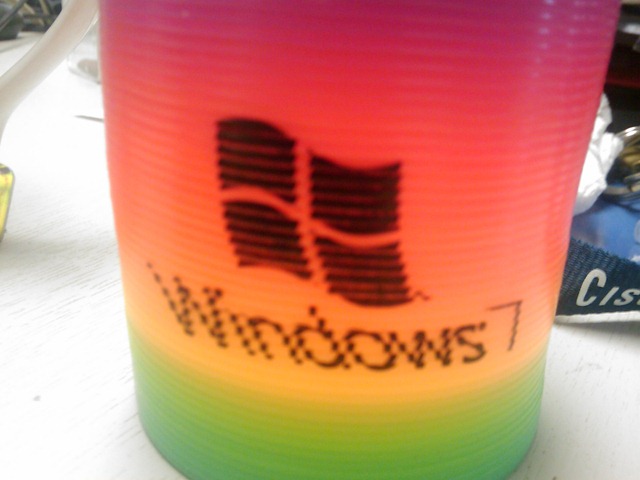
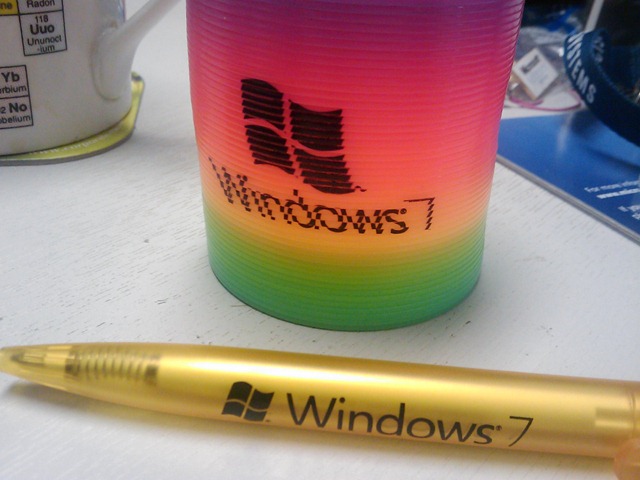
We had our Windows 7 launch day at work last week and we all got Windows 7 pens and Windows 7 slinkies…which are officially awesome!

The slinky and pen:

IMAGE_837IMAGE_838

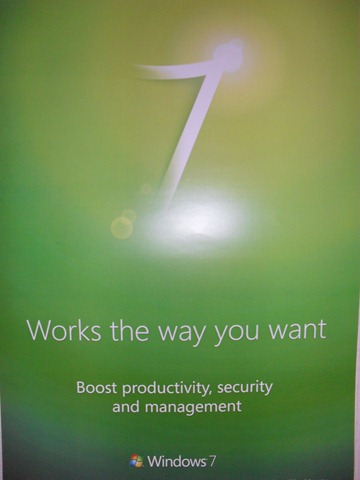
The posters we got up around the office:

SDC10745

They’re nice and clean and simple-I like them.

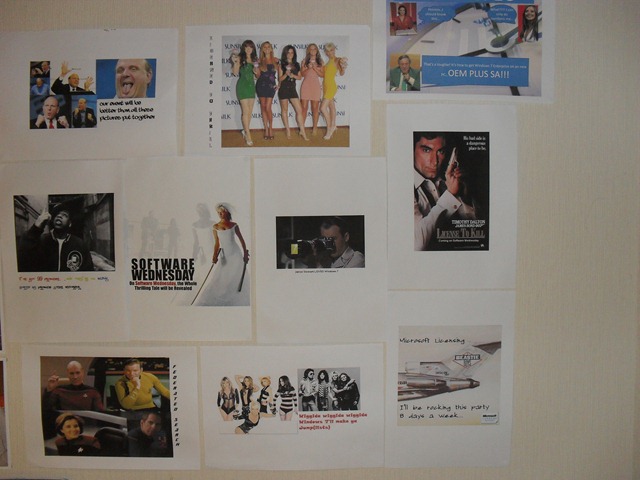
As an added bonus, here’s my software poster wall:

 SDC10744 <—This isn’t the only one!

Hope you like it 🙂

There is a picture of me in front of the big Windows 7 stand thing we had but I, oddly, can’t find that one anymore 😉

MS Exam 70-680 training videos


Exam 70-680 is the new Microsoft MCTS exam for Configuring Windows 7 that builds towards the MCITP accreditations.

I’ve been thinking of taking this exam for a little while and now there is what’s shaping up to be an excellent series of training videos available from @Bibbleq. He’s an IT Admin and has started putting these videos together in his spare time to help out anyone looking at this exam – so ‘nuff respect for that 🙂

I’ve watched the 1st 2 videos that are available and they’re really good. Well presented, clear and I’ve definitely picked up a thing or two, which is what it’s all about isn’t it?! I’m not sure how many will be in the series but I’m confident that once you’ve seen them all, you’ll be in a position to pretty much go and take the exam straight away!

First video is here.

Second video is here.

Third video is here.

Fourth video is here. This is the start of Section 2.

Section 2 Module 2 is here. This covers DISM & ImageX.

Homepage is here.

Nice one Bibbleq!

Microsoft Total Recall


This is a great piece on the work going on inside Microsoft Research called MyLifeBits. Gordon Bell and his colleague Jim Gemmell have been working to digitally record nearly everything that goes in in Gordon’s life…and make it a useful data repository. As Graham said:

“I was saving everything, but it became clear that the problem was a search problem. You could save everything…but the big problem was organizing and then searching…”

They created a database to store all this data and then wrote software to collect, scan and label all the things captured, which include emails, pictures, phone calls, web pages visited, documents, scanned receipts and more!

A real life example:

“If I’ve ever seen a Web page, I’ve got a copy of it, and I can find it again quickly because I only have to search my own corpus, not the entire Web.”

That sounds pretty great to me 🙂 The number of times that I know I’ve seen something on a site and I either can’t remember which one, or I get the right site but just can’t find the page is crazy…and this’d be a good way to sort that out. Not sure about storing EVERY web page though you know 😉

This work is a great example not just of what Microsoft Research get up to, but also a great example of what IT in general can do for the world. 10-15 years down the line when MyLifeBits is commonplace-finding information will be so much easier!

Check out the full article over at MS Research here.

Microsoft open up .PST files


Microsoft have announced that they are opening up the technology behind their .PST files- the files that hold all the email, calendar and contact info that Outlook archives. While many people aren’t fans of .PST files (products such as Symantec’s Enterprise Vault have whole modules aimed at eradicating them), they are still prevalent and so anything that makes interacting with easier has got to be good 🙂

While developers have been able to work with .PST files in the past through MAPI and the Outlook Object Model, it required that Outlook was installed on the machine. However once this new documentation is released it will:

“will allow developers to read, create, and interoperate with the data in .pst files in server and client scenarios using the programming language and platform of their choice. The technical documentation will detail how the data is stored, along with guidance for accessing that data from other software applications. It also will highlight the structure of the .pst file, provide details like how to navigate the folder hierarchy, and explain how to access the individual data objects and properties.”

This is another move by Microsoft to increase interoperability between their products and those of other manufacturers, and is to be applauded I think. Some say this might lead to more people moving away from Exchange but I doubt that anyone was sticking with Microsoft’s email platform simply because of .PST’s 😉

The full post can be found here.

Windows 7 & AutoDesk: Project Cooper


Windows 7 has officially been launched. Today is general availability (GA) day (which means you can pop down to Comet/PC World etc and get it off the shelf) and we’ve seen a number of launch events all around the world. Numerous other manufacturers have been presenting alongside Microsoft to show how their technologies inter-operate but one that caught my eye was AutoDesk.

AutoDesk are makers of CAD (Computer Aided Design) software, most notably AutoCAD & AutoCAD LT. I have to say I’ve never really considered that they would have any kind of relationship with Microsoft, so I was a little surprised to see that they were taking part in today’s launch event in New York, presenting Project Cooper. This new product:

“will allow users to easily and quickly create professional-looking drawings and sketches, or precise drawings with real-world dimensions, and share this information with others”

according to AutoDesk Senior Director, Emerging Products Amjad Hanif.

It has been

“engineered to take full advantage of Windows 7 support for multi-touch, including panning, zooming, rotation and flick functionality”

and is designed for those times that a mouse/keyboard just isn’t going to work. With it being CAD software this will be architects, interior designers, building planners etc when they’re on site. They’ll be able to sketch out ideas there and then, increasing productivity and collaboration – 2 key messages from Microsoft.

From a software reseller’s point of view, this represents yet another opportunity for Wondows 7 to open up new revenue streams and help us create better, stronger relationships with our customers.

You can see the original post on the Windows Blog here.

... When You've Got Alice Cooper

Office 2010 Background removal


The new background removal tool in Office 2010 is fantastic!

I hadn’t played around with it before but I just saw a tweet about some of the technology inside it, and my interest was piqued! This new ability is inside Word, Excel, Powerpoint and Outlook and helps bring out the part of the picture that you actually want to use in your document. It’s pretty clever, methinks a demo is needed:

Original Picture:

Insert the picture into Word (in this example) and hit the “Background Removal” button:

image

Which brings up the “marquee”:

image

The rectangle can be moved, stretched and extended to cover the exact area you need and then it cuts away all the background to give you:

image

That is pretty amazing how it’s taken out the sea etc in the background but there are a few issues…there’s that patch under it’s flipper that’s still there and you might notice that he’s now missing his tail!

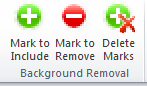
That isn’t the end of it though, there are a couple of extra tools that enable you to correct the above:

image

With these you can mark specific areas to be included/removed despite what the algorithm might suggest 🙂

image

You can see the markers on it’s flipper and the tail and now the picture looks like this:

image

Perfectly formed turtle with none of the background…nice 🙂

I did however discover that simply tightening up the rectangle in the original picture caused the missing/extra bits of picture to correct themselves!

This is a great addition and some really clever work from Microsoft Research-well done guys!!! 🙂

You can see the original MS post here.

Bing Twitter Search


Bing Twitter search is live!

Over the last few weeks, we’ve seen rumours that Twitter would be licensing data to Bing and Google, earlier today it was announced that Bing had definitely signed it up…and now it’s all up and working…for the US at least.

Head over to www.bing,com/twitter and change your location to United States (top right hand corner)…this will allow you to search live Twitter data…and it’s pretty cool. I did a search for myself (of course!) and got:

image

There you can see how I found out to change the location (cheers JNathan!) and some other tweets sent to me…you can also see at the bottom a tweet from me with a “top link” in it.

You’ll also notice that each tweet has a small “RT” icon, allowing you to Re-tweet it on Twitter…that’s a pretty nice feature!

Windows 7 BitLocker to Go Reader


One of Windows 7’s many great new features is BitLocker To Go-a built in encryption tool for removable USB devices. Enabling users to store important/sensitive data on USB sticks and protecting that data should the device be lost. As it’s a new feature in Windows 7, people have been wondering about inter-operability with previous OS versions such as Vista & XP. The answer is here:

Windows 7 BitLocker To Go Reader

This enables users with BitLocker encrypted USB devices to share data with users on Vista and XP. It will allow you to copy encrypted files from the drive onto the Vista/XP machines but:

“Once you copy the files from the encrypted drive, they will no longer be protected by BitLocker in the new location, even though they’ll still be protected on the encrypted drive”

It’s worth noting that you can only unlock the drive using Reader if you’ve got the password information etc…it doesn’t just allows random unlockings 🙂

For more information and step by step instructions on using BitLocker to Go Reader on XP/Vista, see:

http://windows.microsoft.com/en-US/windows7/what-is-the-bitlocker-to-go-reader

To go and download the program and get started, go to Microsoft Downloads here.

Bill Gates was in Frasier


Somehow I’ve only just discovered this, that Microsoft Co-Founder Bill Gates was in Frasier! There isn’t much more to say other than it starts at 02:20 into the clip, it’s about XP and is pretty funny…Bill has got a great sense of humour!

Microsoft Office 2010: New offerings


Microsoft Office 2010 will be with us next year and there are lots of great new things happening with it. I’ve been running the technical preview for a couple of months now and there are countless new features that I love – you can see more on that here and here.

There are 3 new announcements regarding ways that Office 2010 will be available:

Microsoft Office 2010 Starter:

This is my favourite of the 3, an ad-supported, cut down version of Office 2010 containing Word & Excel…for FREE. It will include the ability to view files as well as creation and basic editing functions and will be easily upgradeable to a full version of Office 2010.

This is of course aimed at increasing Office’s exposure in emerging markets as well as taking market share from Sun’s OpenOffice package; in my opinion that’s a good thing. OpenOffice, while a commendable Open Source effort, just isn’t as good as Microsoft Office. It’s not just me as a Microsoft fan saying that-friends and colleagues who are Mac and/or Linux fans agree too 🙂

The situation I can see Office Started being of most use to me is when I’m setting up new PC’s for friends/family and I get the almost obligatory “Where’s MS Word?”…”What? What do you mean it’ doesn’t come with the computer?!” tirade. It always seems that people buy new machines sans Office and then immediately need to start creating/editing documents…why, I’m not sure! Currently in these case, I recommend they download OpenOffice for the time being and then they can get Office at a later date…but I’d much rather download Office 2010 Starter edition for them! In fact, in the vast majority of cases this will be pre-installed on PC’s by the OEM manufacturer allowing users to get working straight away.

I guess a lot of people just stick with OpenOffice once it’s on their machine-something that Microsoft would clearly like to change. I can imagine that once someone has seen what is possible with Office Starter, quite a high percentage of people will upgrade to Office Home & Student which:

“has been the top selling PC software title at US retail for the last two years”

and is a great value way of getting Office at home. It’s worth noting that MS Works will be discontinued when Office 2010 is released.

Also, to combat what seems to be a common misconception, although Starter will be pre-installed by OEM’s, it WILL also be available for users to download themselves.

Product Key Card:

This is a new way to purchase Office from retail outlets (PC World, Comet,  Currys.digital etc) which is simply a card with an Office licence key on it (no dvd media); allowing you to easily convert trials that are pre-installed on machines. It hits the green mark too by using less packaging 🙂

Click to Run:

This is a new way to download, try and buy Office on existing machines. It uses virtualization technologies (which seem to be based on their corporate App-V technology) to allow multiple version of Office to co-exist. This means consumers can try Office 2010 while still keeping their current 2007 installation with no risk of conflicts.

All in all-these are yet more reasons for Office 2010 to be the best release to date 🙂

The Official Office 2010 Technet post (with videos) is here:

http://blogs.technet.com/office2010/archive/2009/10/07/new-ways-to-try-and-buy-microsoft-office-2010.aspx