
I upgraded to the final release version of Office 2010 yesterday and opened up my newly installed RTM version of OneNote this morning, to be greeted by this message:
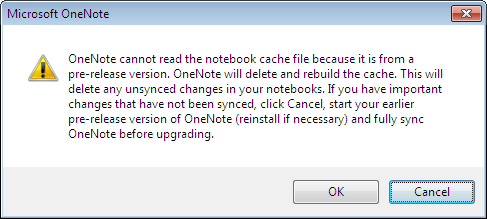
This didn’t cause me any issues as I haven’t been syncing OneNote and I imagine that people who do would usually sync everything each day so this wouldn’t really come up.
However I can also imagine that this would be really annoying if it DID affect you as you’d need to:
- Uninstall Office 2010 RTM
- Re-Install Office 2010 Beta
- Sync One Note
- Uninstall Office 2010 Beta
- Re-Install Office 2010 RTM
which is quite a long winded process!
So, moral of the story is:
If you’re going to move up to the Office 2010 RTM, SYNC ONENOTE FIRST! 🙂
I hope that helps someone…
 Cloudy with a chance of Licensing