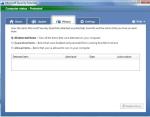
Microsoft Online Services Diagnostics And Logging: MOSDAL


Microsoft Online Services Diagnostics And Logging AKA MOSDAL is a support toolkit that “performs network diagnostics and collects system configuration, network configuration, and logging information for service-based products.”

If that’s all you need to know then you can download it here.

However, if you’d like a little more info-here you go 🙂

Functionality:

  • MOSDAL can be used to run network diagnostics against a particular data center where data resides.
  • MOSDAL can be used to collect system, network, and service-enabled application configuration information, logs, registry keys, file versions, and other related data.

Network Diagnostics:

  • Configuration information that is captured includes the computer’s IP address, the subnet mask, the default gateway, the DNS servers, ARP tables, the Host file, static routes, and other similar information.
  • Network diagnostics data includes output of pings, pathpings, nslookups, port queries, and HTTP server responses for cloud servers in a particular data center.

Data Collection:

The data collection component of MOSDAL collects data about the user’s system configuration, the network configuration, and the following applications:

  • Microsoft .NET Framework
  • Microsoft Online Service (Sign In) Client
  • Microsoft Live Meeting 2007
  • Microsoft Live Meeting Conferencing Add-in for Microsoft Office Outlook 2007
  • Windows Internet Explorer 7
  • Microsoft Office Communicator 2007 R2
  • Microsoft Office Outlook 2007
  • Microsoft Online Directory Synchronization tool
  • Microsoft Online Migration Tool

For more information including Verbose Logging and Use Instructions-head over to the MS KB article here.

Also thanks to Microsoft’s Peter De Haas for this…

Microsoft BPOS New Features: July 2009


Microsoft Online/BPOS has been getting new features and improvement each month since launch, and July is no different! This month sees:

Increase in the size of Sharepoint Uploads: The max. file size you can upload to Sharepoint Online has increased from 50MB to 250MB. This is a great improvment as it’s been causing me problems recently-(it seems all the files I need to use are 60MB +) and affecting my evangelism of the product…I can’t see me needing to go over this new limit though.

Live Meeting Attendee Increase: You can now have 250 meeting attendees, this is increased from 15 previously. This will be available to new customer from July 13th and existing customers from August 13th.

Worldwide User Provisioning: Administrators can now assign licences to worldwide users-this new feature will be of great interest to BPOS users with international locations. Previously you could only deploy BPOS to users in countries where BPOS was available to purchase, but not anymore…this gives much more freedom to bigger corporates.

Also, BPOS is available in India now and the trial sign up process has been significantly streamlined-with user actions being reduced by 75%! It also integrates with Live ID better, so I guess you won’t have to enter all your details again now.

The MS Online blog post is here.

Windows 7 Upgrade Coupon Limit


As you have probably seen, new PC’s are now shipping with Vista AND an Upgrade Coupon to give users a copy of Windows 7 too. This is a great offer, however it’s been discovered that the offer has a maximum limit of 25 machines.

This isn’t anywhere near as bad as some people will no doubt try and make out. The upgrade coupon offer is aimed primarily at small businesses, for whom 25 PC’s is a pretty decent number. Larger companies will be more likely to purchase their Vista/Windows 7 via Volume Licensing (Open, Select etc) and so have access to Software Assurance…and one of the many benefits it gives is Upgrade protection.

All in all, it’s a good deal for all involved I think 🙂

Windows 7 Pricing Revealed


Windows 7 news is coming pretty thick and fast at the moment and now we’ve got word on the official pricing structure for the latest OS-and it’s pretty good 🙂

Windows 7 Home Premium = £149.99

Windows 7 Professional = £219.99

Windows 7 Ultimate – £229.99

The Home edition represents a £20/12% reduction in price when compared to Vista, while the others are the same…

The biggest change is that there won’t be an upgrade version available in Europe. “WHAT-NO UPGRADES??!!” I hear you cry…don’t worry-the Full version will be the same cost as the equivalent upgrade sku’s available in other countries.

The reason behind this is…THE EU (duhn duhn duhn). As a result of their “investigations”, MS have had to create a Windows 7 “E” edition that doesn’t contain IE8. This has pushed back the schedule for the European release,m eaning there won’t be a specific upgrade version ready in time. MS had to choose between delaying the European release of Windows 7 or not having an upgrade version…I think they chose right!

Microsoft Online Single Sign On Oddity


I’ve been working with MS Online (BPOS) for quite some months but it’s only now, with more and more customers looking into it for their environments that we’re seeing the odd little questions etc we didn’t anticipate.

This is one that came up today and, while it might be obvious to some of you, it probably won’t to others 🙂

BPOS provides users with a Single Sign On (SSO) client that logs them into the online services when they log into Windows, thus removing the need for repeated entering of credentials. If you right click the SSO icon in the System tray-it will launch you right into the app…unless it’s Outlook Web Access. When you try and run OWA, it requires you to enter your username and password each time; the reasoning behind it is a lack of pass-through authorization for increased security.

The upshot is…if you use Exchange Online but don’t have Outlook-you can’t use the Single Sign On to access your email. Maybe not the most common request but I’ve already have it once so you  never know 😛

MS Myphone: Windows IT Pro article


Jeff James over at Windows IT Pro has recently posted a review of MS Myphone with input from your’s truly 🙂

The article covers the good and the bad points of Microsoft’s mobile phone backup service and it seems we both agree on the one addition that should be made…

Go check the article here:

Windows IT Pro MyPhone Article

Windows 7 Downgrade Rights


The ability to downgrade Windows 7 to a previous version has been a hot topic these last few days and can be quite confusing, so I thought I’d put a post together to help make it clear what the rules will be 🙂

Windows 7 Pro & Windows 7 Ultimate OEM licences will be able to downgrade to Vista for an unlimited amount of time.

Windows 7 Pro & Windows 7 Ultimate OEM licences will be able to downgrade to XP Pro for 18 months only or until a Service Pack is released, whichever is first.

Q: What is an OEM licence?

A: OEM stands for “Original Equipment Manufacturer” and these are licences that come pre-installed on PCs when you buy them from PC World, Dixon’s etc.

Q: What about OEM licences of Windows 7 Home or Starter?
A: The OEM EULAs of these version do not permit downgrade rights.

Q: What if I purchase Windows 7 through Volume Licensing?
A: The versions of Windows 7 available through Volume Licensing (Open, Open Value, Schools, Select, EA ) will contine to have full downgrade rights to any previous version without time restrictions.

There are lots of people saying lots of things about this but I don’t really see it as being too much of an issue. In a nutshell, Microsoft are saying that after June 2011 the majority of home users won’t be able to downgrade a new PC to an OS that is 9 years old.

When you really think about it-who will want to? In 2 years-will there really be any reason for people to be using XP? I don’t think so. The applications that won’t work on Windows 7 will have been replaced with new, Windows 7 compatible versions and all will be good 🙂

New IE8 advert


Here’s a new advert for IE8 and I freaking love it! I love “weird” adverts that aren’t all “salesy” and this is perfectly offbeat, not only does it feature Lolcatz it also features SUPERMAN!!! It’s nice to see Good Ol’ Dean Cain back on the scene 🙂

Seriously I think this is a great style of advert and style that MS should use for everything…I’d love to see Sharepoint advertised like this for example 😉

Symantec Backup Exec gets De-Duplication


Symantec are planning to include the de-duplication of their PureDisk product into both Backup Exec & NetBackup, to further help reduce the amount of storage needed to keep data. AN analyst notes reveals:

“…dedupe would be integrated in NetBackup 7.0 and Backup Exec 2010 in the second half of its financial 2010 year, which closes at the end of March, 2010.”

This should help Symantec regain some of the market share, and reputation, it has lost over the last 18 months or so and become the well respected Backup vendor that Veritas once was.

More info can be found over at The Register.

Free Microsoft Hyper-V training


HyperVoria have got a post which gives access to free Microsoft e-learning on Hyper-V.

The courses within the collection include the following topics:

  • An overview of the Hyper-V technology
  • Creating a virtual environment
  • Deploying systems in a virtual environment
  • Configuring high availability in a virtual environment
  • Administering a virtual environment with SCVMM

They’ve just updated the promo code and access works, I’ve logged in and added it to My Learning. So if you’re just getting started with Hyper-V or are looking for a refresher-head over to HyperVoria on teh link below and go get it 🙂

http://hypervoria.com/hyper-v/hyper-v-free-training.aspx

The ebook that’s available is pretty good too!