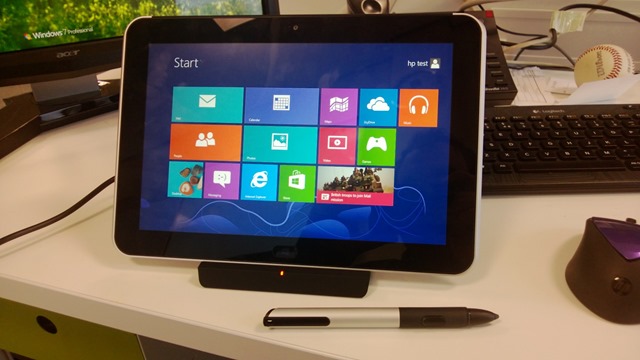
Windows 8.1 for the Enterprise


There have been a number of announcements about the upcoming Windows 8.1 and now we have more information around how the latest Windows OS update will help enterprises.

BYOD – Bring Your Own Device

This is a huge area of interest for a huge number of people and organizations right now. Even if they’re just at the research stage, well over 60% of the people that I speak to are looking at how BYOD may/will impact their business…whether they want it to or not. Microsoft have announced a number of key additions in this area:

  • Workplace Join – This feature allows a middle ground between all or nothing access, allowing a user to work on the device of their choice and still have access to corporate resources. With Workplace Join, IT administrators now have the ability to offer finer-grained control to corporate resources. If a user registers their device, IT can grant some access while still enforcing some governance parameters on the device to ensure the security of corporate assets.
  • Work Folders – Work Folders allows a user to sync data to their device from their user folder located in the corporation’s data center. Files created locally will sync back to the file server in the corporate environment. This syncing is natively integrated into the file system.  IT can enforce Dynamic Access Control policies on the Work Folder Sync Share (including automated Rights Management) and require Workplace Join to be in place.
  • NFC tap-to-pair printing – Tap your Windows 8.1 device on an NFC enabled printer and boom – you’re printing!
  • Wi-Fi Direct Printing – No additional drivers or software are needed to connect to Wi-Fi Direct printers.
  • Native Miracast support – Connect to a Miracast enabled projector with no cables or dongles.
  • Web App Proxy – This new service in the Windows Server Remote Access role provides the ability to publish access to corporate resources, enforce multi-factor authentication and more.
  • Multiple VDI Enhancements – Various additions to Windows Server 2012 R2 will make it easier and more cost effective to support VDI environments.

Mobility Enhancements

  • VPN – Added support for a wider range of VPN clients – in Windows AND Windows RT.
  • Mobile Broadband – Windows 8.1 supports embedded radios for this, giving longer battery life as well as thinner and cheaper devices.
  • Broadband Tethering – Use your Windows 8.1 device as a WiFi hotspot.
  • Auto VPN – When an app requires VPN access, one click sign in will now be possible.

Security Enhancements

  • Remote Business Data Removal – This gives organizations greater control over their content; being able to mark it as corporate and then wiping it when the relationship between company & user ends.
  • Improved Biometrics – End to End biometric support as well as optimization for fingerprint biometrics. Access to apps and their content can be restricted based on their biometric identity.
  • Pervasive Device Encryption – The encryption found in Windows RT & Windows Phone 8 will now be available in all editions of Windows.
  • IE 11 – faster page load times, side by side browsing, 3D graphics, and more all in Windows 8.1.
  • Assigned Access – This new Windows 8.1 feature will allow you to set a single (Windows store) app on a device. This can be for  in store experiences as well as educational uses and more.

Modern UI Experience

  • Variable Snap Views – Resize apps, share the screen between 2 apps or have up to 3 apps on each monitor (depending on resolution)
  • Boot to Desktop – Perhaps the #1 reason I hear for why a business isn’t moving to Windows 8 and it has now been addressed.
  • Desktop & Start Screen – Improvements have been made to better support the mouse & keyboard experience within Windows 8.1.

More info can be found here:

http://blogs.windows.com/windows/b/springboard/archive/2013/06/03/what-s-new-for-the-enterprise-in-windows-8-1.aspx

These improvements are all excellent additions to what is (I feel) a great OS, and will serve to make Windows 8 even more popular with existing users and open it up to a whole new section of users and organizations.

Windows Blue Update


Microsoft have confirmed a few things we already knew about Windows Blue, so not new news but good to have it as a definite nonetheless.

Tamie Reller, Windows CFO (pictured below), said today that Windows Blue will indeed officially be Windows 8.1 and that it will be free to existing users of Windows 8 & Windows RT.

 image

The rumours that it would be a chargeable add-on were growing in strength in some corners of the internet; it’s good to see Microsoft moving to correct the chatter and let everyone know how the land lies.

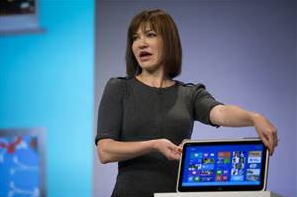
Earlier this month, Reller also revealed that Blue would be available by “holiday 2013”. Also, Julie Larsson-Green (pictured below), Head of Windows Engineering, confirmed that a public preview of Windows Blue will be available by the end of June 2013 – making it’s appearance at the BUILD conference on 26th June.

image

See more about the announcements here.

See more about Windows Blue and its features here.

Windows 8 Blue


Windows 8 has been with us for around 6 months now, and for a lot of that time, rumours of Windows Blue have been with is as well. (Mary Jo had a post about it on August 13th 2012 – http://www.zdnet.com/windows-next-just-call-it-blue-7000002535/)

Well, this week saw an early build of Windows Blue leak online and – thanks to early early adopters – we’ve got a great look at what it has to offer.

What new things are on offer?

Side by Side Snap

Windows 8 currently offers a snap view where one app takes up 2/3 of the screen and another makes up the other 1/3. I find it very useful and use it regularly but not everyone seems to agree on it’s usefulness. HP, for example, claim it is a “consumer feature” and purposefully built their business focused Windows 8 tablet, the ElitePad 900, with a screen resolution incapable of snapping; as they don’t feel that business users need it.

Windows 8 Blue brings new snap capabilities, giving 50/50 snapping (as per desktop mode & Windows 7) but also allowing 3 and 4 apps to be snapped simultaneously.

Current Snap:

image

New Snap:

image

These improvements also extend to multi-monitor support, allowing you to run individual Windows 8 apps across multiple monitors.

As the current Windows 8 snap features requires a minimum resolution of 1368×768, will the additional 3 & 4 app snap capability require an even higher resolution?

Internet Explorer 11

The latest revision of Internet Explorer will be available as part of the Blue update:

image

The word on the street/online is that tab synchronization will be introduced in IE11 and Windows Blue, allowing users to continue internet browsing across devices. You’re looking at a page on your desktop pc and need to leave the office, you can pull out your tablet on the train and pick up where you left off…it should also be possible to continue the browsing on a Windows Phone 8 device.

Oddly enough I was talking to someone who’s quite the Apple fan the other day (hi Mat!) and they mentioned this as something they really like about the iOS universe. I wasn’t aware that it was a thing and had never really thought about it so it wasn’t something that I missed…that said, since our conversation and now it’s rumoured inclusion in Windows Blue, I can see myself using it a lot between laptop/desktop and tablet. Something I wonder is this – will it be possible to do it across devices that don’t share MS accounts? For example, people won’t have their Hotmail account linked to their work machine but they may wish to continue their browsing on a personal device, which will have the MS account rather than corporate details – will this be possible?

New Live Tile sizes

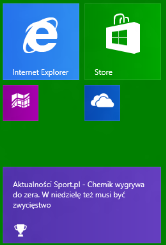
In a move that brings it in line with Windows Phone 8, Windows 8 Blue will support smaller live tiles. This please me and I’m sure many others, as it enables one to have many more things easily accessible without creating a huge start screen to scroll through. That change between WP7 & 8 was one of the biggest and most beneficial for me.

image

The Desktop tile is the only one to have a special “extra large” offering too:

image (courtesy of The Verge)

New options in Settings

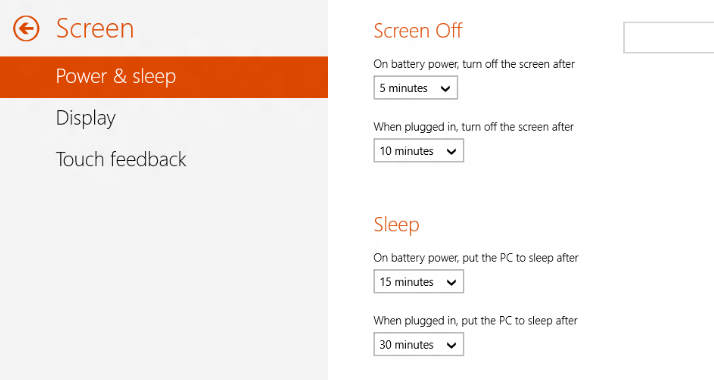
Microsoft have made many of the Control Panel features now available in the Windows 8 mode, rather than forcing the user into the desktop. This is a brilliant move, the switching between modes is one of the biggest complaints I hear and I find it very jarring myself, so steps to reduce it’s frequency can only be a good thing. I’d be happy to spend all my time in the Windows 8 interface if I could do everything I needed to (and I’m sure many others would) so this is definitely a step in the right direction.

image

image

You can see here the ability to backup a device to SkyDrive. I imagine this will be pretty useful although quite a slow process!

image

Charm Updates

The Devices Charm features a new “play to” option.

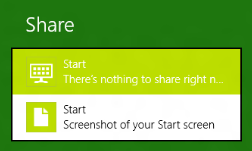
The Share Charm lets you quickly take a screenshot:

image

Other new features

The Verge tells us that “On the Start Screen you can swipe up from the bottom to bring up a list of all apps, and in the desktop mode you can swipe up or down to reveal a desktop app bar that provides access to snap, projector settings, and more” which sounds like a great addition.

The new Apps section in settings lets you see how much storage each app is using.

There is a new, quick way to add VPN settings.

A “Quiet Mode” has been introduced, allowing you to set periods when notifications are subdued.

New built in apps include:

  • Alarm
  • Sound Recorder
  • Windows 8 style calculator
  • Movie Moments – a Movie Maker replacement.

When will we get it?

Microsoft today announced their BUILD conference, the Windows Developer event, will be held in San Francisco on June 26-28 2013. It seems likely that we will see the first public preview of Windows Blue around this time – so not that long to wait really, yay!

Registration for BUILD begins 09:00am PST April 2nd here – www.buildwindows.com.

Thanks to Winforum.eu for the screenshots and The Verge for some of the extra info.

Microsoft volume licensing customers get access to Surface devices


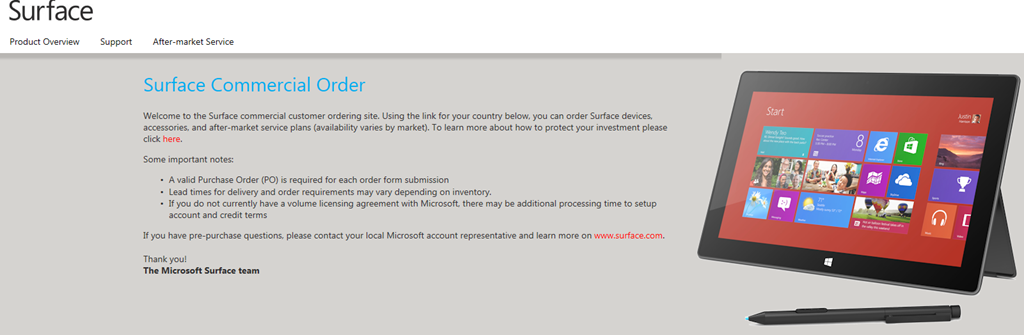
As reported by Mary Jo Foley of ZDNet, Microsoft have made it a little easier for volume licensing customers to get their hands on the Surface RT & Surface Pro devices with a new website –

https://microsoftedweblive.com/sites/BHO/default.aspx


image

image

Text from the site:

Welcome to the Surface commercial customer ordering site. Using the link for your country below, you can order Surface devices, accessories, and after-market service plans (availability varies by market).

Some important notes:

  • A valid Purchase Order (PO) is required for each order form submission
  • Lead times for delivery and order requirements may vary depending on inventory.
  • If you do not currently have a volume licensing agreement with Microsoft, there may be additional processing time to setup account and credit terms

Protect your Investment

While Surface devices come with a standard one-year limited warranty, you may want to consider purchasing a Surface Extended Hardware Service Plan. This plan is available for both Surface Pro and Surface RT devices and includes an extension of the hardware warranty up to 3-years.
The plan includes shipping a replacement unit out prior to your product return to minimize downtime. The Extended Hardware Service Plan can be purchased up to 45 days after device purchase. For details on what is and is not covered in the Extended Hardware Service Plan for Surface devices, please see the Terms and Conditions.
The Extended Hardware Service Plan is priced at $200 per device for Surface Pro and $150 per device for Surface RT. At this time, the Extended Hardware Service plans are available only in the US and Canada and via direct purchase from Microsoft.

You need to log into the website to see the above screens and move through to the pricing & ordering sections. I’d expect that any login that can access the VLSC (Volume License Service Center) will be able to sign into this site.

This is an interesting move from Microsoft – still not involving their channel partners but at least making it easier for corporations to purchase these devices! It’s interesting to note that they’re not offering a discount via this new site – the prices are the same as those on the public website.

Also, the Surface Pro isn’t listed on the UK page but it is on the US page, so it conforms to the current availability schedule. No early Pro goodness, even for volume licensing customers Smile

BizTalk licensing changes in April


Some BizTalk changes coming next month:

Biztalk 2013 will be on the pricelists from April and is moving to a per-core licensing model. As with SQL 2012, 1 license will cover 2 cores.

BztlkSvrStd 2013 ALNG MVL 2Lic CoreLic

BztlkSvrEnt 2013 SNGL OLP 2Lic NL CoreLic

BztlkSvrBrnch 2013 ALNG MVL 2Lic CoreLic

Microsoft reverse decision on Office 2013 licensing


It recently came to light that Microsoft had changed the Office 2013 FPP licensing, meaning users were no longer allowed to transfer a copy of Office 2013 from one machine to another – even in the event of that machine breaking.

This was not received well by most people and there have been a lot of blog posts, tweets, conversations about this; almost all of them negative about MS making things “more expensive”, “pushing users to the cloud” etc.

In an interesting development, Microsoft have now reversed that decision:

As a result of customer feedback to Office 2013 retail license transferability terms, we are changing the Office 2013 retail license agreement to allow customers to transfer the software from one computer to another.

The End User License Agreement text accompanying Office 2013 software will be updated in a future release, however this change is effective on March 6, 2013 at 6am PT. This amendment applies to Office Home and Student 2013, Office Home and Business 2013, Office Professional 2013, as well as Office 2013 standalone applications. These transferability options are equivalent to those found in the Office 2010 retail license terms.

This is a great example of Microsoft listening to feedback from end users and moving, really quite quickly, to rectify the issue at hand. I think this is a positive step from Microsoft and shows that customer feedback, particularly via social media, really does work!

To see the official Microsoft post, head over to:

http://blogs.office.com/b/office-news/archive/2013/03/06/office-2013-retail-license-agreement-now-transferable.aspx

HP Elitepad 900


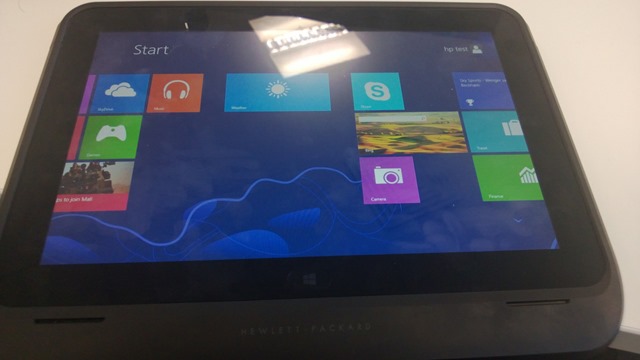
HP announced the Elitepad 900 a little while ago and it didn’t seem to create that much buzz, with me personally or the tech-sphere in general really. The only thing I knew about it was that it doesn’t meet the 1368×768 minimum resolution to enable the “snap” feature in Windows 8. I’ve been concentrating on the Samsung & Lenovo offerings and that’s where we’ve been seeing the customer interest too (the still elusive Surface Pro aside); but having played with one today my opinion has changed.

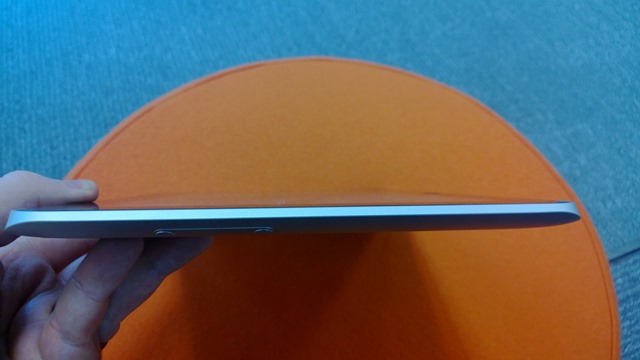
It looks good. It feels good. It’s sleek. It’s light.

WP_20130129_001   WP_20130129_007 WP_20130129_021

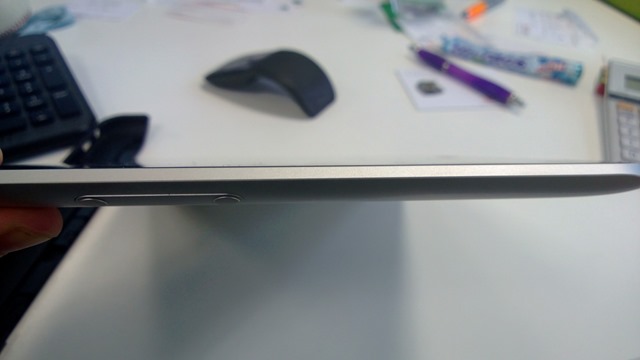
You’ll notice as you admire those images that it’s sleek edges are uninterrupted by ports, of any kind – this is certainly odd. The HP ElitePad 900 has available for it a range of “expansion jackets” – the one I had today was the “Expansion Jacket”:

WP_20130129_002

The above jacket comes in 2 parts & clips around the device to offer a good range of ports:

WP_20130129_005

  • 2 x USB 2.0
  • 1 x HDMI
  • 1 x HCSM/MMC card slot
  • 1 x Combo stereo/headphone port

It seems you can use the jacket as a form of easel for the tablet but that wasn’t apparent to me whilst handling it today.

That rectangle you see in the centre of the jacket (in the first picture) is an additional battery which adds around 80% to the battery life of the device – handy for long days away from chargers! It appears that the battery is not part of the jacket but rather an additional option (see this HP page here & the spec page here).

WP_20130129_003 

Even jacketed, the ElitePad 900 still looks quite stylish and is still easy to handle and hold. As this jacket contained the additional battery it did add a noticeable amount of extra weight, making the device too heavy to hold for any real length of time. The jacket on its own is 260g while the battery is another 190g, so a total of 450g added to a tablet that weights 680g (1.5lbs) – making a total of 1130g (2.49lbs).

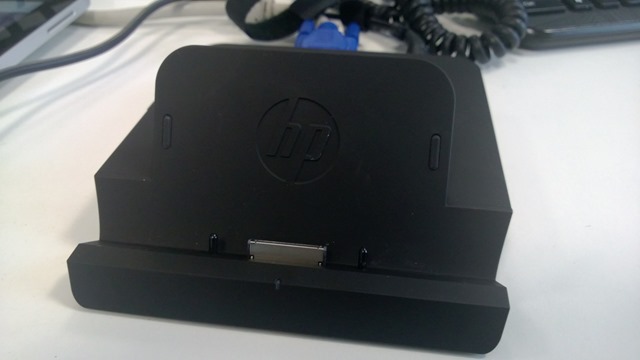
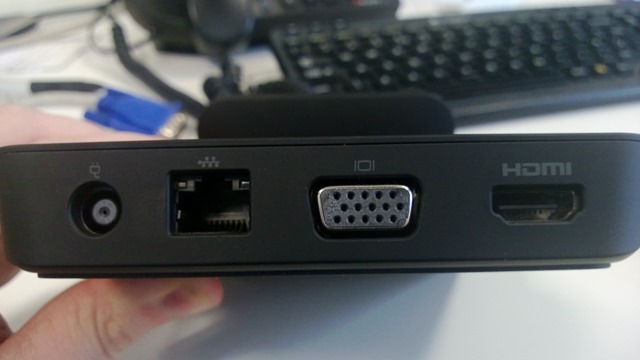
Another accessory available for this tablet is a comprehensive (and very well made/heavy at 1.48 lb) docking station, giving you those required ports when at desk.

 WP_20130129_016  WP_20130129_017 WP_20130129_018 WP_20130129_019 

You get:

  • 3 x USB 2.0
  • 1 x powered USB 2.0
  • 1 x Combo stereo/headphone jack
  • 1 x HDMI
  • 1 x VGA
  • 1 x RJ45
  • 1 x Smart AC Adapter

making it a very well connected device. You can dock it with or without the expansion jacket :

 WP_20130129_009 WP_20130129_013 WP_20130129_014 WP_20130129_015

but it seems i forgot to take pictures of it jacketed in the dock! You’ll notice the stylus pen in a couple of those pictures – this is also an additional option for the ElitePad, although sadly it wasn’t working on the unit I trialled. I find pen input on the Samsung 700t to be excellent and very useful so it’s good to see this as an option for business users.

I used the VGA port to connect the device to my monitor and use it as a second screen, which worked very well. Also, the snap feature is then available.

ElitePad 900 Specs

The spec of the device are reasonable:

  • Intel Atom Z2760 (1.5GHZ, “upto 1.8GHZ using Intel Burst & Hyper Threading)
  • 2GB RAM
  • 32GB or 64GB Flash storage
  • 10.1” 16:10* 1280 x 800 Gorilla Glass 2 screen
  • 2 x cameras (1080p front, 8MP w/LED rear)
  • 9.2mm thickness
  • Wireless 802.11 a/b/g/n
  • Bluetooth
  • HP hs2350 HSPA+ Mobile Broadband module w/GPS Support**
  • HP hs3120 HSPA+ Mobile Broadband*

*This gives users an extra 5% usable space over a 16:9 screen (according to HP)

**Not all models will have 3g capabilities.


Accessories and costs

The docking station is $149 (HP Site)

The expansion jacket is $99 (HP Site)

The expansion battery is $149 or $99, depending which page you look at (HP Site or HP Site)

The ElitePad case is $39 (HP Site)

There will also be a “Productivity Jacket” which gives:

  • integrated keyboard
  • “”several additional ports”
  • SD Card reader

and allows you to use the ElitePad like a clamshell notebook. I can’t find final specs or a price for this as yet. HP say it will be available “Spring 2013”, here’s a picture until then:

image

The pen is an additional item but I can’t see a price for that either.

The full range of accessories is:

  • • HP ElitePad Productivity Jacket
  • •HP ElitePad Expansion Jacket
  • • HP ElitePad Rugged Case
  • • HP ElitePad Case
  • • HP ElitePad Jacket Battery
  • • HP ElitePad Jacket and Battery
  • • HP ElitePad Docking Station
  • • HP Tablet Stand
  • • HP Executive Tablet Pen
  • • HP ElitePad USB Adapter
  • • HP ElitePad SD Card Reader
  • • HP ElitePad Serial Adapter
  • • HP ElitePad 10W A/C Adapter
  • • HP ElitePad HDMI & VGA Adapter
  • • HP ElitePad Ethernet Adapter
  • • HP ElitePad Smart A/C Cable
  • • HP Multi-Tablet Charging Module

The multi-tablet Charging Module will be very useful for companies looking to have a number of tablets as pool/loan devices. This will give an easy, tidy way of keeping them safe and charged.

Conclusion

My biggest issue is the  lack of connectivity ports without the jacket; I find it far from inconceivable that people will leave the jacket at home when they set off in the morning, in the hotel room when they checkout, on the adjacent seat on the train etc. etc. and then you’re stuck. Yes, you can have additional jackets dotted around but that is an extra cost and certainly not ideal. That said, it’s been pointed out to me (by the HP Category Manager) that it does ship with a USB adapter. This means even without the jacket/s users will still have a USB port through which to connect peripherals.

Not having the snap feature is mildly annoying but I feel one would quickly get used to not having that at your fingertips, so no biggie there. Interestingly, HP’s line on leaving out snap is this:

Snap doesn’t currently work with Outlook – or some other business applications – which are pretty vital for day-today
commercial use. Here’s the thing: The ElitePad supports the Windows 8 Snap feature when docked and
connected to an external monitor. So, it’s a consumer-centric function that isn’t yet optimized for a business tablet.

I do think the Atom processor and 2GB RAM could give some organization cause for concern as to whether this will be powerful enough as a laptop replacement. Having plentiful and quick access to trial units will be the best/only way to get past this in many instances – letting customers trial the device in real world settings and see how it fares.

All in all I’m very impressed with HP’s ElitePad 900. It’s clearly aimed at businesses and they’ve done a good job of providing everything they will need, making this a real contender for large scale enterprise rollouts and laptop replacement efforts. I’m very excited to talk to customers about this device and get their feedback – that’s always the key part!

Windows RT tablets, Reviews & iPads


I had a Twitter conversation with a couple of bloggers from ZDNet today and don’t feel that it was resolved. I don’t know if I’m wrong, if they didn’t understand my point, if they just wanted me to leave them alone or a bit of all three…but here’s the gist.

Matt Baxter-Reynolds (@mbrit) posted a review of the Lenovo Yoga 11 (see it here) which included the following:

“It can’t be a tablet because it weighs too much. It comes in at 1190g (2.6lbs). (For comparison, an iPad mini with silicon case weighs 376g — meaning a stack of about three of them weigh the same as the Yoga”

Now I don’t see how this is a true/fair comparison. The Yoga is almost 50% bigger than an iPad mini (11” vs 7.9”) AND includes a keyboard. I find it very doubtful that any consumer will be tossing up between these 2 devices…one is a small tablet and the other is a small laptop that converts to a tablet form factor. This was the first point I made on Twitter…it feels like the iPad comparison has been thrown in there more to further the “ipads are better than Windows tablets” cause – even when they’re apples and oranges. (No pun intended).

The conversation then moved onto the fact that the Yoga is, at 2.8lbs, too heavy to be a tablet. Now that I agree with…if you’re looking at it being used as a tablet 100% of the time. However I don’t think people will be using it like that. If you want a Windows RT tablet, that will be a tablet ALL the time, there are plenty of other choices…get a Surface or a Samung Ativ Tab; these give you the same OS in a much lighter package.

The most common usage scenario I see for the Yoga (and other convertible devices of this ilk) is 80/20 – a laptop 80% of the time and then being converted to a tablet ~in certain scenarios ~ when required. Thus users get all the benefits of having a full keyboard (a big reason for the extra weight) when working in Office etc with the flexibility to switch it up when needed.


image 

image

I made the point that there ARE cases where it’s ability to transform is useful without it’s weight being an issue – these are primarily desk based scenarios. James Kendrick at this point said:

image

Now this I don’t agree with at all. You’re in a meeting with a colleague or two and you want to review some documents on your device…is it only me who would prefer to do that in tablet mode, echoing the more natural feeling “looking at paper documents”, rather than all 3 people huddling round a laptop screen?

You’re in a larger meeting, say 8 people around the boardroom table, and have PowerPoint slide you’d like everyone to take a look at. It’s going to me MUCH easier to flip your Yoga into tablet mode and pass that around than a full on laptop.

I think it’s quite widely felt that, in a meeting setting, the screen of a laptop makes an effective barrier between the people involved. Again, flipping your Yoga into tablet mode allows you to negate that, hopefully making everyone feel more comfortable and keeping them engaged etc., and the weight won’t matter because you’re not carrying it.

The feeling that a tablet is only of use if you’re carrying it is, in my opinion, missing part of the picture.

My initial point was that comparing the Yoga to the iPad Mini is not a true comparison, perhaps a little disingenuous and done to tap into that Apple vs Microsoft battle so often prevalent with tablets – even though it’s not really part of the discussion. I re-iterated that point, to which James Kendrick replied:

image

Which doesn’t really make any sense! The above is not the same as comparing an 11” convertible laptop with keyboard to a 7.9” tablet without a keyboard.

I’m keen to understand if it’s just me who sees it like this or if there’s anyone out there that agrees with me, so I welcome your feedback!

Windows RT has been Jailbroken


Here’s quite an interesting development for a Monday morning….Windows RT, Microsoft’s new tablet OS, is no longer restricted to just apps obtained through the Windows Store.

It is now possible to run unsigned ARM-compiled apps on the Windows RT desktop, using  an exploit in memory to make in possible to run desktop based apps, other than Office 2013 & IE 10. It seems that as it’s an in memoery exploit, it won’t persist – meaning it will have to be “re-cracked” each time the device is turned on. This may well mean it finds little favour with users but is, if nothing else, a big step forward in this arena.

This opens up the possibility of a homebrew market for Windows RT, enabling developers to create apps without going through the costs and processes associated with the official Windows Store route.

That said, I’ve been told on Twitter that it’s only £35 a year for personal Windows Store registration (which comes with free development tools) and isn’t a particularly arduous process to get an app accepted by Microsoft (thanks @CraigHawker); which doesn’t really seem like it will be preventing many developers from getting started on Windows RT app creation.

The other potential outcome is that it will lead to app piracy, enabling people to install apps that they haven’t paid for.

Thanks to The Verge for finding this.

Merry Xmas to all Software Ruminators!


2012 is the 5th year I’ve been blogging and it keeps getting better – at least for me! I really enjoy writing these posts and helping bring some clarity to the often confusing world of Microsoft licensing – I hope you all enjoy reading them…or at least find them useful 🙂

Some choice stats:


I’d also like to give a shout out to the excellent Mary Jo Foley of ZDNet for the great conversation at WPC and also the blog links and retweets throughout the year – most appreciated, thank you very much! 🙂

Microsoft have given me a lot of things to blog about in 2012 and hopefully 2013 will be the same. Thank you to everyone who has visited this blog, tweeted a link, shared it in LinkedIn, shared it on Facebook etc – it’s hugely appreciated 🙂

See you next year.

Cheers

Rich