New Microsoft Viva products – Pulse and Amplify


Photo by cottonbro on Pexels.com

The Microsoft Viva family continues to grow – they have announced new apps as well as a host of new features…let’s take a look.

Microsoft Viva Pulse

This allows managers to gather feedback from their team members, in a regular and confidential manner via Teams. It comes with templates and suggested questions which help ensure the right questions are being asked in the best way – something which can be difficult for a manager to get right on their own.

https://www.microsoft.com/en-us/microsoft-365/blog/2022/09/22/empower-and-energize-employees-with-microsoft-viva/

Microsoft also mention that Glint, currently a separate but related product, will be “coming to Viva” in 2023.

Apply for the Microsoft Viva Pulse Customer Advisory Board here.

Microsoft Viva Amplify

This is aimed at supporting “effective communication at scale” and will help leaders write effective messages to their teams and organisations, and then publish it across multiple channels and receive analytics to understand how well they were received etc. It sounds quite useful as internal corporate messaging can often be disjointed with little insight into effectiveness…but I know some will be concerned about whether the analytics allows for invasive tracking of employees.

https://www.microsoft.com/en-us/microsoft-365/blog/2022/09/22/empower-and-energize-employees-with-microsoft-viva/

Apply for the Viva Amplify preview program here.

New features across Viva

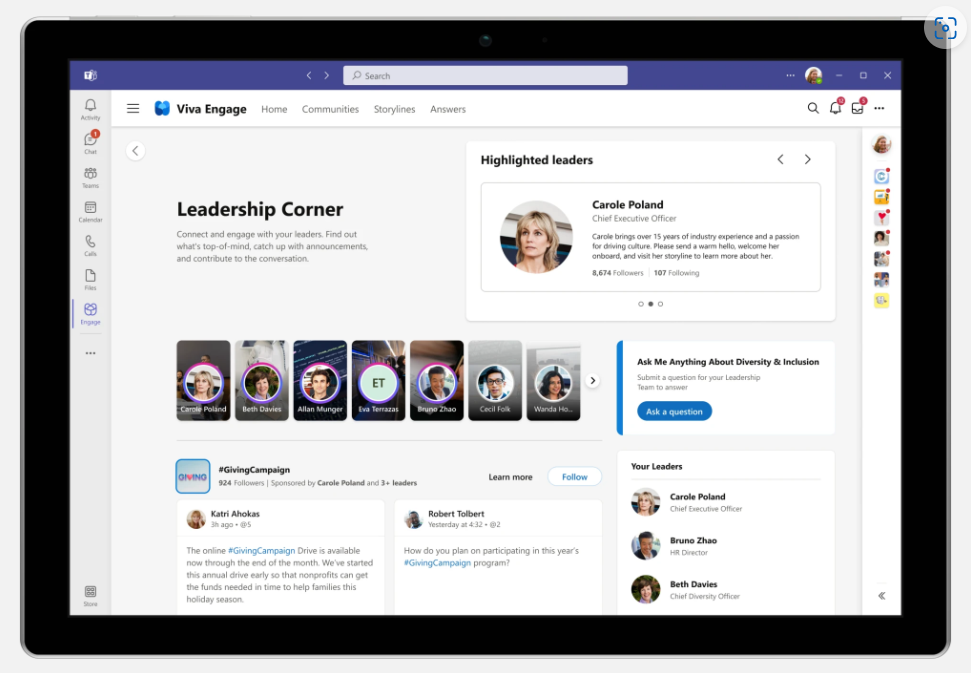
Viva Engage Leadership Corner

This, as the name suggests, has been developed to help leaders better communicate and connect with people across the organisation. It enables Ask Me Anything (AMA) events, surveys, and news to be published and, again, tracked with metrics and sentiment analysis.
https://www.microsoft.com/en-us/microsoft-365/blog/2022/09/22/empower-and-energize-employees-with-microsoft-viva/

Answers in Microsoft Viva

This will be available within the Viva Engage app, to users licensed for Viva Suite, and will work with Viva Topics and Viva Engage. It uses AI to match user questions to existing answers and highlights relevant topics and experts. It also uses gamification to to encourage people to add content to the knowledge base.

https://www.microsoft.com/en-us/microsoft-365/blog/2022/09/22/empower-and-energize-employees-with-microsoft-viva/

The continued growth of Viva through 2022 shows that Microsoft are betting big on this area an also shows it’s likely to reach Dynamics 365 levels of confusion pretty quickly 😊 Some things are apps, some are features, some are in the suite, some are standalone, some are inside one thing but work with another and so on…it’s definitely going to be its own ecosystem!

Check out the Microsoft post here which has even more new features and info.

New Microsoft products – Defender Threat Intelligence, External Attack Defender, & Sentinel for SAP


Photo by Susanne Jutzeler, suju-foto on Pexels.com

Microsoft have added more new products to the Defender family – “Microsoft Defender Threat Intelligence” and “Microsoft Defender External Attack Surface Management” – and have brought out an SAP add-on for Microsoft Sentinel.

Microsoft Defender Threat Intelligence

This new offering, incorporating what was RiskIQ, effectively “maps the internet” and gives customers direct access to Microsoft’s real-time data and security signals; this enables organisations to “proactively hunt” for threats within their environment.

https://www.microsoft.com/en-us/security/business/siem-and-xdr/microsoft-defender-threat-intelligence?rtc=1

Microsoft Defender External Attack Surface Management

This helps organisations identify all their internet facing resources – including those you’re not aware of and/or have forgotten about. It’s so easy to lose track of your external facing devices with COVID changes, mergers, good old shadow IT, and the potential for mis-configured assets around the business.

https://www.microsoft.com/en-us/security/business/cloud-security/microsoft-defender-external-attack-surface-management?rtc=1

Being able to see a continuously updated map of potentially vulnerable assets will be key for organisations looking to protect themselves, their assets, and their users.

Microsoft Sentinel for SAP

They have announced an SAP specific add-on for Microsoft Sentinel that will:

  • Monitor all system layers
  • Detect & respond to threats
  • Enable customisation to extend protection

According to Microsoft it will integrate with “virtually any” NetWeaver system. It launched in August 2022 and is free for the first 6 months. After that it will be an add-on charge to the regular Sentinel pricing.

Further Reading

Threat Intelligence

External Attack Surface Management

Sentinel for SAP

Microsoft Teams Rooms licensing: September 2022


Photo by Ron Lach on Pexels.com

The September Product Terms revealed that Microsoft have replaced Teams Rooms Standard & Premium with Teams Rooms Basic & Pro, and we now have more information on feature differences and licensing.

Teams Rooms Basic

This is the free entry level license, included with certified Teams Devices and available via the Microsoft 365 Amin Center (not via resellers etc.). It is limited to 25 licensed devices within an organisation, if devices are needed they must be covered with Pro licenses. Furthermore, it is limited to 1 device per room with the same resource account – if 2 or more devices are needed, this again requires a Pro license.

You’ll notice below that Basic does not include a Teams Phone license, preventing the room from making/receiving PSTN calls.

Teams Rooms Pro

These are $40 per device per month and offer a much wider range of features than the Basic license.

It seems Microsoft have removed access to in-person engineers as part of the management features offered, with the Docs page stating “Microsoft Service engineers will no longer serve as intermediaries to incident response starting October 1, 2022“.

How do they compare to their predecessors?

Teams Rooms Basic is missing many of the features that were present in Teams Room Standard which means organisations may find themselves having to move from the $15 per month Standard license to the $40 per month Pro license at renewal – a significant increase. Equally, although probably much less likely, some organisations could drop from Standard ($15) to Basic ($0) and save money each month.

Basic v Pro

https://docs.microsoft.com/en-gb/microsoftteams/rooms/rooms-licensing#switching-from-teams-rooms-standard-and-teams-rooms-premium

This link here gives a detailed comparison of the differences between Basic & Pro in various different use areas. I would recommend also comparing the new functionality to your existing licenses to identify if you’ll need the Pro option going forwards.

Further Reading

Microsoft announcement

Teams Rooms licensing

New Teams Rooms pricing

Old Teams Rooms pricing

Tom Talks blog for more in-depth telephony info

Microsoft CSP price changes: October 2022


Photo by Alexander Mils on Pexels.com

October 2022 will see some Microsoft price changes and new options added to the Server Subscriptions for Azure on the CSP program:

  • Windows Server 2022 Std 8-core license pack (1yr) drops from $272 to $213.60
  • Windows Server 2022 RDS User CAL (1yr) increases from $56.04 to $77.04

They are also adding Windows Server Datacenter 8-core license packs in 1 & 3 year variants, to complement the existing Windows Server Std offering.

Microsoft also state that, “over time”, the 1-year software subscriptions via CSP will be aligned with pricing on SPLA – meaning some products will increase while others decrease.

Microsoft cloud licensing changes coming October 2022


Photo by Aleksandar Pasaric on Pexels.com

Back in May 2022, Microsoft announced a range of upcoming changes to licensing in cloud environments and now, September 2022, we have more details.

Flexible Virtualization

This new benefit will allow customers with Software Assurance or subscription licenses to use their existing licenses to install and run on any (but not Listed Provider) infrastructure – whether it’s dedicated or shared.

Windows Server virtual cores

Customers will be able to license Windows Server by virtual core on 3rd party infrastructure. There will, of course (!), be a per VM minimum. The Microsoft announcements don’t mention Listed Providers for this element so perhaps this new licensing option will be available with Amazon, Google, and Alibaba…although it seems unlikely!

Desktop virtualization

Microsoft 365 E3/E5/F3 users without a primary device with a Qualifying Operating System (QoS) will be able to virtualize Windows 10/11 on 3rd-party infrastructure (but not Listed Providers) without needing the VDA add-on.

Cloud Solution Provider – Hoster

This new variant of the CSP program replaces the QMTH (Qualified Multi-Tenant Hosting) program. It will enable hosting partners to pre-build hosted desktop & server environments for customers and either provide the licenses or use customer provided licenses – giving greater flexibility for organizations. Customers will need to show proof-of-license for BYOL scenarios – verification of which I assume will be done by the partner. Initially it will only be available for Direct partners but Microsoft “look forward to expanding program eligibility over time“.

Microsoft state these will go live from October 1st so we should see them added to the Product Terms on that date too. I’ll of course be updating on that asap 😊

Check out the Microsoft post here.

Microsoft Product Terms: September 2022


Photo by Markus Winkler on Pexels.com

Not much this month at all:

Teams Rooms Standard & Premium swapped for Basic & Pro
Qatar added as a data location
Clarified terms for Azure Databox & Stack Edge

Microsoft also revealed further details around the upcoming cloud licensing changes (which I’ll post about separately) but these aren’t in the Product Terms this month…will likely be October.

Microsoft Product Terms: August 2022


Photo by Markus Winkler on Pexels.com

The Product Terms were on time this month (😊) but not a huge amount has happened (as expected).

The M365 F1 & F3 maximum screen size limitation is increased from 10.1″ to 10.9″ – this expands the devices available to F SKU users and – perhaps – widens the scope of who can be assigned such a license?

“Home Use Program” is renamed “Workplace Discount Program” – no changes to terms…yet…

Microsoft Defender Experts for Hunting added (although the specific page currently has an error)

Still no sign of the rule changes around 3rd-party cloud licensing that were announced in May…

Microsoft Product Terms: July 2022


Photo by Markus Winkler on Pexels.com

After a bit of a wait for Redmond to publish, the latest update is here. Not surprisingly, given the time of year, there’s nothing major – mainly just a bit of tidying up this month:

Added/updated terms for:

Windows AutoPatch
MCA cancellations
Azure Limited Access Services

Removed old references for:

Business Voice
GitHub Learning Lab for Organizations
Office 365 Add-ons

Change to show 3.5K AI Builder Credits are included per SharePoint Syntex license

Academic plans added to Cloud for Non-profit qualifying licenses

Microsoft Sustainability Manager


Photo by Akil Mazumder on Pexels.com

Microsoft’s “Cloud for Sustainability” is here (released June 2022) in the guise of Microsoft Sustainability Manager – a new tool/platform aimed to help organisations with their journey to net zero and bolstering their ESG (environmental, social, and governance) capabilities.

Sustainability & ESG is a growing focus for business leaders across the globe and this is just the start of Microsoft’s plans in this area. Sustainability Manager focus on several areas:

Unify data intelligence

Build a sustainable IT infrastucture

Reduce environmental impact of operations

Create sustainable value chains

What does it do?

It helps organisations track their emissions across the business, automate the collection and analysis, and present it to the business via analytics and dashboards. It covers Scope 1, 2, and 3 emissions – for those of you not familiar with those (as I wasn’t until relatively recently), here’s a quick overview:

Scope 1

Emissions from sources that an organisation owns/controls like fuel used in company vehicles

Scope 2

Emissions indirectly caused by a company when energy it purchases/uses is produced. An example being the emissions from the generation of electricity that is used to power electric company vehicles.

Scope 3

Emissions not covered by the above but where a company is indirectly responsible across the supply chain such as using/disposing of products from suppliers.

I used this page from the National Grid to get the above definitions.

Scope 3 emissions can make up the bulk of emissions for an organisation but they are also the hardest to reduce.

Pricing & licensing

It is priced at $4,000 (USD) per tenant per month – although Microsoft do point out that additional capabilities added to the product may incur additional charges in the future. That price includes Dataverse capacity which is capped at:

  • Database – 10GB per month
  • File – 20GB per month
  • Log – 2GB per month

and if additional capacity is needed, add-on licenses will need to be acquired.

It is available in 32 languages and can deployed from the US and Europe.

Further Reading

Microsoft page

Microsoft Docs info

Microsoft Viva Sales – another new member


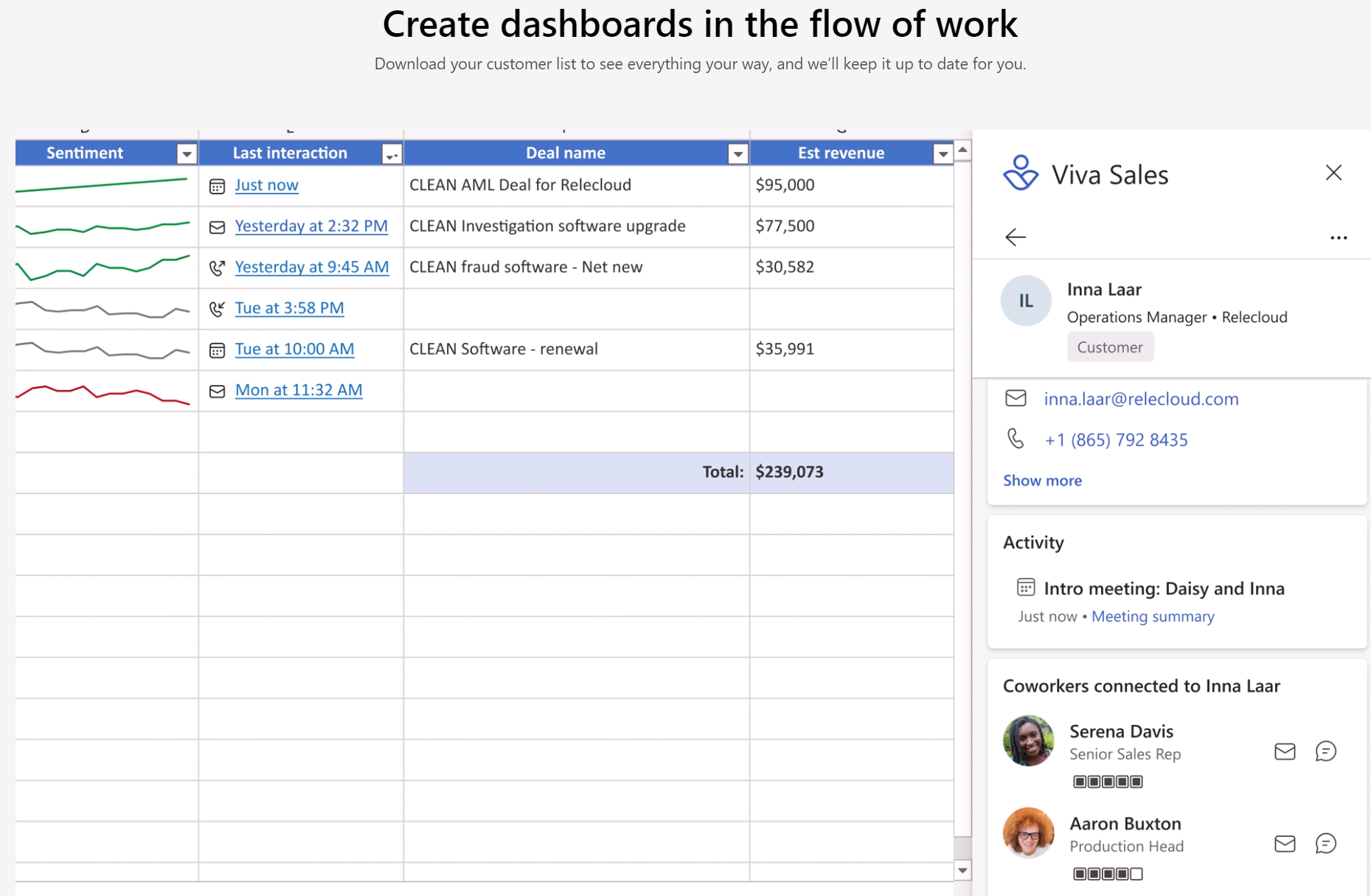
Hot on the heels of Viva Goals, Microsoft have introduced Viva Sales. This latest family member is a “new seller experience” that brings Microsoft 365 & Teams together with “any” CRM system to streamline processes for salespeople…it also adds a hint of AI into the mix.

Areas it helps with include:

  • AI organised data and tasks
  • Inbuilt sentiment analysis
  • Surfacing unstructured data from Office documents
  • Automated data capture
  • Reminders

and more, with Microsoft describing it as a sales coach that helps move deals along. It will also surface “business context” data within Outlook and Teams and allow salespeople to update their CRM from those platforms too.

Much of this is, as with many other products, about keeping people within Teams as much as possible – making it the “collaboration hub” for users across organisations.

A feature called Sales Conversation Intelligence (SCI) will help sellers byl:

  • Generating meeting summaries
  • Tracking customer sentiment
  • Suggesting action items

all to keep deals on track and moving along.

Licensing and pricing

Viva Sales is free for users already licensed with Dynamics 365 Enterprise and Premium – for everyone else it will be $40 per user per month. It hits General Availability on October 3rd, 2022 and is NOT part of the Viva Suite.

I like the sound of what Viva Sales can do and am keen to check it out further – as anything that makes sales and customer management easier is a good thing. No matter the CRM you use, it’s never as intuitive and easy to use as users would like…perhaps Viva Sales will go some way to alleviating that. Or perhaps it will just be one more thing to add to the mix?!

Further Reading

Microsoft Announcement

Microsoft Viva Sales page

More info on features and pricing