Microsoft Tag for Android


When Microsoft Tag was released I was a huge fan, I even had them printed on a bunch of my business cards 🙂 It was a great way of directing people to websites or even calling/texting numbers…it was fun, easy and very 21st century!

Them I got an Android phone and had to give up using Tags…but now it’s back baby! If you’ve got an Android phone, open up the MarketPlace, search “Microsoft Tag” and get your download on 🙂 According to the Microsoft Tag blog, it works on:

“Windows Mobile, J2ME, iPhone, Blackberry and Symbian S60 phones”

and now Android. This makes it a great option across all major platforms and should hopefully lead to some great levels of adoption. I guess the only OS missing now is the iPhone…I wonder if we’ll ever see an app for that?!

See more info on the MSDN blog here:

Tag_MSDN_Blog_20103320012[1]

or here if you’ve not got the app yet 😉 <—If that’s the case, head over to http://gettag.mobi (or the Marketplace if you’re Android)

Hedge Fund to buy Novell?


A Hedge Fund has made a $2 billion offer to buy Novell; this perhaps surprising move values the formerly industry leading company at $5.75 a share. Wall Street expect the bid to be increased after shares hit $6.07 once this was announced.

I have to say I was quite taken aback by this as Novell have, by a lot of people, been written off to a large extent. I’d be interested to see what plans Elliott Associates/their client (the potential buyers) have for the future of Novell and it’s technology should they be successful.

New York Times here.

Elliott Associates site here.

Elliott Associates are

“dedicated to Retained Executive Search for the Hospitality, Foodservice, Manufacturing, Retail and Service Industries”

and have “functional expertise” in the IT sector.

Microsoft Research: Project Gustav


Microsoft Research are at it again!

Project Gustav takes digital painting (at least) one step closer to looking like authentic brush paintings, giving it an un-paralleled level of realism:

Pastel fishSmearing effectsStreaky horsePastel clouds - (Cloud computing??)

“It achieves interactivity and realism by leveraging the computing power of modern GPUs, taking full advantage of multitouch and tablet input technology and our novel natural media-modeling and brush-simulation algorithms.”

You can see more info and a video over on the Microsoft Research site here:

http://research.microsoft.com/en-us/projects/gustav/default.aspx

Microsoft’s Cloud Mouse


Microsoft’s TechFest 2010, a showcase of MS Research technology, has got some gems this time (Mobile Surface & Translate a Phone) and this is another one, potentially.

A joint project between MS Research Asia & Cambridge brings us the Cloud Mouse:

“Every user will have one. It will be a secure key to every user’s cloud data. And, with six degrees of freedom and with tactile feedback, the cloud mouse will enable users to orchestrate, interact with, and engage with their data as if they were inside the cloud.”

That description has got a real “Minority Report” style feel to it or, at least CSI Miami:

I’d be very interested to find out more…

Again, thanks to Mary Jo Foley for this…

Microsoft’s Mobile Surface


Microsoft’s interactive, multi touch, 23rd century Surface is brilliant. However it is also, literally, the size of a table and so not particularly portable.

However, Mary Jo Foley has uncovered information of a planned “Mobile Surface”. Microsoft Research’s site states:

“Our goal is to bring Microsoft Surface experience to mobile scenarios, and more importantly, to enable 3D interaction with mobile devices. We do research on how to transform any surface (e.g., a coffee table or a piece of paper) to Mobile Surface with a mobile device and a camera-projector system. Besides this, our work also includes how to get 3D object model in real-time, augmented reality and multiple-layer 3D information presentation.”

I’d carry one of those about if it meant I could turn any surface into a multi-touch surface that I could use, demo, play and work on 🙂

Setting up Hotmail via POP3


Connecting to Hotmail via POP3 might be old news to everyone but I thought I’d cover it here just in case, as it doesn’t seem to be that well publicized online. I set it up on my old phone ages ago but have only just got round to it on my new device; typically I couldn’t remember the details so I did a quick Bing. What surprised me was how difficult it was to find the information…most blogs, forums, sites I encountered either said “It can’t be done” or “It can be done, but you need to pay for it”!

It can be done and it doesn’t cost anything, here are the details you need:

POP server = pop3.live.com (Port 995)

POP SSL Required = Yes

Username = Live ID

Password = Your hotmail password

SMTP Server = smtp.live.com (Port 25 or 587)

Authentication Required = Yes

TLS/SSL Required = Yes

Using these details I got it all set up and working on my device in just a few minutes.

Thanks to www.WindowsPhoneExpert.com for the info (again).

Exchange Online & Android


The other day at work I was asked if you can connect Android phones to Exchange Online…so I went off to investigate.

Microsoft’s page gives a list of devices and supported OS’s:

image

http://www.microsoft.com/online/mobility/exchange-activesync.mspx

I’ve got the HTC Hero and so does the person who asked, so that’s the route my investigation took, I opened up the “Mail” section on my phone and went to work.

The auto-detect feature doesn’t work with Exchange Online (or so it seems) so it’s on to manual setup, which asks for:

  • Email Address
  • Server Name
  • Domain
  • Username (Same as the email address)
  • Password

Apart from a couple, they’re all pretty self explanatory but there’s one that could trip you up:

Server Name:

There are 3 different server URLs depending on location:

image

but it just wasn’t working for  me, so I called Microsoft BPOS support. After a bit of a false start, they were very helpful and gave me a call to work through the issues.

I navigated to OWA through my browser (mail.microsoftonline.com)but couldn’t log in. I then found it was resolving itself to the “red001…” address, which clearly wasn’t right as I’m in the UK, so I cleared all my bookies, cache etc and went back to the setup screen.

I tried again and still no luck, but then I tried one last thing…entering the server URL without the “https://” and the start. To be honest, I’m not sure why I tried that (although I’m equally sure that someone more techie than me would have tried that first!) but it worked! Entering simply “red002.mail.emea.microsoftonline.com” worked a charm and BOOM, I could see my emails on my Android device. A quick check revealed that the calendar and contacts were syncing too…brilliant 🙂

I hope that helps anyone wondering if this can be done and/or having trouble getting it working 🙂

Kaspersky & Hardware Based Anti-Virus


This is pretty interesting…Kaspersky have received a patent for Hardware based Anti-Virus!

The idea behind this is that it will:

“neutralize the most widespread type of threat – malicious programs that store themselves or infect files on a computer’s hard drive”

by scanning data that is written to the disk. Kaspersky’s news article gives a good insight into how it works:

“The patented device is installed between a drive (hard drive or SSD) and the computing unit (CPU and RAM) and is connected to the system bus or integrated into the disk controller. The hardware antivirus solution allows or blocks writing data to disk, providing threat alerts and information about its operation to the user (user dialog is possible if the hardware antivirus control utility is installed on the PC)”

Interestingly, it can work on it’s own or in conjunction with existing AV software. One area where Kaspersky expect it to be especially effective is against rootkits, which can often prevent AV software from even running. As Kaspersky Technology Expert Oleg Zaitsec says:

“solution has a distinct advantage over conventional AV solutions because it monitors all attempts to access a memory device while remaining inaccessible to malware. This is critical for fighting such sophisticated threats as rootkits and bootkits”

Resources

People often complain that Anti virus software uses a lot of system resources such as CPU and RAM, so putting more hardware in there is going to be even worse…right? Wrong…Kaspersky have given the unit it’s own CPU & RAM to prevent this, in fact you can even attach a separate power supply.

Uses

This will probably be most popular in non-desktop machines including servers and, as Kaspersky say, ATM’s etc.

You can see the Kaspersky announcement here and the Neowin article that alerted me to this here.

Windows 7 in Welsh


Nos da,

sut ydych chi?

Microsoft have released a Language Interface Pack (LIP) for Windows 7 to make it available in Welsh. This translates “a substantial portion” and all work has been funded by Redmond with translation done in Caernarfon:


I like Wales, I like the Welsh language and I like Windows 7 so this is pretty cool news…I’m tempted to put one of my machines in it 🙂

The Welsh Language Board are understandably happy about this:

http://www.byig-wlb.org.uk/english/news/pages/windows7argaelyngymraegheddiw.aspx

as this is a big boost to furthering/keeping Welsh language usage.

Microsoft have said that they’re:

“glad to offer Welsh speakers across the globe the opportunity to use Windows 7 in Welsh”

Cael hwyl!

Windows Phone 7 Series


Forget what you though you knew, Microsoft are back in the mobile game…and in a pretty big way!

Above is an image of the new Windows Mobile or “Windows Phone 7 Series” as it’s now known.

Each “tile” is a “hub” which connects the user to various elements…you can see the Xbox Live tile which is pretty exciting! The tiles are all live so will display updated info from the web as appropriate. Even from that 1 picture you can see that the UI (User Interface) is VASTLY improved over all previous versions of Windows Mobile with Phone, Test messages, email, pictures, people and more all available from one screen. One of my biggest gripes with WinMo 6.1 was the number of menus I had to navigate through just to do something simple like look at a picture.

It’s integrated into Social Media like never before with the ability to update Windows Live, Facebook, Twitter etc all from one location and making it easy for users to easily share & upload media such as pictures to Flickr, Twitter and more. This video shows off some of the great new features:


Buzz

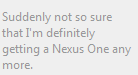
The buzz around this new Redmond release is one of the most surprising, and nice to see, things about this whole launch. Both end users and gadget sites such as Gizmodo and Engadget are really behind this:
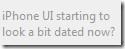
image image

image

First Windows 7 had huge support from almost everyone and now less than 6 months later, Windows Phone 7 does the same thing…MS have really turned things around! I think a lot of those calls for Steve B to step down will be taken back now 🙂

Zune

This is the one thing I really wanted to see in WP7S and it’s been delivered…Zune is now the media player inside Microsoft’s Mobile platform. I’ve been using the Zune desktop software for quite some time now and it is truly brilliant (see my post here) and the experience on the Zune HD seems comparable. It’s so much smoother and sexier that Windows Media Player and I really love that it synchronizes your track play count between desktop and device 🙂

Me & Windows Phone 7

I’m really excited about Windows Phone 7 Series. I’ve been waiting for it for years…ever since I got a Windows Mobile 5 device in a way…and now it’s here. Well not quite…it’s been announced but devices aren’t going to start shipping until October and that makes me feel better about my situation…which is…I’ve got an Android phone!

Yep that’s right…I’m a huge user of Microsoft products, both software and hardware, and have been using Windows Mobile for over 3 years. However, when my contract cam up for renewal a few months ago I had a choice to make:

a) Keep trudging along with Windows Mobile 6.1 for another year? (My HTC not being eligible for an upgrade to 6.5).

b) Look at another platform such as iPhone or Android?

I was, at first, planning on sticking with WinMo out of loyalty to Microsoft but decided that, as a consumer, I deserved a phone that was fun, easy to use, cool and adaptable to me and my lifestyle. For that I looked at Android and picked up the HTC Hero…I am happier with this phone than any of my previous devices (see post here).

If Windows Mobile 7 (as I may well continue to call it) had been released to buy this week then I would have waited. As it is, I’ll have fun with my Android device, especially once I get the 2.1 update (pleeaaase HTC!) but will definitely be checking out a Windows device in the summer of 2011. Saying that makes it seem SO far away 🙂

If you’re looking for a new phone around October time, definitely go and check out Windows Phone 7 Series.