Windows 8 is shaping up to be another great Operating System release from Microsoft and now we’ve got a video showing it’s incredible boot time:
This will be amazing!
Thanks to WinRumors for the video…

Cloudy with a chance of Licensing
Latest news on Microsoft licensing, Cloud, and AI
Windows 8 is shaping up to be another great Operating System release from Microsoft and now we’ve got a video showing it’s incredible boot time:
This will be amazing!
Thanks to WinRumors for the video…
Microsoft’s newest desktop Operating System, Windows 8, is still many months away (9 at least I’d say) but we’re seeing more and more info about what it will contain and how it will look.
Metro is the design style introduced with Windows Phone and is now making it’s way across the Microsoft eco-system…soon to appear in the Xbox dashboard and now in Windows 8. Here you can see:
The Start Menu:

Desktop Notification Balloon:

This obviously fits very well with the tiled start screen we’ve already seen from Windows 8:
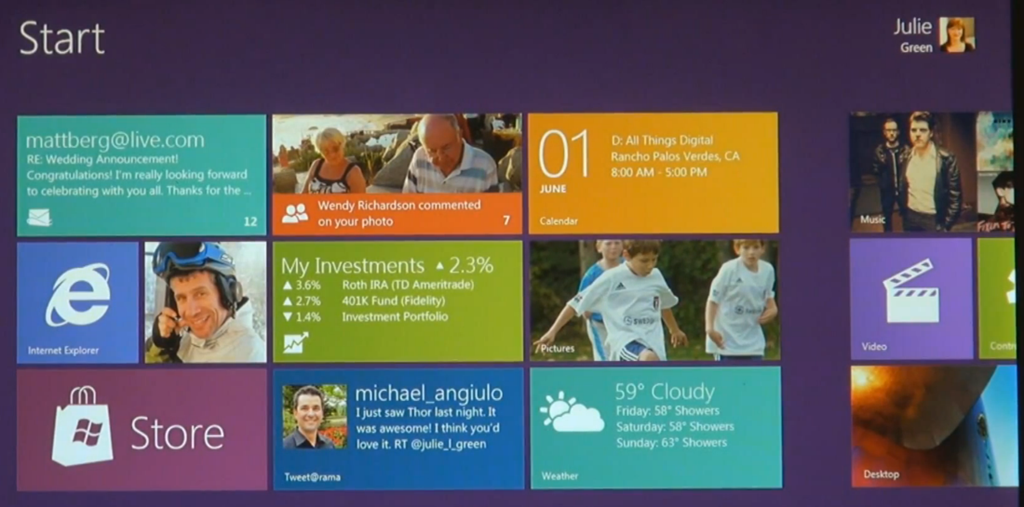
I am certainly looking forward to getting my hands on the beta of this ASAP…just need a tablet so I can test it properly…hint hint 
For all the football/soccer fans that read this blog, I’ve set up a new Premier League Fantasy Football League for the new season – and would be honoured if you’d come and join 
Head over to:
http://fantasy.premierleague.com
and sign in/register.
Then go to “Leagues” in the top bar:

“Join a League”:

Choose “Private League”:
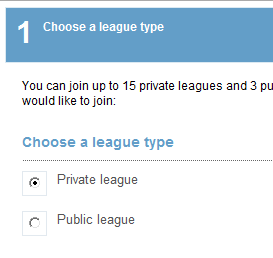
Hit next and it asks for a code:

Enter the code – 280698-83455
and away you go!
I’ve recently set up our Internal Use licences for Office 365, and have been mostly using Lync…and it is awesome.
I’ve been using the IM function mainly, getting the system federated and adding new contacts etc. Today I was ready to schedule an Online meeting but came across a problem…
I clicked the “New Online Meeting” button in my Outlook 2010 client but hit an error message:
“The account names in Outlook & Lync do not match”
This made sense as my Outlook was connected to our corporate Exchange server and Lync uses a different set off login credentials for Office 365. If you find yourself in a similar situation, here’s how to fix it:
Type “Mail” into the Windows Search Bar:

Select “Email Accounts”:

Choose “New”:

Then “Email Account”:
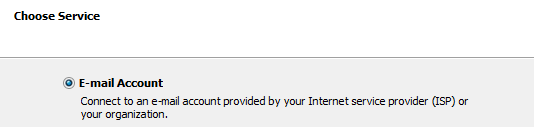
Enter your Office 365 Details:

It will configure your settings and, all being well, will successfully finish.
Restart Outlook.
Outlook will ask for your Office 365 credentials. Click “remember my credentials” to save repeated entering 
You will now see 2 email accounts in the left hand menu within Outlook.
Choose your Online account, go to your calendar and Voila – you can now schedule Online Meetings with Lync via your Outlook client.
I came across an odd issue with Windows Phone 7 yesterday. The device, an HTC HD7, just could NOT access the Marketplace in any way…updates failed, new apps couldn’t be downloaded etc. The error it gave was:
“The Windows Live ID service is unavailable”
I checked various settings but everything seemed in order. Wifi & 3G were working, the marketplace worked on other WP7 devices, Hotmail still worked on the phone etc so I was at a loss.
After some head scratching, a solution was reached – which I’d like to share with you all just in case it crops up.
Go into Office and OneNote.
Select “All”.
Hit the “Sync” button on the bottom bar.
That will bring up a username/password prompt for the Live ID used with the device.
Even though the fields will be pre-populated (probably), re-type the password just to be sure.
Hit “ok” and BOOM – you’ll have access to the Marketplace 
I don’t really understand what the issue is to be honest. I could understand if ALL things that used your Live ID failed but the fact that Hotmail still worked seems odd.
If you’ve got any ideas as to the potential cause – let me know!
Cheers
Rich
I’m sure you already know what Lync is but just in case you don’t:
Lync is $1,000,000,000.
Lync is On-Premise.
Lync is Online.
Lync is Awesome.
Lync is Multi-Lingual.
It does:
and loads of other things too, like collaborative whiteboards & polls.

However, this post is about a specific add-on for Lync and what to do if you’re having problems with it & Lync Online.
This is a great feature that I saw demoed at the Worldwide Partner Conference (WPC) this year in LA and it does what it sounds like – it translates your Lync IM’s from 1 language into another!
You choose your language:

Then choose the recipient’s language:

Then Voila:

It of course will translate when they reply too, allowing 2 people without a common language to have a conversation, be it personal or business.
It companies with offices across the world this could be invaluable. Not only that, as Lync allows you to federate (i.e connect) with other companies this could be used for communicating with customers and partners too!
Translator is an add-on for Lync which can be downloaded from:
http://www.microsoft.com/download/en/details.aspx?displaylang=en&id=26136
and a quick, simple install to get you started.
However I ran into this issue:

I thought this was due to me using the Office 365 Lync Online but I was told via Twitter that it does work. It was a Snr Program Manager with the UC team in Redmond, Tom Laciano AKA (@TomLCSKid) who had tweeted me and he was also kind enough to help me further with some troubleshooting.
It turned out to be quite a simple step but I’d never have come up with it myself:
· Look in IE’s Trusted Sites (Tools/Options/Security/Trusted Sites/Sites) and make sure there’s an entry for http://ConversationTranslator.cloudapp.net.
That was it. I added that in and BOOM – I was off IMing in various languages with ease 
So if you get a similar error – make sure that step above is completed first off…
Hope that helps someone out there…
Microsoft’s Worldwide Partner Conference 2011 had some good sessions on Windows Phone 7, a couple of which I was able to attend amidst my hectic schedule of sessions & meetings  and this is a rundown of what I saw.
First up, in one of the morning keynotes we saw the Lync client running on Windows Phone 7:

I realise that’s not the greatest picture you’ll ever see but you get the idea
I attended the Windows Phone 7 session, led by President of Windows Phone Division, Andy Lees.

There wasn’t a huge amount of new content but it did contain some great demos of Mango features such as Local Scout and Bing Audio music tagging, as well as the amazingly slick way that WP7 handles people and messaging. Here are some pictures of my favourite slides:

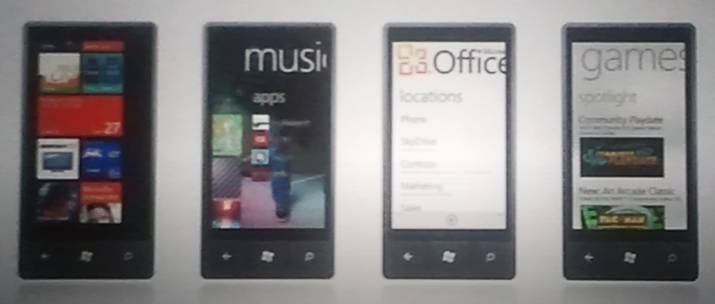


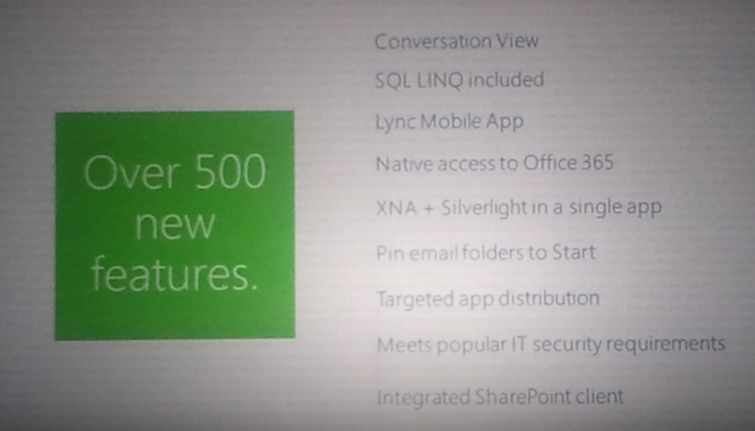

There was a pretty rapturous response to the majority of the demos from the 100’s of people in attendance, and there was a great energy in the room, both from the presenters and the Microsoft partners.
Microsoft have made some great changes to the Mobility competency to make it more worthwhile and effective for partners to develop apps for the Windows Phone platform. I had a chance to speak with Andy Lees after the session and it seems there are some good things coming further down the line for Microsoft partners. Not just for those that develop apps but also partners that work with licensing and products such as Sharepoint & Office 365.
Here are a few galleries featuring my pictures from WPC11 
Read Ripley’s Believe It or Not
Enjoy!
ps: I did take pics in the sessions too, but they’ll be a separate post…
Here’s a collection of pictures from a few of the parties I attended in the evenings during WPC11. Some great locations 



 Cloudy with a chance of Licensing