Nokia Music+: Nokia comes to the desktop


Nokia Music is a brilliant app included with Lumia Windows Phone devices, free of charge (see all about that app here) – and now Nokia are taking it further with Music+. Not just enhancing the mobile experience but also extending it to the desktop.

What’s it all about?

Unlimited Skips – The limited ability to skip songs is one of my main issues with the free app, but Music+ changes that – allowing you to skip as many songs as needed. Although the song selections are usually great, it’s good to have full control.

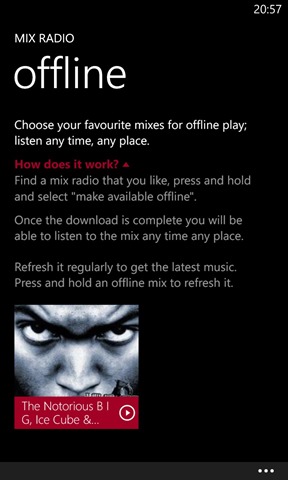
Unlimited Downloads – The free app lets you download 4 “mixes” to listen to offline, Music+ takes away that limitation.

Higher Quality – The paid for Nokia Music+ app gives you 8 x the quality when downloading tracks.

Lyric Streaming – Helps you make sure you’ve got that catchy hook right before you break it out in the canteen at work.

On the Desktop – This could be the biggest attraction, and also the part that most competes with Microsoft’s Xbox Music – “A web-app gives you the ability to play Mixes on your computer, smart TV or other connected screens.”

These are all excellent additions to what is already a great offering so the big question is:

How Much?

$3.99/€399 so I assume £3.99 too.

This makes it half the price of the Xbox Music Pass…and I can’t see a reason one would go with Xbox over Music+ once this rolls out over the next few weeks?

See more on this here:

http://conversations.nokia.com/2013/01/27/more-from-your-music/

Nokia Music: A look inside


Nokia Music is a free app that comes bundled with Nokia Lumia Windows Phone devices, and offers a wide range of music and services. I can see this being enough to swing some people towards a Lumia over any other WP device, but I’m not sure enough people know about it – so here’s a little run down.

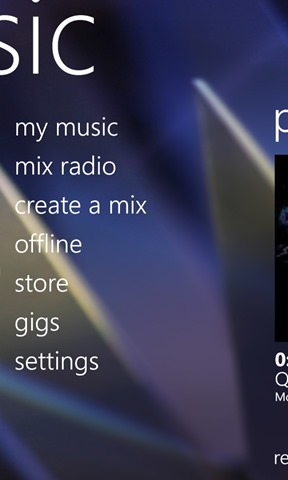
Nokia Music gives you access to 100’s of hours of music, for free, across a wide range of genres. When you enter the app, you see a “most recent” screen next to a screen listing the available sections:

Nokia Music 9Nokia Music 6

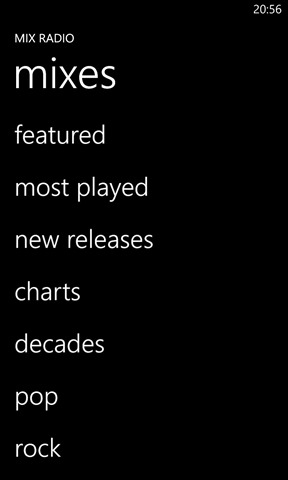
Scroll across and you come to “Mix Radio:

Nokia Music 4Nokia Music 10Nokia Music 8

where you can choose from pre-made song mixes based on a variety of genres. Quite the collection as you can see:

 Nokia Music 5Nokia Music 12 Nokia Music 13

You can easily create your own mixes. It asks you to input 3 artists and then builds a selection around those:

Nokia Music 3

These can then be downloaded (up to a maximum of 4) so you can listen to them offline. This is a great and very handy feature, especially if your local music collection is limited and/or played out!

Nokia Music 1

Another neat feature is the ability to scan the music collection on you PC and build a music profile from that:

 Nokia Music 2  

Finally, the Nokia Music store allows you to purchase songs and albums to download and keep:

  Nokia Music 7  

I’ve been using it more and more over the last few weeks and I find it to be great. It’s brilliant for both discovering new songs and hearing those old songs you may have forgotten about. If you’re looking at Windows Phone but can’t decide which one, hopefully this helps gives you an idea of what’s available with Nokia Lumia devices.