Halo Reach “Noble” Map Pack


Halo Reach, Microsoft’s super successful final instalment in the Halo series has a new map pack. – Noble.

From the 30th of November, 800 Microsoft points will get you:

  • 7 new achievements, worth a total of 250 gamer score points
  • 3 new multiplayer environments

What are these new worlds? Find out below…

Tempest

Though we may never fully understand these devices, it is not our nature to leave ancient stones unturned.”

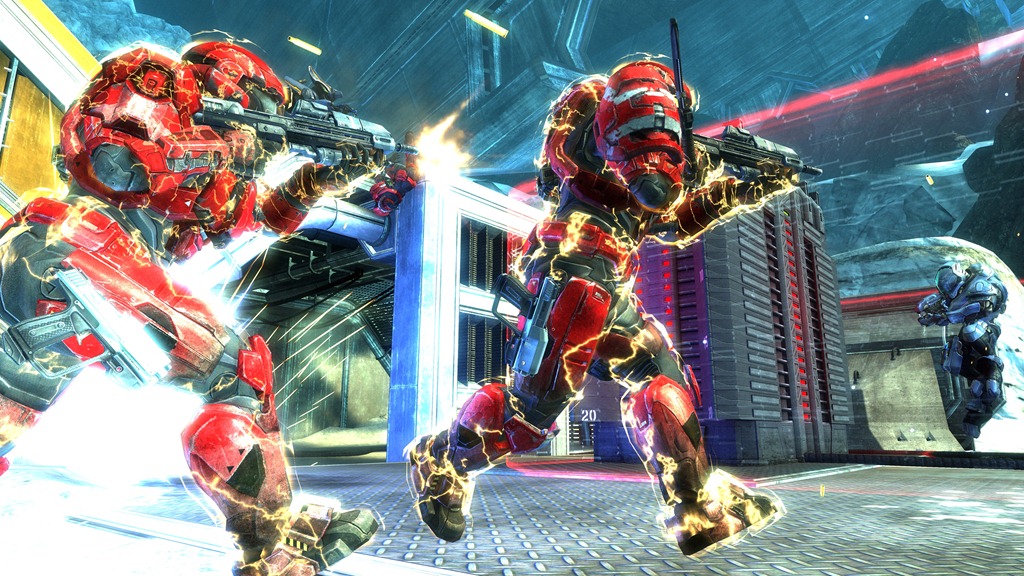
This abandoned shoreline facility bends both sea and sky to an unnatural purpose, but the ground itself has quickly become another all too familiar battlefield. Though the two opposing symmetrical bases may never reveal their ancient purpose, both now offer makeshift shelter and access to strategic routes perfectly suited for small and large scale skirmishes alike. Tempest supports 8 – 16 players and offers a variety of modes including Free for All, Team Slayer, Team Objective and Big Team Battle. Tempest also provides players with a huge Forge palette, allowing them to create new custom map variants that can be shared with the community-at-large.

Tempest_001

Anchor 9

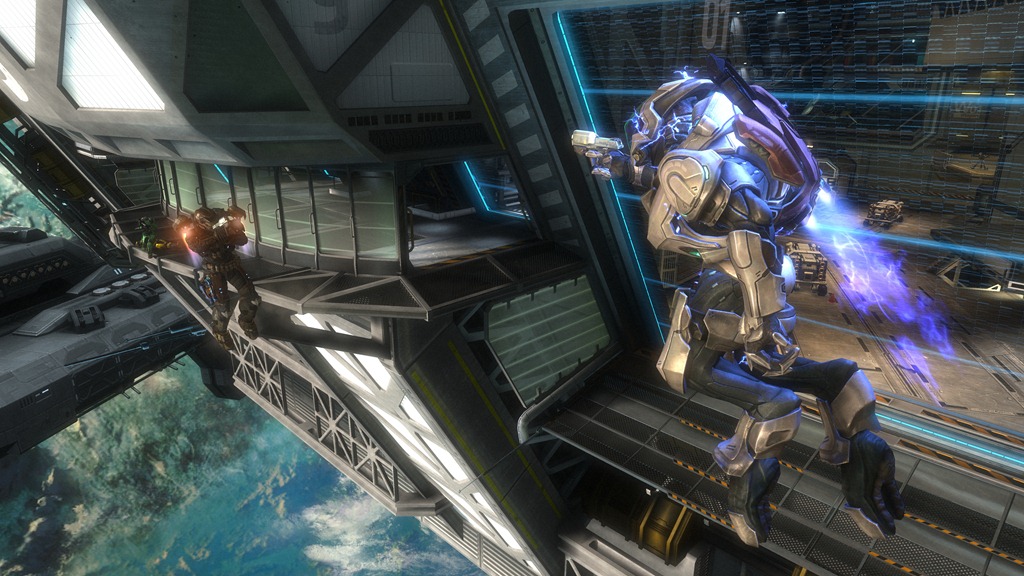
“Orbital dockyards provide rapid refuelling and repairs for a variety of UNSC vessels.”

Within the confines of this low orbit dry-dock, UNSC craft undergo rapid repair and rearmament in support of the enduring war effort.  But for the small squads of infantry who now fight over the mirrored interior hallways and open central hangar bay, this platform no longer provides any safe harbour – whether the close quarters combat is occurring inside or out of its artificial gravitational field. Anchor 9 allows 2-8 players to face off in game variants including Free for All, Team Slayer and Team Objective.

Anchor9_003

Breakpoint

“ONI officials believe the data buried within this artefact is key to our survival.”

Atop this icy precipice, the Invasion continues. These modular archaeological labs were never intended to withstand such a large scale onslaught of Covenant military power, but the information being extracted here may prove vital to humanity’s survival. In response to the imminent Covenant threat, UNSC ground and air assets have been deployed to bolster entrenched Spartan countermeasures. This dig site must yield salvation, or it will become a grave. Breakpoint offers multiplayer mayhem for 8-16 players, and supports the Invasion and Big Team Battle game variants.

Breakpoint_003

Kinect surpasses 2.5 million sold


Microsoft’s Xbox Kinect has sold more than 2.5 million units in just 26 days!

Don Mattrick, President of the Interactive Entertainment Business said:

“We are thrilled about the consumer response to Kinect, and are working hard with our retail and manufacturing partners to expedite production and shipments of Kinect to restock shelves as fast as possible to keep up with demand. With sales already exceeding two and a half million units in just 26 days, we are on pace to reach our forecast of 5 million units sold to consumers this Christmas”

Kinect is now available at over 60,000 retailers in over 38 countries…well poised to break the 5 million mark!

Microsoft SPLA pricing changes


Microsoft SPLA, Service Provider Licence Agreement is, as the name suggests, a licensing program aimed at Service Providers. It gives them a very cost effective subscription based licensing model, allowing them to offer monthly pricing to their users.

Come January 1st 2011, there are going to be some changes to the Windows Server pricing:

Product Price Change
Windows Web Svr -21%
Windows Svr Std -21%
Windows Svr Ent -21%
Windows Svr Datacenter +30%

Why is Windows DataCenter going up? Well, it’s actually going DOWN, as the current price is technically a promo that’s been going on for about 2 years Smile

For more info and some FAQ’s, head to:

http://blogs.msdn.com/b/stevemar/archive/2010/11/19/service-provider-license-agreement-spla-changes-for-windows-server.aspx

Project Server 2010 & Sharepoint Server


Project Server 2010 is the latest version of Microsoft’s Project planning and collaboration solution, and it can be much more confusing.

The previous version, Project Server 2007, was a stand alone product whereas Project Server 2010 has some dependencies on SharePoint 2010. However finding out exactly what these dependencies were and how necessary they all are was quite a lengthy process, one which I will describe here to save you time Smile

The question is:

“Does Project Server 2010 require Sharepoint Server 2010”

The answer is:

“Yes”

As to which version of SharePoint is required, well that’s where it got interesting!

I could see how sitting Project Server on top of SharePoint would be useful so I imagined that SharePoint 2010 Foundation would do the job. It’s pretty powerful and it’s free – seems the perfect fit to drive a Project Server 2010 implementation. However, a look at Technet brought up this:

image

I found it hard to believe that it would require the ENTERPRISE version, as that isn’t cheap, so I set off to verify this.

Ask Partner:

I spoke to the Microsoft Ask Partner Technical Pre-Sales team and they did the same as me. Said that Foundation would be fine…and then checked Technet!

Still I wasn’t satisfied so I went to the

MSDN

site and there I found this:

image

A diagram of the Server Architecture for a Project Server 2010 implementation from:

http://msdn.microsoft.com/en-us/library/ee767687.aspx

To me, the above says that SharePoint Foundation is perfectly acceptable and that SharePoint Enterprise is only required to serve ASPX pages in the Project Web App.

I’d love to get some feedback as to your thoughts on the above Smile

I went back to the Ask Partner team and they agreed with me.

So at this point it seems that SharePoint Foundation is fine and we’re about done.

However, I also put this request out to the TwitterSphere and one of my favourite people at Microsoft came back and told me to look on page 117 of this month’s Product List, so I did…

image


Project Server 2010 customers will require SharePoint Server 2010 and SharePoint Server 2010 Standard and Enterprise CALs

Despite that, they’re still one of my favourites Smile

The Answer

So that’s it really…both Technet and the Product Lists say that if you want to run Project Server 2010 you MUST also licence SharePoint Server 2010 with Standard AND Enterprise CALs.

My Thoughts

I don’t particularly agree with this, as it adds quite a chunk onto the cost of the solution.

Project Server £3768
Project Pro £684
   
Total £4452
   
SharePoint Server £3768
SharePoint Std CAL £72
SharePoint Ent CAL £63
   
Total £3903
   
Grand Total £8355

The above is based on standard Open Licensing and as you can see, the addition of SharePoint Enterprise almost doubles the solution cost.

I understand that having SharePoint Enterprise gives the client a whole raft of other wonderful tools and I’m a huge fan of SharePoint however, it’s a lot of extra money if you’re not going to use any of the extra features. I feel this will prohibit many businesses from being able to implement a full Project Server solution.

Alternatives

I am currently researching an alternative solution which is based on SharePoint Foundation customisations and from what I’ve heard so far, this could be a great alternative for many people.

Microsoft Kinect Sales Comparisons


Microsoft Kinect has been with us in the UK for 6 days now and 12 in the US. It’s clearly doing very well as Microsoft have revealed that it’s already past the 1 million sold mark which is an amazing achievement, and very well deserved.

A lot of blogs and internet types on Twitter are running with the following comparison:

iPhone = 74 days to 1,000,000 sold

iPad = 28 days to 1,000,000 sold

Kinect = 10 days to 1,000,000 sold

To me, this is a completely pointless comparison. Not only do these items sit in different areas of technology but there is also a significant price difference:

Kinect = £130

iPad = £429

At almost 3.5 x the cost, it’s hardly surprising that the iPad sales went a little slower is it? Plus Kinect is an add-on for the best selling console in the world which gives it a huge, ready (and easy) to engage sales base.

Now don’t get me wrong, I think Kinect is brilliant, I’m a huge fan of Microsoft and think most things Apple do are evil, but I don’t think these comparisons serve anybody well. In fact, I’d go so far as to say they negatively affect Microsoft as it makes them seem desperate to “beat” Apple, enough to use pointless data such as this. The kicker is that it’s nothing to do with Microsoft, it’s not Redmond putting these out but various bloggers and tech sites on the net…however Steve B et al will be on the end of negative effect on consumer mindshare.

Realistically, the only comparison that is anywhere near worthwhile is Kinect’s performance against Playstation Move…and I’m sure it will always win Smile

Microsoft Office 365 & BPOS


Microsoft made a big announcement today – Office is available online!

Yes Office Web Apps have been with us for a little while but they are lacking many features and, in the corporate world, you need a full Office licence on your desktop to use them. This however is “proper” online Office so, just like the original BPOS offerings such as Exchange & Sharepoint, it exists solely in the cloud…no on premise(s) software required.

There were also name changes, new products and new prices announced today so let’s take a look at the whole shebang!

Office 365

This is the new name for Microsoft’s cloud services, both existing and new. Family members include:

Office 365 Small Business

Office 365 for Enterprise (BPOS V2)

BPOS Government

Live@EDU

To be honest, I’m not really sure about the name. Maybe it will grow on me but for now at least, it feels a bit cheap and I’ve already seen people asking what happens on day 366 of a leap year Smile

Office 365 Small Business

This cut down version of Microsoft’s cloud offerings is, as the name suggests, aimed at small businesses with up to 25 users and offers:

  • Exchange Online
  • Sharepoint Online
  • Lync Online
  • Office Web Apps
  • External Web Site

for $6 per user per month.

Office 365 for Enterprise

BPOS V2 aka Union will be available in the first half of 2011, as per Mary Jo Foley’s info.

This will give companies:

  • Office Professional Plus
  • Exchange Online
  • Sharepoint Online
  • Lync Online
  • 24×7 Phone Support
  • On Premise(s) licences

It’s to be noted that the upcoming Wave 14 releases of the online products will introduce dozens of new features that make them much more compelling to businesses, such as the ability to federate Lync and host extranets on Sharepoint:

Read Microsoft BPOS- More new features

All this will cost just $24 per user per month – that is really amazing!

Availability

Beta testing across 13 countries has started, with beta sign up available at:

http://www.office365.com

If you can get it to load up for you – I’m having no luck!

Office365 will be available in 40 countries during 2011. It will then expand to include Dynamics CRM 2011 Online (a great product) and then a separate Educational focused offering will arrive, rolling into it Live@EDU.

Follow @Office365 for more info.

I’m already thinking of a number of our clients who will be very interested in Office Online but one question I have already been asked is:

“Can I get Office Online as a separate product?”

I don’t think so but I will check…

Microsoft Kinect & Sky Player


Microsoft Kinect is coming, and it’s going to be awesome.

Sky Player on Xbox 360 is already available and can be pretty awesome.

Microsoft’s Channel 9 have revealed that you’ll be able to combine the two. Yes that’s right, in a little under 6 weeks, you’ll be controlling Sky with Kinect…nice Smile

“Kinect for Sky Player on Xbox 360 will also let viewers control TV with their voice to pause, fast forward, rewind and play content.”

Microsoft Enrolment for Education Solutions (EES)


Microsoft licensing has a new family member, Enrolment for Education Solutions AKA EES.

Currently, there are 2 education specific licensing programs, Schools Agreements & Campus Agreements (I’m not including Open Academic & Select Academic as specific). These offer huge savings over standard licence costs but there are certain requirements that don’t always please people, mainly the requirements to cover ALL eligible desktops, even if they’re already licenced or not to be used for that purpose.

Last year, Microsoft introduced a pilot licensing scheme for education called SESP, which I covered here:

Read Microsoft Licensing- Subscription Enrollment for Schools

Not much has been heard about SESP since then, but it’s influence can definitely been seen in EES.

It’s interesting to note that Live@EDU, the free email+ service for Further/Higher Education establishments will be fully integrated into EES.

What’s different?

The big change is that EES is based on an FTE (Full Time Employee) count, rather than the number of desktops. This will, for almost all schools and colleges, dramatically reduce the number of licences needed.

Another change is the ability to add “non-platform” products in any quantity at any stage of the contract. This will reduce costs as well as help reduce complexity and perceived “pointlessness” of licensing. A good example of this is one we had with a customer a year or 2 ago, where they wanted 70 something Terminal Service CALs but they were required to purchase 700+ as that was their desktop count! Many grumbles were made about that as 600+ of them were never used and seen as a complete waste of money.

Something else that will help organizations further reduce costs is the ability to pro-rate the pricing of additional products, with a minimum charge of 6 months. For example:

Product added in month 3 = full price x 0.75

Product added in month 9 = full price x 0.5

You can also define an organization in a much more granular fashion so it could be:

  • Entire school district
  • Entire school
  • Just Year 11
  • Just the science departments

or more…much more flexible Smile

However you define the organization, the minimum entry point is still 300 units.

What exactly is FTE?

Perhaps not surprisingly, FTE isn’t quite as straight forward as just “Full Time Employees”! The actual calculation is:

image

“Non desktop PC Users” such as maintenance or food service staff can be excluded from the count. MS point out that you must include “student employees”, although I’m not sure what they are?!

Launch

EES is being made available at different time in different regions, and also through different channels. December 2010 will see the limited launch of EES.

In the US & Canada = December launch of EES under Campus Agreement via Distribution & Value Add Resellers (VARs).

In EMEA = December launch of EES to Campus Customer only via Large Account Resellers (LARs) only.

In APAC = December launch of EES under Campus Agreement via LAR only.

It won’t be available to primary & secondary schools in EMEA until March 1st 2011.

Microsoft XP OEM Downgrade discontinued


Microsoft Windows XP is still used by the majority of business around the world and it’s proving hard to get some people away from it. Well, Microsoft and it’s hardware partners are moving to make it more difficult to stick on XP and this is, in my opinion, a good thing.

What’s Happening?

From October 22nd 2010, downgrade restore media will not ship in PCs or Notebooks from HP.

If customers still require XP downgrade media, they will need to speak to HP support. A key bit of information is that this service will

“be available through HP Support until the end of July 2011”

which suggests in 10 months time, this service will be discontinued completely.

This isn’t specific to HP and is in fact a Microsoft directive that applies to all hardware OEM partners, although I believe the cut off dates may vary slightly.

Microsoft Windows Phone 7: RTM


Microsoft’s new Mobile Operating System – Windows Phone 7 – has been “Released to Manufacturing”. That means it’s done and the work of the “internal engineering team is largely complete” according to Terry Myerson, Corporate Vice President of Windows Phone Engineering.

Terry’s blog post on the Windows Team Blog gives some fascinating examples of how Microsoft have been testing this new release:

“We had nearly ten thousand devices running automated tests daily, over a half million hours of active self-hosting use, over three and a half million hours of stress test passes, and eight and a half million hours of fully automated test passes”

That is a LOT of testing hours!

The full blog post can be read over at:

http://windowsteamblog.com/windows_phone/b/windowsphone/archive/2010/09/01/windows-phone-7-released-to-manufacturing.aspx