Microsoft E3 Announcements


Microsoft at E3 is always good. There are always awesome announcements and this year, we’re getting them early Smile

So far, Microsoft have revealed:

Voice Search coming to Xbox. I take it this will be for the Marketplaces, making it easier to find films, songs, games etc.

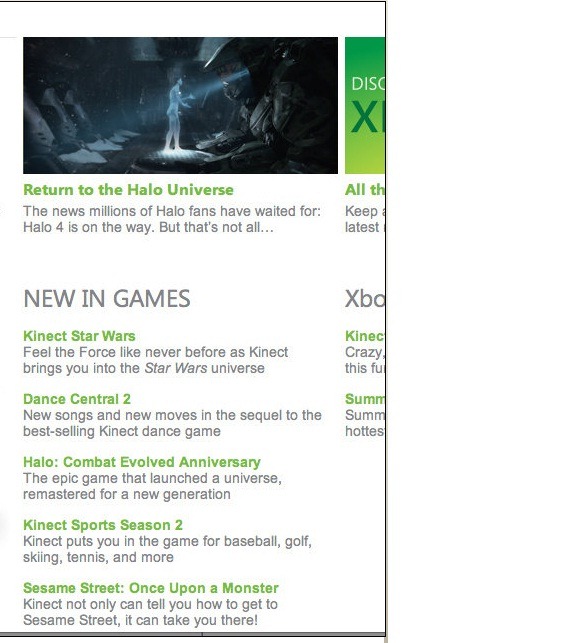
Halo 4 is being developed. I’m excited about this – although Bungie have gone, MS did retain some of them for their new 343 Industries team, dedicated solely to Halo.

Kinect Sports 2 will have:

  • Baseball
  • Golf
  • Tennis
  • Skiing

among others. I’m also hoping for Basketball and football keepie ups Smile

Halo: Combat Evolved will be “remastered for a new generation” which I’m quite happy about. I came into the franchise at #3, so never got to play this one.

E3

Kinect Fun Labs is available immediately (can’t see it on xbox.com yet though) and does a great job of showing off some of the technology…including Finger Tracking! According to WinRumors, it features:

  • Build a buddy – scan in any object and play with it in any way
  • Googly eyes – scan in an object and then be that object
  • Kinect me – make an avatar that looks like you
  • Bobble head – create a bobble head from your avatar
  • Kinect sparklers – lets you use finger tracking to create photos with sparklers

Windows 8 New Features


Microsoft Windows 8 has been officially demoed and it looks pretty great, with it’s Windows Phone 7 inspired tile interface.

There are other new features being discovered by people who have the leaked pre beta builds and one of them is pretty great:

Built in ISO mounting

Windows 8 Center have got a screen shot which shows this:

image

image

This would be a brilliant addition. All my main machines have got Magic Disc & Magic ISO on them simply so I can mount ISO’s as and when needed. However it’s really annoying when you get a new machine and/or you’re working on someone else’s machine…you go to mount an ISO..BOOM – no can do, so you’ve got to go and download/install them. This new addition will save quite a lot of time across the IT Industry I would imagine Smile


Built in PDF Reader

This will also be cool, again saving users from one extra download and extra bit of 3rd party software on their machine.

SkyDrive

On paper, SkyDrive is awesome. 25GB of storage that you can access pretty much wherever and use either for personal storage alone or also to share things such as datasheets, documents etc with friends, clients, partners and more.

In practice, it’s quite difficult to use…fiddly, hard to find, not quite as easy to get things into/out of as you thought.

Integrating it straight into Windows 8 will see a massive rise in the use of Microsoft’s online storage, and will make the tablet piece even more compelling as users will have a built in, free, easy to use way of sharing/syncing quite a lot of “stuff” available immediately.

Microsoft Enterprise Agreement: Updated for the Cloud


Microsoft’s top level licensing model, the Enterprise Agreement, has recently been overhauled to make it more cloud friendly…which is a good thing for organisations looking to adopt this new model now, or in the future.

What is an Enterprise Agreement?

The Enterprise Agreement (EA) is Microsoft’s highest level model, for companies of 250 seats and above. It requires an Enterprise Wide (EW) licensing commitment, includes Software Assurance (SA) on all licences and offers the best discounts.

The common way for an organization to licence under the EA is with the “Professional Desktop”, comprised of:

  • Windows OS
  • Office Pro Plus
  • Core CAL

The Core CAL itself is a bundle, comprised of:

  • Windows Server CAL
  • Exchange Server CAL
  • Sharepoint Server CAL
  • SCCM Client ML

With the exception of Windows Server & SCCM, all these products are now available online via Office 365 and Intune.

If a company with an existing EA wanted to take advantage of these products, they would be on top of their existing Professional Desktop licences, as they are required to maintain the Enterprise Wide commitment. This would mean double licensing, not an effective use of budget and of course, not the way customers want to do things.

So in a very quick move, Microsoft have produced an amendment to their Enterprise Agreement terms making it possible for organizations to “mix & match” between online & onsite licensing.

Product LineUp

Windows OS –> Windows Intune

Office –> Office 365 E3 or E4

Core CAL –> Core Bridge

Enterprise CAL –> ECAL Bridge

What’s a Bridge CAL?

Bridge CALs are a new licensing item that bridge the gap between the CAL suites and their closest online relatives.

For the Core CAL offering, the bridge CAL covers the organization for:

  • Windows Server CALs
  • SCCM Client MLs

thus completing the Enterprise Wide commitment, without duplicating any functionality and keeping them compliant with the contract terms.

Example

The following diagram gives a good example of how the online and onsite licensing models can co-exist within an organization.

image

There are certain differences when it comes to the Software Assurance benefits available with Online products too, for example:

Windows Intune does NOT give

  • Training Vouchers
  • TechNet Subscriptions

There are a variety of different combinations possible when it comes to these licensing scenarios, some more complex than others! I have left out a fair amount of information from this post as I don’t want to cause confusion, however if you have a specific scenario I would be more than happy to help Smile

It’s great to see Microsoft making such changes as this and at such a good speed. Many people criticised Microsoft for taking too long to update their licensing models to accommodate the changes brought about by Virtualisation and, while that may be true, Redmond are definitely ahead of the curve this time!

Microsoft Windows Phone 7 at Mix 11


Microsoft’s MIX development conference has just finished and there have been a lot of great announcements for the future of Windows Phone 7.

Microsoft’s next update “Mango” will most probably bring about Windows Phone 7.5 as well as a number of huge updates.

Internet Explorer 9

Windows Phone Mango will bring with it a new browser which will have the same rendering engine as their new, much lauded desktop browser. That will mean:

  • Hardware Acceleration
  • HTML5
  • CSS Standards Support

all on a mobile device. Demos comparing an updated WP7 device to an iPhone and an Android handset showed it to be much faster.

Third Party Multitasking

Currently, only the built-in Microsoft apps can multi-task but that will all change, allowing:

  • Fast Application Switching
  • File Transfers
  • Background Audio

and more.

Developer access to hardware/software & Better tools!

Devs will be able to target and use more of the hardware already there, including camera data and motion sensors…bringing Augmented Reality (think Layar) to Windows Phone 7 Smile They will also be able to access contacts and calendars, which I think will bring some great possibilities to the world of WP7 apps.

Not only this but Microsoft are improving the tools that developers can use which will allow them to mix Silverlight with XNA in a single app and emulate location and accelerometer features during the development phase.

Random Extras:

Don’t forget that Microsoft have already told us that Twitter will be getting much deeper integration with the Mango update – that will be pretty great!

TCP/IP support will allow a Skype app.

ANGRY BIRDS IS COMING ON MAY 25TH <—Yes that’s all in caps!

Nokia Windows Phone Devices


Microsoft & Nokia have joined forces to improve, build and push Windows Phone 7 going forwards, this we know. Now the rumours and conjecture have moved, logically, to the next thing – what will Nokia’s first device be, and when will we get them?!

I’ve never had a Nokia.

I’ve had numerous other phones (Motorola, HTC etc) over the years but never Finland’s biggest (?) export, and that’s mainly been down to the OS. I’ve long admired their hardware but couldn’t make friends with the Symbian Operating System…so this could be a first for me now they’ll be running Windows Phone 7. Actually, my Samsung Omnia 7 is the first Samsung device I’ve ever had come to think of it…anyway, back to the Nokia devices!

According to various sources on the internet, the first Windows Phone 7 from Nokia will be the “W7”…based on the Nokia X7 innards but looking like the HTC Mozart. However continuing Nokia’s theme for great cameras, it will have 8 Mega Pixels and a flash.

The next device will be the W8, based on the current N8, although there are apparently a dozen Nokia WP7 devices coming in 2012…should be good times!

image

Microsoft Cloud Mobility Licensing Changes


Microsoft are making a big push with their hosted application offerings (BPOS & Office 365) but are also aware that many customers and partners base their businesses on 3rd party hosted solutions. In an effort to make that easier and more cost effective, the Redmond based company recently announced some changes to their licensing rule, referred to as “Licence Mobility”.

Essentially, these changes will allow customer organizations to deploy their licences in-house or hosted in a 3rd party datacenter. Not all products are covered with these changes, in fact, here are the products that are:

  • SQL Server
  • Exchange Server
  • Sharepoint Server
  • Lync Server
  • System Center Servers (note the plural – this seems to be any and all SC products)
  • Dynamics CRM

If these products are licensed with Software Assurance they

“can be run in service providers’ datacenters on shared hardware for that customer’s dedicated use”

Products that are NOT included are:

  • Windows Server Operating Systems
  • Windows Client Operating Systems
  • Desktop Applications
  • Developer Tools

Other Changes

Also, Microsoft are expanding the Subscriber Access Licences (SALs) for SA SKUs to cover Enterprise licences for

  • Exchange
  • Lync
  • Sharepoint

For more information, see here:

http://www.microsoft.com/licensing/about-licensing/value-of-volume-licensing.aspx#tab=4

April Fools Day 2011


I do like a good April Fools prank and so am going to keep a little list of my favourites today. Here we go:

Royal Charging:

image


Control Google Mail with your Body!!!

How it works

Gmail Motion uses your computer’s built-in webcam and Google’s patented spatial tracking technology to detect your movements and translate them into meaningful characters and commands. Movements are designed to be simple and intuitive for people of all skill levels.

image


Google have helpfully made a list of common actions and phrases to help you get started with this GROUND BREAKING new method of communication:

image

imageimage

Already they’ve got the next implementation of this lined up – Motion in Google Docs:

image


For more information and Health & Safety tips, visit:

http://mail.google.com/mail/help/motion.html

Google AutoComplete:

Google’s innovation keeps on coming…now they’re making AutoComplete even better…

The role: Autocompleter

Are you passionate about helping people? Are you intuitive? Do you often feel like you know what your friends and family are thinking and can finish their thoughts before they can? Are you an incredibly fast Google searcher? Like, so fast that you can do 20 searches before your mom does 1?

If, like me, you’re thinking this job sounds pretty brilliant, your enthusiasm may be tempered by the required skills. I think only a few great people will be up to scratch for this:

Responsibilities:
  • Watch anonymized search queries as they come in to Google.
  • Predict and type completions based on your personal experience and intuition.
  • Suggest spelling corrections when relevant.
  • Keep updated with query trends and offer fresh suggestions.
Requirements:
  • Excellent knowledge of English and at least one other language.
  • Excellent knowledge of grammatical rules (e.g. parts of speech, parsing).
  • Understanding of the search engine space.
  • Proven web search experience.
  • Good typing skills (at least 32,000 WPM).
  • Willingness to travel (in order to provide local autocompletions) or relocate to obscure places like Nauru and Tuvalu to develop knowledge of local news and trends.
  • Certificate in psychic reading strongly preferred: palm, tarot, hypnosis, astrology, numerology, runes and/or auras.

New Domino’s iPhone App:

NEW ‘SM-APP’ RELEASES PIZZA SCENT WHEN ORDERING

“The new ‘sm-app’ from Domino’s uses the latest in aroma technology to release a small amount of pizza scent from the iPhone when customers place an order. The ‘scratch and sniff’ page within the new sm-app, is displayed after the ordering section and simply by rubbing the iPhone screen, the mouth-watering smell of a Pepperoni Passion wafts straight out of the phone”

The new sm-app is compatible with all iPhone models. For more details on how to download it, visit Domino’s Facebook page at www.facebook.com/DominosPizza

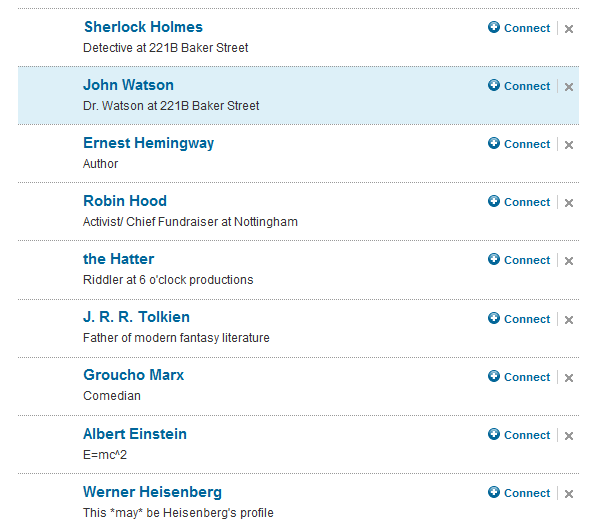
Linkedin

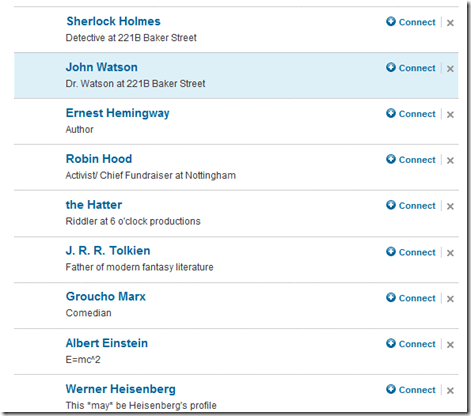
Check out the “People I Might Know” section on LinkedIn:
image

Blizzard Entertainment

Blizzard, one the world’s most successful gaming companies, are also pretty great at April fools…here are the FOUR they hit us with today!!!

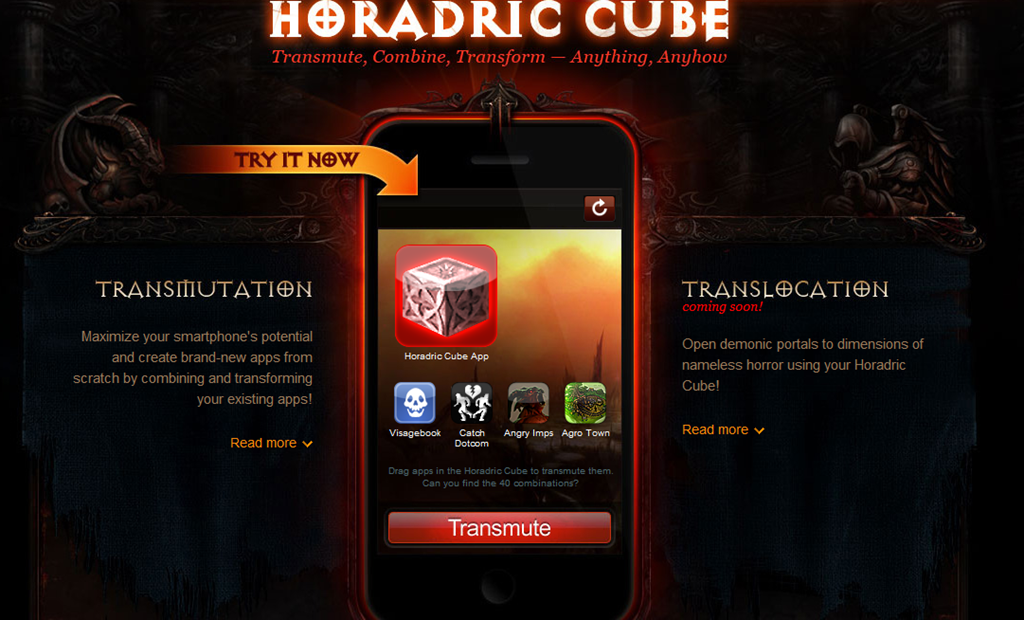
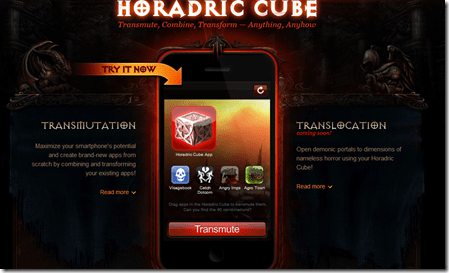
Horadric Cube:
image

image

To learn how to make your Angry Birds become ninjas, and more, fly to:

http://us.blizzard.com/diablo3/media/horadrapp/

Tomb of Immortal Darkness:

Bringing true realism to WarCraft and using “Deep Dark” technology, the world of “Omgsogoth” is almost completely pitch black…all the way through:

image

As the tagline says, In the dark, no-one can hear you scream!

To see more (pun intended) head over to:

http://eu.battle.net/wow/en/game/dungeon/tomb-of-immortal-darkness

Crabby, the WarCraft Helper:

The World of Warcraft can be a cold, lonely, unforgiving place and wandering the lands alone can be a daunting prospect. So having someone to keep you company and help you in your quest would be good right? Blizzard certainly think so…say hello to Crabby:


image

image

See more at:

http://eu.battle.net/wow/en/game/dungeon-helper/

Future of StarCraft…with Kinect Support!

image

Perfectly optimised for Microsoft’s Xbox 360 Kinect system, you can use gesture-based controls to direct your forces and out-move your enemies. Wave your arms in the air like you do, in fact, care.

image

To see the video of this in action, jump to:

http://us.blizzard.com/en-us/games/console/

Microsoft Office 365, Sharepoint Online and Mail Enabled Lists


Microsoft Sharepoint does so many things that there are 100’s of features used by only a subset of companies, but there are a number of features that are pretty key to the majority of Sharepoint organizations. To me, one of these is:

Mail Enabled Lists

Basically, this allows you to send emails to a list within Sharepoint and have it catalogue the mail and also store any attachments to that mail; I think that’s pretty cool!

This feature wasn’t available in BPOS and I discovered today it won’t be available in the soon to be released Office 365 either. I couldn’t really understand why as, on the face of it, mail enabled lists appear to be quite an easy feature to enable. I asked one of the Microsoft TSP’s today and also did a little Bing based research and have come up with something of an answer.

The official answer from Microsoft Corp. is:

“They are currently disabled due to performance, scalability, policy enforcement, data requirements and legal compliance issues that can affect Enterprise customers”

Looking into it further, I came across a post on Joel Oleson’s MSDN based blog on the subject of Mail Enabled lists which throws some more light onto the subject. He says:

“MS IT has been very cautious about their support for email enabled lists and specifically only supporting it on few isolated environments”

which I found very surprising. Luckily he goes on to answer my question – Why?

“Email enabled lists create contact objects in AD, it takes careful coordination to create these contact objects and ensure the proper write access to a specific OU. Imagine 500,000 lists all with the ability to be email enabled”

BPOS/Office 365 is a multi tenant setup, meaning there could be millions of lists in the cloud based Active Directory, many of which could have 1000’s of updates a day. That is quickly a huge overhead for the servers and infrastructure to cope with, potentially leading to a negative impact on the service Microsoft offer to their customers.

Hopefully in the future, Microsoft will enable this feature…perhaps with a maximum limit per company for number of lists/number of daily updates etc. However there is no word floating around the halls of any such move for the foreseeable future…

What are your thoughts – are mail enabled lists important to you? Would it stop you from moving to the cloud? Let me know in the comments Smile

Microsoft Office 365: Updates


Microsoft’s UK HQ was my base of operations today as I took part in the first Office 365 “Ignite” training, anywhere in the world. It was a very well put together day with great content delivered by great presenters, I picked up quite a few tidbits of information I’d like to share with you all. Be warned, this won’t be a particularly cohesive post, more a list of interesting things I learned today! Smile

  • Mail Enabled lists are still not available in Office 365. Here’s a post on why this might be the case:

Read Microsoft Office 365, Sharepoint Online and Mail Enabled Lists

  • Directory Sync aka DirSync is a 32bit tool only, so only supported on Server 2003 or 2008 NOT 2008 R2
  • If your Active Directory (AD) is over 50,000 objects you will need a full SQL instance as part of DirSync, SQL Express will not be up to the job
  • On average, syncing a 15,000 object AD will take about 3 hours and then further delta change syncs will take approx. 12 minutes. <—This of course depends on a number of factors.
  • If you choose to run ADFS 2.0 to enable single sign on between your on premise and cloud environments, you will need to deploy ADFS servers onsite and you will need to have a good amount of redundancy. Why? If your ADFS server is unavailable, users will be completely unable to access the Cloud Services!
  • The version of Office you get with the E4 plan of Office 365 can be installed on up to 5 machines at the same time.
  • One of the reasons that Office 2003 is not supported is because Outlook 2003 doesn’t expose the Archive mailbox through folder list, which  means the Archiving piece in Exchange 2010 Online won’t work.
  • There are 2 versions of Exchange available, Plan 1 & 2, that have exactly the same features other than mailbox size; Plan 1 gives 25GB while Plan 2 gives unlimited. This becomes important if you’re going to utilise Archiving and or Voicemail. With Plan 1, the 25GB is shared across the active inbox and the archive which will restrict the actual mailbox size. Secondly, a lot of voicemails can quickly eat up a number of GBs of storage…
  • Business Connectivity Services (BCS) isn’t part of Sharepoint Online at the moment, but it will be coming further down the line. That will allow On Premise Line of Business (LOB) applications to be searchable by Sharepoint Online.
  • An organization now gets 10GB of storage when they sign up to Sharepoint Online
  • If you want to have rich co-existence between your on-premise and online environments, you will need to have an Exchange 2010 server on site. This is required for certain roles such as hub transport.
  • Lync client for Mac should be available by July.

Told you it would just be a list Winking smile