Windows 8 Editions


Microsoft have announced the editions of Windows 8 that will be available:

  • Windows 8
  • Windows 8 Pro
  • Windows 8 Enterprise
  • Windows RT

Let’s take a look at each edition and what you get.

Windows 8

This is the new incarnation of “Home Premium” as it cannot join a domain or be managed via group policy. New/updated features include:

  • Updated Windows Explorer
  • Updated Task Manager
  • Better multi-monitor support
  • Ability to switch languages on the fly (previously ENt/Ultimate edt only!)


Windows 8 Pro

This is, as the name suggests, the new “Professional” offering of Windows and it brings with it a few new things:

  • Boot from VHD
  • Client Hyper – V
  • Bit Locker & Bitlocker to Go

Now the first 2 are pretty cool and will come in very handy but in my opinion, that 3rd one is the biggie:

Hard Drive and USB encryption built in as part of the OS!

Previously Bitlocker was available only as an Enterprise feature which required SA to be purchased on top of the Windows 7 Pro SKU, and for the last almost 3 years we’ve had customers asking:

“Why isn’t this in the Pro version?”

so it’s great that it now is Smile

Windows RT

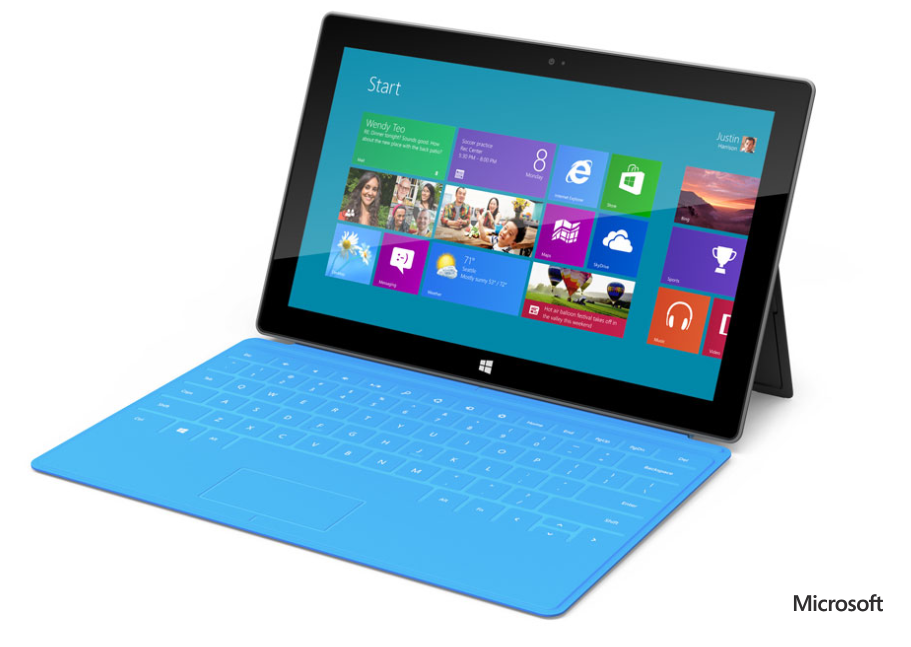
This has previously been known as “Windows on ARM” or “WOA” and is exclusively for devices powered by ARM processors. These devices will typically be thinner, lighter and have better battery life than regular devices so it’s aimed very much at the tablet market.

One of the interesting features is that Windows RT is listed as including Microsoft Office (Word, Excel, PowerPoint, OneNote). No more solid information has been given on this, leading to some speculation. Over on LinkedIn, Paul DeGroot has said:

image

I imagine it will be something akin to what is built into Windows Phone, certainly not equivalent to the full desktop version but more than capable of handling what users need to do when they’re out and about – perfect for tablets once again and a great USP against Apple & Android devices.

One of the big differences with Windows RT is that X86/X64 software and desktop software cannot be installed on it, again keeping it focused on the tablet market…just like the iPad iOS and responding to people’s claims of Windows being too “bloated” to run on a tablet.

There is also a lot of noise being made about the name “Windows RT” and how it’s rubbish and no-one will know what it means etc. but I genuinely feel that’s people just complaining for the sake of it.

  • What does iOS mean?
  • What does Ice Cream Sandwich mean?

Nothing yet devices with those OS’s are still selling pretty well so I really don’t see it being a problem Winking smile

The Windows Team Blog post has got a great, although not exhaustive, comparison chart between the 3 above versions here:

http://windowsteamblog.com/windows/b/bloggingwindows/archive/2012/04/16/announcing-the-windows-8-editions.aspx


Windows 8 Enterprise & enhanced Software Assurance

Microsoft have kept the Enterprise edition of Windows going, reserved as always for customers purchasing Windows 8 Pro with Software Assurance.

As you’ve seen above, 2 features previously restricted to Enterprise have been moved into the Pro SKU (BitLocker and Multi-User Interface) but the other key differentiators from Windows 7 are there including:

  • Direct Access
  • Branch Cache
  • AppLocker
  • VDI Enhancement

as well as a couple of new ones:

  • Windows 8 App Deployment – “Domain joined PCs and tablets running Windows 8 Enterprise will automatically be enabled to side-load internal, Windows 8 Metro style apps”
  • Windows To Go – “a fully manageable corporate Windows 8 desktop on a bootable external USB stick.”

That second addition aims to ease the pain around BYOD (Bring Your Own Device), which going to be a huge thing over these coming months and years.

Microsoft are also adding new benefits to Software Assurance on Windows 8 Pro, which will include:

  • Windows To Go Use Rights: Windows To Go will allow companies to support Bring Your Own PC scenarios and will give employees who need to work from home more secure access to their full corporate environment. With Windows To Go use rights under Software Assurance, an employee will be able to use Windows To Go on any company PC licensed with Windows SA as well as from their home PC. Additionally, through a new companion device license for SA, employees will be able to use WTG on their personal devices at work.
  • Windows RT Virtual Desktop Access (VDA) Rights: When used as a companion of a Windows Software Assurance licensed PC, Windows RT will automatically receive extended VDA rights. These rights will provide access to a full VDI image running in the datacenter which will make Windows RT a great complementary tablet option for business customers.
  • Companion Device License: For customers who want to provide full flexibility for how employees access their corporate desktop across devices, we are introducing a new Companion Device License for Windows SA customers. For users of Windows Software Assurance licensed PCs this optional add-on will provide rights to access a corporate desktop either through VDI or Windows To Go on up to four personally owned devices.

These again make strides towards addressing the changes being brought about through BYOD and remote working.

You can see more info on the Windows Team Blog here:

http://windowsteamblog.com/windows/b/business/archive/2012/04/18/introducing-windows-8-enterprise-and-enhanced-software-assurance-for-today-s-modern-workforce.aspx

That said, it will be interesting to see what changes (if any) are made to Office licensing (most probably through SA again) to bring it into line with BYOD needs…but that’s a separate topic Winking smile

SQL 2012 Core Factor Table


You may well have seen by now that SQL 2012 bring with it a big change, moving from “Per CPU” to “Per Core” licensing. (Read more here.)

Well there’s one more bit that hasn’t been widely announced but can make a fair difference in certain scenarios, and that is the “Microsoft SQL 2012 Core Factor Table”:

image

What?

There is a minimum of 4 core licenses per physical processor so the above table shows that:

1 x Single Core = 4 Cores

2 x Dual Core = 4 Cores

which fits the model. However you can see that there is special dispensation for certain AMD processors where each physical core is worth just 0.75 cores when it comes to SQL. S0 that means:

6 physical cores on an AMD 32XX CPU = 4.5 SQL Cores*

*I believe this would be rounded up to 5…and you have to buy in multiples of 2 so doesn’t alter anything…but if you have an 8 core CPU of the above kinds, you’d then only need to buy 6 SQL cores (8*.75=6).

This does add an extra bit of complexity to correctly designing an SQL solution but hey, that’s what us licensing gurus are for right? Smile

I do wonder how this will affect decisions when companies are speccing up hardware for SQL deployments. Will previously 100% Intel houses start looking at AMD chips for the SQL cost savings they can bring?

New MDOP family Member: UE-V


MDOP, the add-on available to organizations with Windows 7 Pro w/SA that gives a number of great desktop management tools, has a new member coming to join it’s ranks:

User Experience Virtualization (UE-V)

What does it do?

“By implementing UE-V, IT departments can enable a consistent experience for users who have multiple devices provided by their company or choose to bring their personal PC or tablet to work. Now users can change their device and keep their experience without reconfiguring applications each time they login to Windows 7 or Windows 8. “

So you can deploy an app to multiple devices at the same time, keeping the same configurations across the board…improving the user experience and reducing the load on IT – both of which are key as IT continues to become more of a leading part within organizations

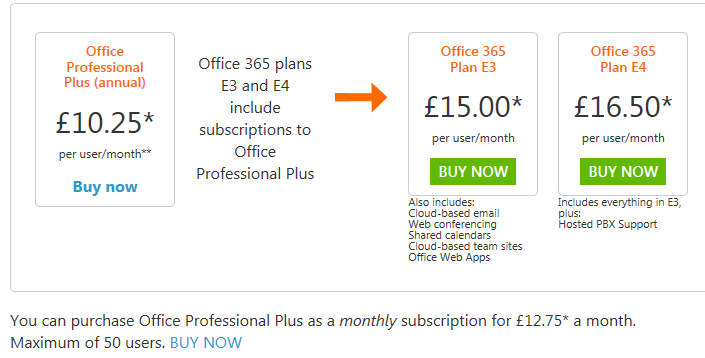
Office 365 Price Cuts


Office 365, Microsoft’s online services offering has had a price cut.

Effective immediately, the new pricing is thus:

image

     Was £6.50         Was £10.50      Was £15.75        Was £17.75

image

K1 has stayed the same but K2 has been reduced from £6.50.

The E3 SKU has been reduced by 16% and E1 by 19%.

Other pricing:

imageimage

The US price lists I’ve seen show that additional SharePoint storage has been reduced by 92%, from $2.50 to £.20! The UK site doesn’t currently contain pricing for this but I’ve asked for UK costs, so I’ll update this post once I hear back.

Some people will say these cuts are due to it not being as popular as hoped but I believe Microsoft’s reasoning about economy of scale & improved efficiency being the key drivers. We’re seeing some really great interest in Office 365 so far this year so I’d advise taking the naysayers with a pinch of salt Smile

Symantec Backup Exec 2012 Changes


Backup Exec 2012 has been released and brings with it a few changes.

1) There is now an “Agent for Applications & Databases” which protects

a. SQL

b. Exchange

c. SharePoint

d. Active Directory

e. Oracle

f. Lotus Domino

2) There is extended Mac support with the “Agent for Macintosh”.

3) There are now 2 server options:

a. Backup Exec Server Edition – Same as always.

b. Backup Exec Server V-Ray Edition – This includes the ability to backup all virtual Application & Database servers without requiring the additional options inside each VM. There are then 2 variants of the V-Ray Edition:

i. 2 to 6 cores per CPU

ii. 8 plus cores per CPU

· Point 1 makes it easier to license for organizations with multiple App & DB servers.

· Point 3 can make licensing much easier & cost effective for companies with heavy use of virtual App & DB servers.  The move to core based licensing won’t really add any complexity – just remember to count up the number of cores before requesting/providing a quote.

It’s interesting to see another vendor make the move to core based licensing to better fit with virtualization…I wonder who else will do this too.

You can learn more at:

http://www.symantec.com/backup-exec

Microsoft Windows Server 8 Online Backup


The Windows Server 8 beta has been out for a week or so and people are still finding new features in the Operating System.

Aidan Finn has uncovered an Online Backup Service that is available as an installable component of Windows Server 8.

What is it?

Microsoft Online Backup Service (as it is known) is an installable service to back up files & folders to the cloud.

Why is it?

Microsoft Online Backup Service provides a new way to deliver business continuity benefits to Windows Server "8" Beta customers by providing a backup solution that requires no upfront hardware cost (other than an internet connection).

Extra Points:

One thing to note straight away is that this isn’t a free service…not even Microsoft can backup everyone’s data for free! That said, the current beta IS free and is limited to around 10GB.

Here it is in the start menu:

image

Encryption passphrases must be at least 16 characters long and:

image


Recovering Data

Any server running Windows Server "8" Beta can recover data from Microsoft Online Backup Service onto any server running Windows Server "8" Beta connected to the Internet.

Thoughts

It’s interesting to see this as Computer Associates (CA) have just launched an online backup service that using Microsoft Windows Azure as its cloud platform. I’m not sure, off the top of my head,how these 2 services stack up features wise but I’m going to try and find out Smile Will Microsoft’s service be positioned more as a low end, entry level package while CA take the mid-market/Enterprise sector?


You can download the Online Backup Beta Guide document here:

http://www.microsoft.com/download/en/confirmation.aspx?id=29005

Aidan’s great original post can be found here:

http://www.aidanfinn.com/?p=12179

Thanks to Mary Jo of ZDnet for tweeting this Smile

Windows Server 8 beta also available


Windows Server 8 also has a preview available today so head over to:

http://technet.microsoft.com/en-us/evalcenter/hh670538.aspx

to grab it.

Mary Jo has again got a quick list of some new features:

  • Users can choose Server Core Installation or Server with a GUI (the equivalent of the full installation option in Windows Server 2008 R2). Server Core is the default option.
  • Increased scale and performance for Hyper-V virtual machines. Up to 1 terabyte of memory – up from 512 GB in the developer preview. There’s also an increase in virtual disk size supported, to 64 TB, from 16 TB in the Dev Preview
  • Easier deployment of IIS 8
  • Surfacing of ReFS, the new Resilient File System, in Windows 8, as well as support for new storage and server cluster mangement technologies
  • Metro-Style Remote Desktop app and VOIP integration with Remote Desktop Services


The improvements around Virtual mMachines and the new ReFS file system are big news and our customers are asking about release dates already Smile

WIndows 8 Consumer Preview is available


The Windows 8 Consumer Preview is here.

Microsoft have just announced the availability at Mobile World Congress in Barcelona and the links are live over at:

http://windows.microsoft.com/en-US/windows-8/iso

There are apparently over 100,000 changes in this edition over the Developer Preview we saw a few months back! Mary Jo Foley tells us these include:

  • Addition of the “semantic zoom” panning feature (that Microsoft demonstrated last September, but didn’t include in the Developer Preview). This should make it easier for users to navigate Windows 8 with touch and with mice/keyboards
  • App bar that shows commands when users want them via a bar in the bottom of the screen
  • Replacement of the Start button with a Start preview thumbnail. The preview lets users to right click to get quickly to familiar Windows features, like Windows Explorer, Search, Desktop, etc.
  • Improved app switching by mousing to the top left corner of the screen to allow users to more quickly scroll through their stack of recently opened/closed/used apps
  • Consolidation of passwords and credentials into a single “Microsoft Account.” This should make it easier for users to move his/her settings to other PCs.
  • Inclusion of new previews of various Microsoft apps, including People, Mail, Calendaring, Messaging and SkyDrive apps. (Many of these seem to emulate the similarly named hubs on Windows Phone.)

(Check out her great post on Windows 8, Server 8 and more here – http://www.zdnet.com/blog/microsoft/its-windows-8-download-day-heres-what-we-know/12058)

I’m 62% of the way through my download so once it’s done I’m hoping I’ll get the chance to boot it up and see how awesome it is Smile

Skype for WIndows Phone available


Microsoft’s 2011 $8.5 billion purchase of Skype has borne fruit in the guise of the beta “Skype for Windows Phone” app, with the final version expected to arrive in April.

Skype have tested and certified the app on the following devices:

• Nokia Lumia 710
• Nokia Lumia 800
• HTC Titan
• HTC Radar
• Samsung Focus S
• Samsung Focus Flash

From the Skype Blog:

“With Skype for Windows Phone Beta you can make free audio and video calls** to your Skype contacts over 3G and 4G or WiFi***, make affordable calls to landlines and mobiles using Skype Credit, create and hold one-to-one and group chats, and update your profile and account information, among others features.”

One thing to note is that the beta app will have only English language support.

Head over to http://blogs.skype.com/en/2012/02/skype_brings_voice_and_video_c.html to read more and to get the links to download the app…or hit this QR code using Bing Vision Smile

image

Microsoft begin Office 15 Technical Preview


The latest edition of Microsoft’s flagship Office Suite has entered the Technical Preview stage. Currently known as “Office 15” (being the 15th “wave” of productivity products”*) the current beta edition has been released to selected customers, of course under NDA.

PJ Hough, Corporate Vice President of Development, Office Division said:

“Office 15 is the most ambitious undertaking yet for the Office Division”

and also:

“With Office 15, for the first time ever, we will simultaneously update our cloud services, servers, and mobile and PC clients for Office, Office 365, Exchange, SharePoint, Lync, Project, and Visio. Quite simply”

This second point appears to indicate that there will no longer be a gap between new editions, and thus features, arriving on-premise and them being available to cloud users…a view which ZDNet’s Mary Jo Foley seems to share:

image

If this is the case then it’s good news for partners & customers alike.

There will be a public beta in the summer so only 5 or so months to wait to see what’s going to be in there:

  • Will there be a “Microsoft Accounting”?
  • Will there be an Office Suite that includes Visio and/or Project?
  • Will Word easily allow centralised building blocks for document creation?

Check out the Office blog post here:

http://blogs.office.com/b/office-exec/archive/2012/01/30/quot-office-15-quot-begins-technical-preview.aspx

*Well actually the 14th as they skipped 13 for reasons of superstition. So Office 2007 = Wave 12 and Office 2010 = Wave 14