Power BI General Availability


Business Intelligence is an ever growing area and I think it will continue to grow for quite some time. Taking note of the data you have, analysing it and making decisions based on it is becoming more and more prevalent – think what Billy Beane has been doing at the A’s for years, what Bill James does with the Red Sox, look at how Opta stats have become such a huge thing within premier league football…all these are examples of business intelligence.

The new way:

imageimage

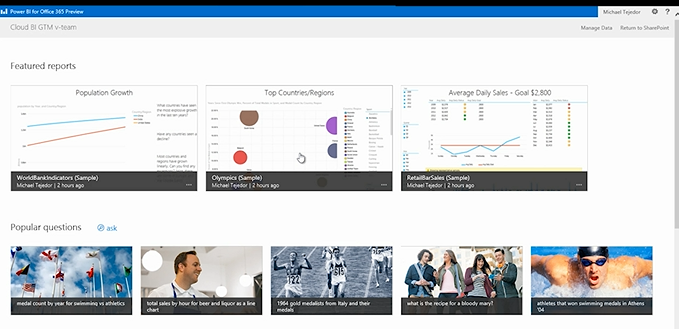
I’m amazed at some of the things that are being done with Power Bi, especially combined with Excel 2013! The opportunity for organizations to become so much smarter with how and what they’re doing is huge – the fact that it’s cloud based so allows access from anywhere is a big deal, especially with the Windows 8 & RT apps AND HTML5 support.

It’s available now so pricing is in the pricefiles – to see some of the things you can do with Power BI, head over to:

http://www.microsoft.com/en-us/powerbi/default.aspx#fbid=rZ1xycdtZvO

Windows Intune & Power BI coming to Open Licensing


In a very encouraging move, Microsoft have announced that, from April 1st 2014, customers will be able to purchase both Windows Intune through the Open licensing program.

Currently Intune is available only via the MS portal but will now sit alongside Office 365 (and soon Power BI too) on the regular pricelists.

See more here:

http://www.digitalwpc.com/Community/Perspectives/Pages/Windows-Intune-and-Power-BI-coming-to-Open-Volume-Licensing.aspx?fbid=-jjTmFnB-aO&mtag=mbar-twitter&mtag=mbar-linkedin#fbid=PVSRpLQGbVC

Hat tip to Licensing School for finding this.

Office 365 Admin Access in Exchange Online


Office 365 Wave 15 (the current release) brought with it a new admin console, that consolidates and streamlines access to most requirements. That said, one of the common worries for IT managers is around loss of control when compared to administering their on-site infrastructure.

A great tip from @12knocksinna shows how to gain access to an extra level of features:

image

To access this, simply fire up OWA and then change /OWA to /ECP in the URL an hey presto –  you’re in!

I’m sure I remember these features being available in the beta release of Wave 15 – anyone else?!

See Tony’s full blog about it her:

http://m.windowsitpro.com/blog/wave-15-office-365-admin-interface-unifies-applications-lacks-some-functionality

Office 365 MidSize Business and Exchange Online Archiving


Exchange Online Archiving (EOA) is now available as an add-on for Office 365 MidSize Business; this gives MidSize users unlimited archiving as well as legal hold capabilities.

It’s great to see Microsoft continuing to improve and add to their Office 365 platforms, and this move really helps SMBs to attain Enterprise levels of service.

The Ordering Process

Currently, EOA can only be added to MidSize Business licenses purchased via the Advisor model, that is via the Microsoft Online Portal. If you purchased via Open Licensing (so from your reseller partner – and you pay them rather than MS), you need to add just 1 license of MidSize Business via the Advisor Model. That way, you’ll then be able to attach EOA to that license but fear not, the subscription can be applied to all mailboxes on that tenant – including those purchased via Open.

The process is nice and simple, which is good:

  1. Login to your Office 365 account as the Administrator.
  2. Go to the “Purchase Services” tab in the Admin Console.
  3. Click “Add” to purchase one additional seat of Office 365 Midsize Business.
  4. You can add Exchange Online Archiving at the same time as you add the direct bill seat of Midsize Business:
  5. Select the “Optional Add-ons” dropdown and enter the number of licenses of EOA you want to purchase.
  6. Add to the cart and proceed to payment by clicking “check out.”
  7. Follow the wizard to complete your payment with a purchase by credit card or other locally available payment method.

Microsoft Student Advantage


Microsoft have announced another great benefit available to education customers:

“Any academic institution that licenses Office for staff & faculty can provide Office 365 Office Pro Plus to students AT NO ADDITIONAL COST”

This, known as Student Advantage, starts from December 1st.

Its aim is to help give students the skills they’ll need to be successful out in the world of work, whilst helping schools manage costs – certainly a worthy aim!

You can read more here:

http://blogs.technet.com/b/microsoft_on_the_issues/archive/2013/10/14/microsoft-announces-new-student-advantage-program-to-prepare-students-for-tomorrow-s-jobs.aspx#!

Switching between Office 365 plans


It was announced at WPC 2013 that Microsoft would be making it easier for Office 365 customers to move between the various plans and now, less that 4 weeks later, the first move has been made.

This first update makes it MUCH easier to move to a higher plan within the same family. Considering that this scenario is the customer saying “I want more features and will give you more money for them” it was an oddly difficult process; it required a call to support, cancelling subscriptions and manually re-assigning licenses! Now it is all done with a simple, automated self-service wizard in the Admin portal – happy days! The current options are:

image

NB: As the moment, only subscriptions of 300 or fewer users can be switched with this method. Also, this is only available to those with the new portal – if you’re still waiting for the upgrade this won’t be there.

Future Updates

Microsoft are also working on expanding the switching options to make it possible to move between families. Later this year the following will be available:

image

Giving people the ability to easily move from Midsize Business to E3 will be a great option.

For more info head over to http://blogs.office.com/b/office365tech/archive/2013/08/01/office-365-customers-can-more-easily-switch-plans.aspx

Cheers

Rich

Office 2013 & Office 365


So today’s secret announcement is what we all thought it would be – Ballmer announcing the public preview of Office 2013. It’s available to download here:

http://www.microsoft.com/office/preview/en

or for more choices head to:

http://www.microsoft.com/office/preview/en/try-more-products

where you can find:

  • Office 365 Small Business Premium
  • Office 365 Enterprise
  • Project Online

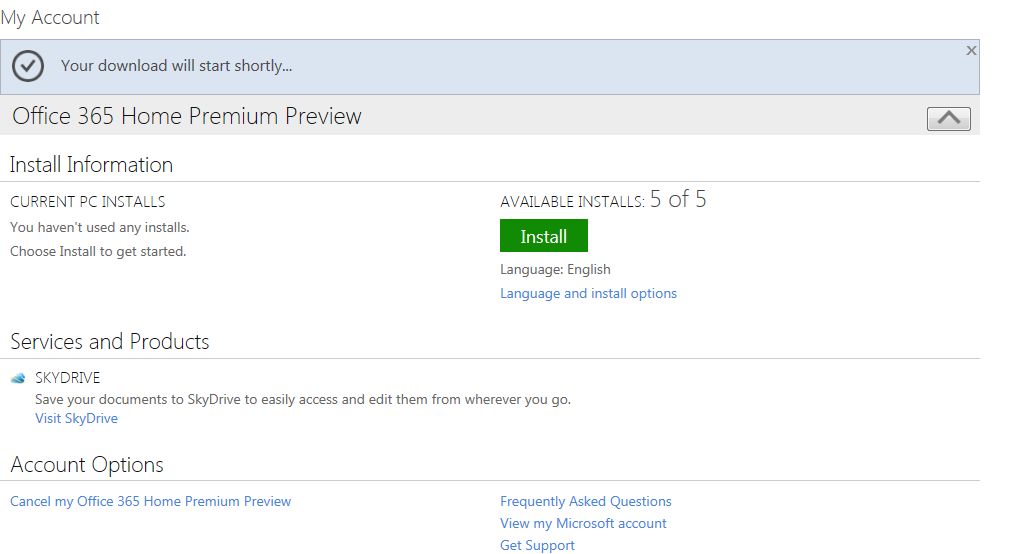
I’m just getting everything installed right now so will be back later with a more in-depth look at the new features but for now here are some screenshots of the install process:

image

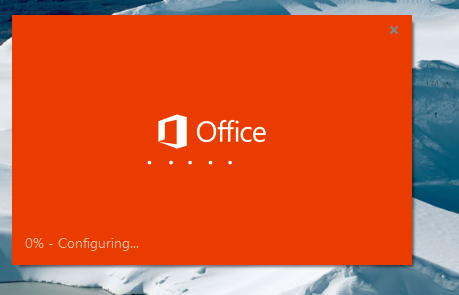
Notice the great new logo below:

image

Notice the “Streaming Applications” feature in the installation shot below, this will allow you to stream Office components to devices that don’t have it installed!

image

Here’s how it looks pinned to a Windows 7 desktop.

image

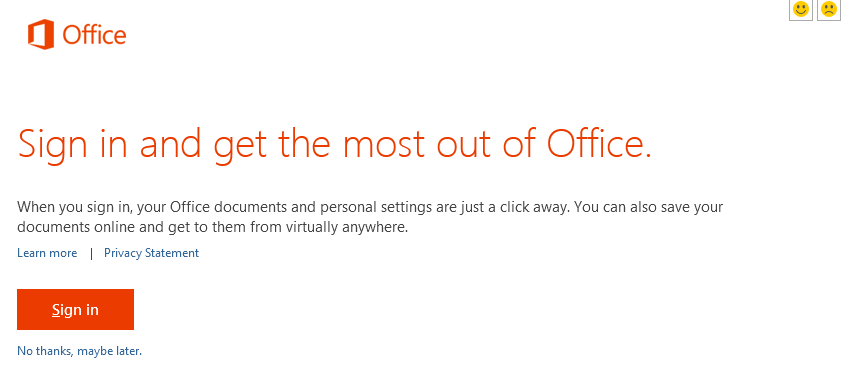
and here you can see the start of how tightly integrated the Cloud is into the new release of Office:

image

There is also…wait for it…Project Online!

This is going to be interesting…especially to see if the full Project Server will be made available online or just the desktop app equivalent.

I’m just installing the Project bits now…head over to the links and get playing!

Office 365 Blackberry Beta Available


Microsoft Office 365, their updated online services offering, added many new features over the previous version known as BPOS. The big changes included using the 2010 servers (rather than 2007, making Office Pro Plus available as a monthly subscription and removing Blackberry Enterprise Server (BES) functionality.

The latter wasn’t as well received as all the other changes and was due to RIM (Research in Motion, the developers of Blackberry) taking charge of that piece of the infrastructure. BPOS has just changed to offering the BES functionality free of charge and business continuing on that platform (while they prepped their existing infrastructure such as upgrading from Office 2003) can still use the Microsoft provided BES functionality. Companies taking up a fresh Office 365 subscription and/or upgrading from BPOS to the new offering however, are not able to take advantage of hosted Blackberry Enterprise Server at this current time…from Microsoft or RIM.

This has kept a number of customers from migrating over to Office 365, especially as RIM stated it won’t be available until December 2011! There is now good news and bad news:

Bad News: RIM now say it will be January 2012

Good News: There is now a beta of the service available

To get the beta service up & running:

To enable your Microsoft Office 365 for BlackBerry service:

  1. An administrator must login to http://portal.microsoftonline.com and click on Setting up email on mobile phones under Resources
  2. Click Enable Hosted BlackBerry® services from Research In Motion®
  3. Agree to the information sharing agreement
  4. From the Microsoft Online Services Admin Overview, click Manage under Hosted BlackBerry® services from Research In Motion®
  5. Once the open beta is live you will be able to configure and activate desired BlackBerry devices

Once that is done, and you click on “Manage” in your Office 365 portal, you will be redirected to:

http://www.blackberry.com/beta/businesscloud

to nominate your company for participation in the beta.

Lync Online & Lync Translator


I’m sure you already know what Lync is but just in case you don’t:

Lync is $1,000,000,000.

Lync is On-Premise.

Lync is Online.

Lync is Awesome.

Lync is Multi-Lingual.

It does:

  • Instant Messaging
  • P2P Voice Calls
  • Presence (are they free, in a meeting, on lunch etc)
  • Video Conferencing
  • Web Conferencing
  • Desktop Sharing
  • Presentation Sharing
  • VOIP Calls

and loads of other things too, like collaborative whiteboards & polls.

Microsoft Lync 2010.png

However, this post is about a specific add-on for Lync and what to do if you’re having problems with it & Lync Online.

Lync Translator:

This is a great feature that I saw demoed at the Worldwide Partner Conference (WPC) this year in LA and it does what it sounds like – it translates your Lync IM’s from 1 language into another!

You choose your language:

image

Then choose the recipient’s language:

image

Then Voila:

image

It of course will translate when they reply too, allowing 2 people without a common language to have a conversation, be it personal or business.

It companies with offices across the world this could be invaluable. Not only that, as Lync allows you to federate (i.e connect) with other companies this could be used for communicating with customers and partners too!

Getting it working with Lync:

Translator is an add-on for Lync which can be downloaded from:

http://www.microsoft.com/download/en/details.aspx?displaylang=en&id=26136

and a quick, simple install to get you started.

However I ran into this issue:

clip_image002

I thought this was due to me using the Office 365 Lync Online but I was told via Twitter that it does work. It was a Snr Program Manager with the UC team in Redmond, Tom Laciano AKA (@TomLCSKid) who had tweeted me and he was also kind enough to help me further with some troubleshooting.

It turned out to be quite a simple step but I’d never have come up with it myself:

· Look in IE’s Trusted Sites (Tools/Options/Security/Trusted Sites/Sites) and make sure there’s an entry for http://ConversationTranslator.cloudapp.net.

That was it. I added that in and BOOM – I was off IMing in various languages with ease Smile

So if you get a similar error – make sure that step above is completed first off…

Hope that helps someone out there…

Microsoft Exchange Online & Blackberry


Microsoft BPOS, the online versions of Exchange, Sharepoint et al has offered a Hosted Blackberry service for around 12 months now and it’s been pretty popular. The vast majority of organizations that use Exchange also use RIM’s Blackberry’s so offering them a way to push that off to the cloud certainly made the adoption of Exchange Online an even easier deal to sell. It was a pretty cost effective solution too, at £6/$10 per user per month.

As BPOS is soon transitioning to Office 365, with new versions of the MS software available in the cloud, there is also a change happening to the Blackberry service…well actually two changes.

1) The service will move over to be hosted, managed & supported by RIM.

2) The monthly cost is changing to £0/$0

That’s right, the service is going to become a free value add from Microsoft and not only that, it will be better than the current offering! From an email Microsoft sent to customers and partners this morning:

“administrators will be able to create and manage more device policies, change device passwords and settings, and search across large numbers of BlackBerry users at one time.”

The monthly cost is also changing for current customers right now, enabling them to take advantage of the zero cost straight away. This is a significant cost saving for companies, as an example – an organization with 150 Blackberry users would look like this:

£6 x 12 months x 150 users = £10,800 per annum

This move from Microsoft instantly saves almost £11,000 a year in the example above, and 150 BB users isn’t a particularly large installation either. Companies could/should use that money to invest in other areas of infrastructure…they could add Sharepoint Online for those users and still have nearly a 50% saving!

Current Customers

Current Blackberry Online subscriptions are being terminated on June 30, 2011 so if you’re currently using the Blackberry Online Service, there are steps that must be taken to ensure continuous service.

  1. Log in to Microsoft Online: Go to the Microsoft Online Customer Portal and log into your Microsoft Online account.
  2. Locate the Hosted BlackBerry service offer: Click Manage Subscription, choose an active BPOS or Exchange Online subscription*, select Buy Hosted BlackBerry from the Actions dropdown, and click Go.
    * This can be the same BPOS or Exchange Online subscription with which Hosted Blackberry was last purchased.
  3. Checkout: In the Shopping Cart, enter your total required number of Hosted BlackBerry seats** and accept the Hosted Blackberry Service Terms of Use (checkbox). Click Update, then click Checkout. The new $0/user/month pricing for all of your current seats for the Hosted BlackBerry service takes effect at new agreement signature. All users under the old terms of use are now covered by the new terms of use regardless of the user count entered.
    ** At a minimum, customers should enter the number of Hosted BlackBerry licenses in use today across all existing Hosted BlackBerry subscriptions. This number is visible in the Hosted BlackBerry Administration Console which is a part of the Microsoft Online Administration Portal.
  4. Cancel the old subscription(s): To cancel your previous subscriptions and avoid being billed for the Hosted BlackBerry service as of your next billing cycle, you must cancel any previously existing subscriptions through a Service Request, either by phone or through the service request form in your Microsoft Online Administration Console (MOAC). Service use will continue uninterrupted after cancelling the old subscriptions.

Bad News

The good news is that organizations can save £1000’s per year but there is some bad news. Unfortunately, RIM aren’t going to have the new platform ready for the General Availability (GA) of Microsoft Office 365; it will be “beginning in late 2011” according to Microsoft.

We’ve been told that companies on Office 365 will be unable to use Hosted Blackberry until the RIM platform is complete, so perhaps some 6 months after Office 365 becomes available. I am yet to get 100% clarification on this point but it appears this means that existing BPOS & Hosted Blackberry users must choose:

Stay on the BPOS platform with Hosted Blackberry for a further 6 months

or

Move to the new Office 365 platform and lose Hosted Blackberry for around 6 months

Not an ideal situation for anyone so I am looking to get more clarification around this ASAP and will update here. My hope is that although they are terminating subscriptions, Microsoft will keep their platform running for existing customers until such time that RIM get their act together…