I’m sure you already know what Lync is but just in case you don’t:
Lync is $1,000,000,000.
Lync is On-Premise.
Lync is Online.
Lync is Awesome.
Lync is Multi-Lingual.
It does:
- Instant Messaging
- P2P Voice Calls
- Presence (are they free, in a meeting, on lunch etc)
- Video Conferencing
- Web Conferencing
- Desktop Sharing
- Presentation Sharing
- VOIP Calls
and loads of other things too, like collaborative whiteboards & polls.

However, this post is about a specific add-on for Lync and what to do if you’re having problems with it & Lync Online.
Lync Translator:
This is a great feature that I saw demoed at the Worldwide Partner Conference (WPC) this year in LA and it does what it sounds like – it translates your Lync IM’s from 1 language into another!
You choose your language:
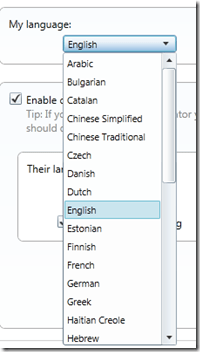
Then choose the recipient’s language:

Then Voila:

It of course will translate when they reply too, allowing 2 people without a common language to have a conversation, be it personal or business.
It companies with offices across the world this could be invaluable. Not only that, as Lync allows you to federate (i.e connect) with other companies this could be used for communicating with customers and partners too!
Getting it working with Lync:
Translator is an add-on for Lync which can be downloaded from:
http://www.microsoft.com/download/en/details.aspx?displaylang=en&id=26136
and a quick, simple install to get you started.
However I ran into this issue:

I thought this was due to me using the Office 365 Lync Online but I was told via Twitter that it does work. It was a Snr Program Manager with the UC team in Redmond, Tom Laciano AKA (@TomLCSKid) who had tweeted me and he was also kind enough to help me further with some troubleshooting.
It turned out to be quite a simple step but I’d never have come up with it myself:
· Look in IE’s Trusted Sites (Tools/Options/Security/Trusted Sites/Sites) and make sure there’s an entry for http://ConversationTranslator.cloudapp.net.
That was it. I added that in and BOOM – I was off IMing in various languages with ease 
So if you get a similar error – make sure that step above is completed first off…
Hope that helps someone out there…


 Cloudy with a chance of Licensing