Windows RT Office Licensing


More Surface info was announced last night, with pricing and pre-orders being made available.

All was great and then something of a hubbub started on Twitter when it was noticed/realised/discovered that the Office included in Windows RT can’t be used for commercial purposes or, to quote MS:

“not for use in commercial, nonprofit, or revenue-generating activities”

Now, I’ve known this over 2 weeks and didn’t really think it was particularly surprising; it is, after all, Home & Student edition – which has never allowed those usage scenarios.

I’ve also known that, through:

  • Having a copy of Office 2013 on the RT device user’s primary device

or

  • That user having an Office 365 subscription that includes Office

or

  • Buying the “Office RT commercialization license” that will/should be available from November

You will be able to use said RT Office license in the previously restricted manners mentioned above.

I’m honestly surprised at the furore around this…it follows the same rules as the previous version and is related to a product not actually out yet…is that just me?
Office 2013 goes RTM


Office 2013 RTM (Release To Manufacturing) build has been signed off.

Coding and testing is complete.

Now the focus is getting the latest version of Microsoft’s productivity suite (and it’s many relations) out to customers, both consumer and business.

It’s not just the Office suite but also:

  • Lync
  • SharePoint
  • Exchange
  • Visio
  • Project

Office Upgrade Promo

From October 19th, people purchasing Office 2010 from resellers or retailers will receive a free upgrade to Office 2013 upon availability.

Availability

  • Microsoft will begin rolling out new capabilities to Office 365 Enterprise customers in our next service update, starting in November through general availability.
  • Volume Licensing customers with SA (Software Assurance) will be able to download the Office 2013 applications as well as other Office products (including SharePoint 2013, Lync 2013 and Exchange 2013) through the Volume Licensing Service Center by mid-November. These products will be available on the Volume Licensing price list on December 1.
  • IT professionals and developers will be able to download the final version via their TechNet or MSDN subscriptions by mid-November.

I’ve been using the preview for a while now and am a big fan of it, as are people who see it when they’re talking to me at my desk. It will be great once the RTM code is available to all!

Office 2013 Upgrade program


It seems that Office 2013 will appear on the Volume License (VL) price lists from October, despite not being released for around another 6 months. Could this be because the Surface RT tablets, to be released on October 26th, will include Office 2013 and Microsoft feel the need/must have it on the VL price lists for some reason? I’m not sure but it seems odd that it will be on there SO far prior to the availability of the next version of Office.

Microsoft are also, so it seems, gearing up to start a tech guarantee program whereby people who buy Office 2010 will receive a guaranteed upgrade to Office 2013 upon it’s release.

Will it be free like the last Office tech guarantee program or will there be a small charge like the Windows 8 upgrade program? We don’t know but either way it’s a good offer!

ZDNet’s Mary Jo has more details over on her blog:

http://www.zdnet.com/microsoft-readies-office-2010-to-office-2013-upgrade-program-7000004138/

Office 2013 & Office 365


So today’s secret announcement is what we all thought it would be – Ballmer announcing the public preview of Office 2013. It’s available to download here:

http://www.microsoft.com/office/preview/en

or for more choices head to:

http://www.microsoft.com/office/preview/en/try-more-products

where you can find:

  • Office 365 Small Business Premium
  • Office 365 Enterprise
  • Project Online

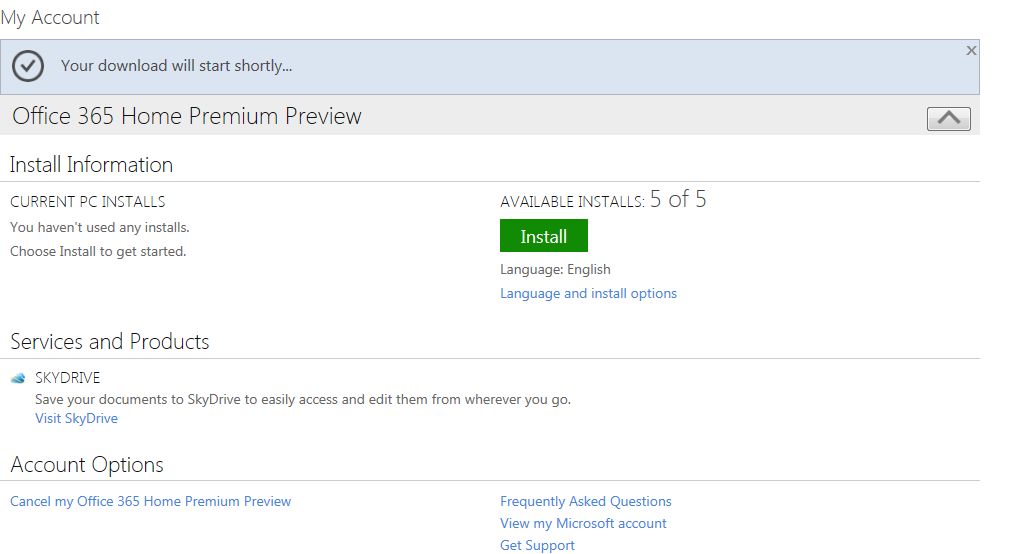
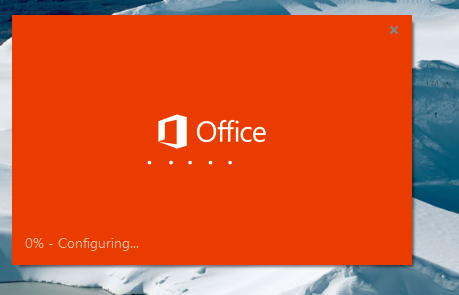
I’m just getting everything installed right now so will be back later with a more in-depth look at the new features but for now here are some screenshots of the install process:

image

Notice the great new logo below:

image

Notice the “Streaming Applications” feature in the installation shot below, this will allow you to stream Office components to devices that don’t have it installed!

image

Here’s how it looks pinned to a Windows 7 desktop.

image

and here you can see the start of how tightly integrated the Cloud is into the new release of Office:

image

There is also…wait for it…Project Online!

This is going to be interesting…especially to see if the full Project Server will be made available online or just the desktop app equivalent.

I’m just installing the Project bits now…head over to the links and get playing!