Microsoft System Center Virtual Machine Manager 2008


What is Virtual Machine Manager?:

The clue is in the name, but Virtual Machine Manager (VMM) is a management system for virtual machines (VM’s)..however, and this is the ace up Microsoft’s sleeve…it also manages physical servers-this is in contrast to VMWare’s VirtualCenter as that can only manage VM’s. That means IT Administrators only need to learn to use one console to manage ALL their servers and anything that makes an Admin’s job easier is a good thing yes? 🙂

Microsoft Virtual Machine Manager delivers end to end support for consolidating physical servers onto virtual, fast Physical to Virtual (P2V) conversion “Intelligent Placement” of server workloads to balance performance and of course, the centralized console.

It also contains V2V conversion, making it easy to convert any existing VMWare VMDX/VMX files to Microsoft’s VHD format.

Further info on VMM’s features can be found here.

What’s new in VMM 2008?:

Good question! VMM 2008 is packed full of great new features including:

·         Allows for fault tolerant and cluster aware VM’s to be created

·         Integration with VMWare’s Virtual Center

·         Windows PowerShell scripts for automation etc supported across multiple platforms

·         Performance and Resource Optimization (PRO) is a feature of VMM that can dynamically respond to failure scenarios or poorly configured components identified in hardware, operating systems, or applications

·         Working through PRO-enabled Management Packs together  with System Center Operations Manager 2007’s, PRO can either alert an administrator of an unhealthy system or application state and its proposed recommended corrective action or it can respond by automatically creating a system that is responsive and self-healing. PRO features are available to ESX VM’s as well.

·         VMM 2008 is now fully cluster-aware, meaning that it can detect and manage Hyper-V host clusters as a single unit

·         New in this version of VMM is automatic detection of virtual hosts that are added or removed from the cluster—thus easing the burden on the administrator to manage this function

·         Creating a High Availability (HA) VM is a simple as selecting a tick box

·         VMM 2008 also supports VMware host clusters in which the nodes of the cluster are VMware ESX Servers

A great White Paper on VMM 2008 can be found here

Microsoft System Center Data Protection Manager (DPM)


Microsfot Data Protection Manager delivers continuous data protection for Microsoft Applications & File servers. It was specifically built to protect and recover SQL Server, Microsoft Exchange Server, SharePoint Portal Server, Microsoft Virtual Server, as well as Windows file services through a disk to disk to tape backup strategy. An example of a typical setup can be seen below:

The Continuous Data Protection means that changes are backed up almost as they happen, giving you near up to the minute protection in the event of a disaster. It also means that when you restore the data, you’ve lost only 15 minutes worth of emails, transactions etc..not a whole day as with traditional tape backups.

Disk Based Backups also allow you to restore data in a few minutes, rather than hours with tape. Another benefit is that users can restore their own files (if allowed) without hassling IT 🙂

That being said, I’d still backup up to tape as well, giving you the added security of off site backups if you needed them.

You can see the Top 10 Benefits of DPM 2007 here.

Office 2003 MUI Packs


Office 2003 MUI Packs can be nearly as tricky to pin down as those for Vista.

Now with Office 2007, you need to purchase the Office Multi Language Pack via Volume Licensing (around £75).

If you need to downgrade to Office 2003, then you are entitled to downgrade the MUI pack too.

Microsoft System Center Configuration Manager 2007


Configuration Manager:

This is the replacement for SMS 2003 and is used to comprehensively assess, deploy, and update your servers, clients, and devices, across physical and virtual machines as well as mobile devices. Config. Manager provides Asset Intelligence giving organizations continuous visibility of their hardware/software assets, where they are and who’s using them.

It can show how many copies of a particular program have been deployed, which machines they’re on and which people actually use the software. This information can then be used at renewal time to help decide how many copies are needed for the next year etc.

Software Update Management is often the main reason that people look at System Center Config Manager. Keeping all the various bits of software in an Enterprise fully up to date with patches is very important and also very difficult! Using SCCM you can deploy patches & updates for Microsoft products, 3rd party applications, custom LOB (Line of Business) applications, hardware drivers and more to servers, desktops, laptops and mobile devices.

The new feature of Desired Configuration Management enables organization to increase desktop stability and security by assessing the compliance of computers with regards to things such as “whether the correct Microsoft Windows operating system versions are installed and configured appropriately, all required applications are installed and configured correctly, optional applications are configured appropriately, and whether prohibited applications are installed.”

Using SCCM for Software Package Deployment can make things a lot easier! This simplifies the task of distributing software packages to physical and virtual machines (servers, desktops, laptops and mobile devices). You can centrally define how and when these packages will run on client machines, installing the software with no user intervention.

Next Steps:

Now you’re got an idea of what it can do, I’m sure you can’t wait to get it set up in your Test & Development system so:

Online Virtual Labs

Download Trial Software

Pricing & Licensing:

There is a single licence for System Center Config Manager Server, Management Licence (ML) for Servers (Std and Enterprise) and a Management Licence for Clients.

An Enterprise Server ML is required for full application and server desired configuration management, including the proactive management of systems for configuration settings that follow an industry-leading framework for managing information in changing regulatory and business environments, while a Standard Server ML is limited to operating system and basic workload desired configuration management.

Microsoft System Center Operations Manager 2007


Microsoft System Center Operations Manager 2007 (SCOM) is the replacement for MOM (Microsoft Operations Manager). It is an the end-to-end service-management product that helps organizations increase efficiency while enabling greater control of the IT environment.

Management Packs are available to add extra functionality into SCOM 2007, these can be downloaded or you can create your own.

The Distributed Application Designer is a graphical wizard to help IT administrators quickly create health models and MPs (Management Packs) for their IT Services. The Management Pack Authoring Console is a graphical tool used to help IT administrators and developers build MPs for their custom applications and other technology components. The Operations Manager 2007 Software Development Kit (SDK) provides programming interfaces so developers can more deeply integrate with and automate Operations Manager 2007.

SCOM isn’t restricted to monitoring Windows environments, it’s possible to monitor HP-UX, Solaris, Red Hat & SUSE Linux by using the Cross Platforms Extension beta.

Download a trial of System Center Operations Manager 207 here.

Microsoft System Center Family


What is Microsoft System Center? What does it do? How much does System Center cost?

These, and more, are questions I get at work on a regular basis both from customers and our internal sales guys so I’m going to try and clear it up a little here if I can..

The System Center family helps you to manage physical and virtual environments across data centers, desktops and devices and includes:

Configuration Manager (SCCM)

Operations Manager (SCOM)

Data Protection Manager (DPM)

Virtual Machine Manager (VMM)

System Center Essentials (SCE)

I was going to put together one post for the whole family, but it was turning into a huge, unwieldy beast so I’ve broken it down into separate posts for each family member, links are above..(not all the posts are available yet but please bear with me!)

SQL 2010: Microsoft Business Intelligence Conference 2008


It’s the 2nd Microsoft Business Intelligence Conference and we’ve already got info on SQL 2010 (Killimanjaro) thanks to the wonderful Mary Jo Foley over at ZDNet !!!

Despite SQL 2008 only just being in the price files for customers to buy, the SQL team are revealing details on the next incarnation, SQL 2010 codename Killimanjaro. Preview builds will be around in the first half of 2009, and then SQL Server 2010 will be available in the first of the following year.

“Kilimanjaro is set to include self-service analysis tools (codenamed “Gemini”) that Microsoft is saying will allow information workers to better “slice and dice data and create their own BI (business intelligence) applications and assets to share and collaborate on from within the familiar, everyday Microsoft Office productivity tools they already use.”” We will also see further add-ins to Excel as well as deeper Sharepoint integration, making it esaier for users to  share their own BI analyses.

Microsoft OCS 2007 R2-New Version!


Microsoft Office Communications Server (OCS) 2007 is a great product..it really paves the way for a truly connected, more efficient, easier to live in world of business.

**Update** New features announced by Microsoft! See my post here

There will be a new version announced in November 2008 and released in January 2009, this will be Office Communications Server 2007 R2and one major difference will be it’s transition to a 64bit ONLY platform a la Exchange 2007. This version will transpose your voicemails to text so you can still access them even if in a meeting (or the quiet car of a train..) among other new features.

OCS 2007 R2 will also have more Telephony style features including the ability to hunt groups…

There will then be a completely new version-OCS 2009/2010 (probably 2010)-released to coincide with the availability of Office 14. This along with the expected release of Sharepoint 2010, will help bring a more unified feel to the Office family. It is also expected that this new version will contain inbuilt translation services so if you receive an email in say Spanish, Exchange can read it back to you in English 🙂

I’ve seen on The UC Guy’s blog via Mary Jo Foley’s post over at ZDNet that there are more new features expected in OCS 2007 R2 including:

“..a telephony queue system should be included, and will give people dialing in to the system, access to a touchtone menu to have their calls forwarded to the right department/person and so on.”

I can also say that there will be a Boss/Admin console..

Here are some links to my other OCS 2007 related posts:

Tanjay-OCS 2007 Phones

Unified Communications Demo

Video Demo of OCS 2007 R2 Features

Microsoft PDC (Professional Developers Conference) 2008


This year’s PDC 2008 is going to bring with it a whole host of new things for the industry from Windows 7 advancements, cloud computing updates, new projects and more. I’m going to use this post as a central repository for the various different bits of information that we will see.

One of the new things that the PDC 2008 will reveal is “Project Velocity“, Microsoft’s main memory distributed caching framework which was “built to meet the performance, scale, latency, and availability requirements of large scale enterprise and web applications”.

“Oslo” is also present at the PDC 2008. There are 5 sessions around Oslo which is a family of new technologies to enable “data-driven development and execution of services and applications.” It “provides a language for creating schemas, queries, views, and values” and “uses schematized data stored in the “Oslo” repository to drive the development and execution of applications and services”.

A link that shows all the sessions is available here.

There’s a whole host of things being revealed at the PDC this year, here are links ot my other PDC 2008 related posts:

Silverlight for Mobile

Silverlight 2

What is a Bluehoo?

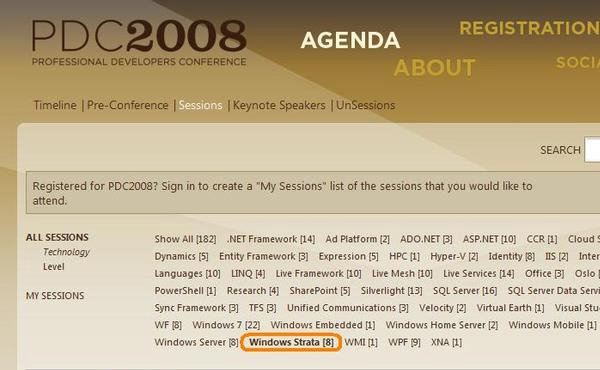
Microsoft Strata-Cloud OS?

Four Softies and a Pizza Guy

Microsoft Windows 7-Parallel Processing


Windows 7 is Microsoft’s next hotly anticipated release and there is now information that changes will be made to help it support Parallel Processing.

Microsoft have already stated that deep-level changes between Vista & Windows 7 will be get to a minimum as a way to ensure driver and application compatibiity; and if they pull it off,  Windows 7 will have a much better start to life than poor old Vista 🙂

The downside to this is that they can’t play around with Win32 (Windows Core) too much, and that is going to limit what can be down with regards to Parallel Processing. However, at this year’s PDC (Professional Developers Conference), there is a session entitled “Parallel Symposium: Addressing the Hard Problems with Concurrency” and the session decription contains the phrase “Hear about the key architectural changes Microsoft is making to Windows to enable the efficient execution of parallel software.”, which shows the Redmond giant has clearly got something up it’s sleeve.

Many thanks to Mary Jo Foley over at ZDNet for this info. She’s also got some words from Craig Mundie, Microsoft’s Chief Research and Strategy Officer as to what’s on the drawing board.

Again, anyone attending the PDC please feel free to leave some comments if you hear anything blog worthy!