Office 365 & Remote Desktop Services


Office Pro Plus has been available via Office 365 for a while but using it via an RDS server has never been allowed…until now.

With the recent update to Office 365, Microsoft have relaxed the licensing rules to allow RDS use of Office 365 licenses. Under “Installation & Use Rights” on page 82 of the January PUR:

Each user may also use one of the five activations on a network server with the Remote Desktop Services (RDS) role enabled

and from the March Product List:

Media Eligibility with Remote Desktop Services (RDS)

If the user to whom you have assigned an Office 365 ProPlus license uses the software on a network server with RDS role enabled, in lieu of installing a copy of the software provided with Office 365 ProPlus on one of the five permitted devices pursuant to the Product Use Rights for Office 365 ProPlus, that user may 1) install one copy of the Office Professional Plus 2013 software on a network server and 2) access the Office Professional Plus 2013 software from any device.  Upon termination of your Office 365 ProPlus subscription you must uninstall Office Professional Plus 2013 software from the network server.

I’m glad they’ve done this as it makes the messaging of “same product, different delivery method” a much truer statement and reduces any possible confusion for customers.

Microsoft reverse decision on Office 2013 licensing


It recently came to light that Microsoft had changed the Office 2013 FPP licensing, meaning users were no longer allowed to transfer a copy of Office 2013 from one machine to another – even in the event of that machine breaking.

This was not received well by most people and there have been a lot of blog posts, tweets, conversations about this; almost all of them negative about MS making things “more expensive”, “pushing users to the cloud” etc.

In an interesting development, Microsoft have now reversed that decision:

As a result of customer feedback to Office 2013 retail license transferability terms, we are changing the Office 2013 retail license agreement to allow customers to transfer the software from one computer to another.

The End User License Agreement text accompanying Office 2013 software will be updated in a future release, however this change is effective on March 6, 2013 at 6am PT. This amendment applies to Office Home and Student 2013, Office Home and Business 2013, Office Professional 2013, as well as Office 2013 standalone applications. These transferability options are equivalent to those found in the Office 2010 retail license terms.

This is a great example of Microsoft listening to feedback from end users and moving, really quite quickly, to rectify the issue at hand. I think this is a positive step from Microsoft and shows that customer feedback, particularly via social media, really does work!

To see the official Microsoft post, head over to:

http://blogs.office.com/b/office-news/archive/2013/03/06/office-2013-retail-license-agreement-now-transferable.aspx

Install Office 365 on Mobile devices


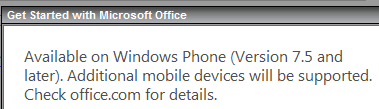
I meant to post this a while back, but clearly didn’t get the chance. It’s interesting to note that the Office 365 Home Premium subscription allows users to install Office on “select mobile devices” as well as the ability to install on 5 PCs or Macs.

image

image

I take it this refers to the expected Office for iPad and Office for Android editions that will be here soon. It’s good to see that these non-MS platforms will be included within the standard device total of the subscription, rather than incurring extra cost for home users who also have these devices.

Merry Xmas to all Software Ruminators!


2012 is the 5th year I’ve been blogging and it keeps getting better – at least for me! I really enjoy writing these posts and helping bring some clarity to the often confusing world of Microsoft licensing – I hope you all enjoy reading them…or at least find them useful 🙂

Some choice stats:


I’d also like to give a shout out to the excellent Mary Jo Foley of ZDNet for the great conversation at WPC and also the blog links and retweets throughout the year – most appreciated, thank you very much! 🙂

Microsoft have given me a lot of things to blog about in 2012 and hopefully 2013 will be the same. Thank you to everyone who has visited this blog, tweeted a link, shared it in LinkedIn, shared it on Facebook etc – it’s hugely appreciated 🙂

See you next year.

Cheers

Rich

ITAM Review: Windows 8 Licensing Guide


If you’re looking to get a better understanding of Windows 8 and it’s licensing, including new additions such as Windows To Go and Companion Subscription Licenses, head over to ITAM Review and check out their guide – written by yours truly:

http://www.itassetmanagement.net/2012/12/20/windows8/

This is a great site for all things Asset Management related so if you’re interested in licensing and/or Software Asset Management (SAM) – check out the rest of the site too 🙂

Office RT Commercialization Licenses


Microsoft RT devices all come with a copy of Office 2013 Home & Student which, as you may well have seen now, cannot be used for “commercial purposes”. Microsoft mentioned that a “commercialization license” would become available…I expected it in November but can confirm that it is now here. From the December Select Plus price file:

OffHomeandStdntRT 2013 SNGL MVL

@ roughly £45 (ex VAT) per license.

Purchasing this license will allow staff to use the edition of Office on their RT tablet for work, such as creating PowerPoints, working with spreadsheets, managing OneNote workbooks etc.

However, if the user has a license of Office 2013 (via VL or Office 365) on their desktop, this extra license is not required.

It’s worth noting that this license is available only as a “standard” SKU, so purchasing with SA (Software Assurance) is not an option. It will be interesting to see if this license grants these “commercialization” rights to future editions of Office RT (if indeed there are any), or if a new license would be required to use an RT tablet with Office H&S 2016?

Microsoft Office 2013 price increases & license changes


The upcoming 2013 release of Microsoft’s Office suite & the related products brings with it not just great new features but also price increases.

The affected products and the expected increases are:

  • SharePoint Server +38%
  • SharePoint 2013 Standard User CAL +15%
  • Exchange 2013 Standard and Enterprise User Cals +15%
  • Visio Standard 2013 +20%
  • Visio Pro 2013 +5%
  • Project Standard 2013 and Professional 2013 +5%
  • Project Server 2013 +15%
  • Lync Server +400%

An increase in price when a new version is released is quite common, with most manufacturers, but coupled with the December 1st 15% increase on user CALs and just 6 months after the up to 30% price rise relating to the Euro/GBP levelling – I do not anticipate this being well received by customers!

The big takeaway from this is *If you’re looking at purchasing these products, look at the cost of buying now with SA (as well as the extra benefits) compared to the projected costs from December onwards*.

There are also a number of licensing changes about to take effect:

Lync

Lync Server Std & Enterprise are merging into 1 SKU, with a price of around £2000+ – a significant increase over the current Lync Std price. This does bring the failover & load balancing features to all Lync 2013 organizations.

Sharepoint

Microsoft have, in many areas, moved to simplify licensing and SharePoint is another area.

FAST Search Server & Search Server are no longer separate entities, they’re now simply part of SharePoint Server 2013.

A big one here, SharePoint for Internet Sites is no more. Microsoft have done away with the (up to) £30,000+ license, which was required for external user access to SharePoint content, and rolled those licensing rights into the standard server license. From the October Product Use Rights (PUR) document:

“CAL WAIVER FOR USERS ACCESSING PUBLICLY AVAILABLE CONTENT
CALs are not required to access content, information, and applications that you make publicly available to users over the Internet (i.e., not restricted to Intranet or Extranet scenarios).”

I imagine that this will partially contribute to the increase in price we’re seeing with 2013.

Exchange

Basic Anti-Malware protection will be baked into Exchange Server 2013

External Connectors

External connector licenses have been removed for both Exchange 2013 & Lync 2013. Again from the October 2012 PUR:

“External User Access: Licensed with Server”

Visio

Again in a move to simplify the SKU line up and make it easier for customers to make the right selection, Visio Premium is being discontinued and all it’s extra features will be moved into Visio Pro 2013.

Software Assurance

Organizations who purchased any products that are due to be discontinued along with Software Assurance need not worry, your benefits will continue and you will receive access to the relevant 2013 version.

Office 365

Something that Microsoft have not mentioned much at all and have in fact been reluctant to discuss, is that Visio & Project are being made available online via Office 365. This will be of big benefit to many customers, enabling easier collaboration among staff no matter their location.

Another benefit of this may well be around Software Asset Management (SAM). It’s common to see organizations over licensed for Project & Visio, Office 365 may make it easier for them to track how many licenses they have and who they are assigned to.

Windows 8 Enterprise SideLoading Keys


One of the many new things introduced with Windows 8 is the concept of “Enterprise SideLoading”.

While existing “desktop” apps can be deployed in the same fashion as with previous editions of Windows, “Windows Style” apps are published to the Windows Store and then downloaded from there. Microsoft realise that this isn’t the preferred method for organizations with bespoke apps for LOB (Line Of Business), HR etc, software purchased directly from an ISV etc. and so “Enterprise SideLoading” was born. This enables organizations to publish a Windows Style app directly to machines, circumventing the Windows Store, and is available in a couple of different ways.

Software Assurance

Enterprise SideLoading is a Software Assurance (SA) benefit on the following license schemes*:

  • Enterprise Agreement
  • Enterprise Subscription Agreement
  • Enrollment for Education Solutions (EES)
  • Campus & Schools agreements still running
  • Select Plus with SA
  • Select contracts still running

*Note it is NOT an SA benefit on Open licensing.

meaning customers running Windows 8 Enterprise (obtained via Windows 8 Pro + SA or VDA subscription purchased on the above licensing schemes) can enable this feature on domain joined machines through the “Allow all trusted applications to install” Group Policy setting.

More info on the policy setting can be found here:

http://technet.microsoft.com/en-us/library/hh852635.aspx


Enterprise SideLoading Keys

Organizations who:

  • Choose not to purchase SA on Select/Select Plus & so have Windows 8 Pro
  • Have Windows RT devices
  • Obtain licensing (even with SA) via the Open license programmes

can purchase Enterprise SideLoading license keys in packs of 100, for approximately £2500 RRP…so around £25 per machine.

MAK (Multiple Activation Keys) will be made available via VLSC (Volume License Service Center).

For customers with non-domain joined Windows 8 Enterprise machines, these keys will be made available free of charge.

image

image

This will enable smaller organizations, or those who choose not to take SA, to still deploy apps without going through the Windows Store.

Extras

  • It should be noted that “Each…Enterprise SideLoading license must be permanently assigned to a single device”.
  • For Academic institutions, Sideloading may only be enabled on institution owned devices
  • This licensing is per device NOT per app.

It appears that the info on this isn’t as widespread as I’d thought so hopefully this will help!

Update: Here’s a link to the “Windows 8 & RT Licensing Document” that gives some info on page 12:

Volume Licensing guide Windows 8 and Windows RT

October Microsoft Product List, page 101 has good info:

October 2012 – Microsoft Product List

Windows RT Office Licensing


More Surface info was announced last night, with pricing and pre-orders being made available.

All was great and then something of a hubbub started on Twitter when it was noticed/realised/discovered that the Office included in Windows RT can’t be used for commercial purposes or, to quote MS:

“not for use in commercial, nonprofit, or revenue-generating activities”

Now, I’ve known this over 2 weeks and didn’t really think it was particularly surprising; it is, after all, Home & Student edition – which has never allowed those usage scenarios.

I’ve also known that, through:

  • Having a copy of Office 2013 on the RT device user’s primary device

or

  • That user having an Office 365 subscription that includes Office

or

  • Buying the “Office RT commercialization license” that will/should be available from November

You will be able to use said RT Office license in the previously restricted manners mentioned above.

I’m honestly surprised at the furore around this…it follows the same rules as the previous version and is related to a product not actually out yet…is that just me?

Office 2013 goes RTM


Office 2013 RTM (Release To Manufacturing) build has been signed off.

Coding and testing is complete.

Now the focus is getting the latest version of Microsoft’s productivity suite (and it’s many relations) out to customers, both consumer and business.

It’s not just the Office suite but also:

  • Lync
  • SharePoint
  • Exchange
  • Visio
  • Project

Office Upgrade Promo

From October 19th, people purchasing Office 2010 from resellers or retailers will receive a free upgrade to Office 2013 upon availability.

Availability

  • Microsoft will begin rolling out new capabilities to Office 365 Enterprise customers in our next service update, starting in November through general availability.
  • Volume Licensing customers with SA (Software Assurance) will be able to download the Office 2013 applications as well as other Office products (including SharePoint 2013, Lync 2013 and Exchange 2013) through the Volume Licensing Service Center by mid-November. These products will be available on the Volume Licensing price list on December 1.
  • IT professionals and developers will be able to download the final version via their TechNet or MSDN subscriptions by mid-November.

I’ve been using the preview for a while now and am a big fan of it, as are people who see it when they’re talking to me at my desk. It will be great once the RTM code is available to all!