Windows 8, tablets and hardware


Today is the day.

Windows 8 is finally here for everyone.

I’ve had my Samsung slate running Windows 8 for a few weeks now and I love it. Last week I had my extra hardware accessories arrive which make it even better:

  • Samsung Dock
  • Microsoft Wedge Keyboard
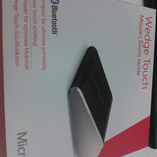
  • Microsoft Wedge Mouse

Demoing the slate to customers with these bad boys hooked up really helps light up the fact that they can be used as a replacement to laptops, in the office as well as out on the road.

WP_001534

That right there looks great doesn’t it?! You can of course connect it to a  monitor for a bigger screen when in the office and then when you need to leave, for a meeting, to go home etc – just pick it up out of the dock and off you go!

Microsoft Kinect & Sky Player


Microsoft Kinect is coming, and it’s going to be awesome.

Sky Player on Xbox 360 is already available and can be pretty awesome.

Microsoft’s Channel 9 have revealed that you’ll be able to combine the two. Yes that’s right, in a little under 6 weeks, you’ll be controlling Sky with Kinect…nice Smile

“Kinect for Sky Player on Xbox 360 will also let viewers control TV with their voice to pause, fast forward, rewind and play content.”

Microsoft XP OEM Downgrade discontinued


Microsoft Windows XP is still used by the majority of business around the world and it’s proving hard to get some people away from it. Well, Microsoft and it’s hardware partners are moving to make it more difficult to stick on XP and this is, in my opinion, a good thing.

What’s Happening?

From October 22nd 2010, downgrade restore media will not ship in PCs or Notebooks from HP.

If customers still require XP downgrade media, they will need to speak to HP support. A key bit of information is that this service will

“be available through HP Support until the end of July 2011”

which suggests in 10 months time, this service will be discontinued completely.

This isn’t specific to HP and is in fact a Microsoft directive that applies to all hardware OEM partners, although I believe the cut off dates may vary slightly.

Thoughts on the iPad


The iPad is upon us in the UK and so over the Bank Holiday weekend, I went into the local Apple store to have a look at what it was all about.

The first thing that struck me was the crowd…there were around 50 iPads available to play with and people were queuing up for almost every one, 2 or 3 people deep! I eventually burst through the crowd of people, deftly side stepping a small child and a nifty Jordan-esque manoeuvre around another shopper until BOOM…an iPad was in my hand. This, the most magical of devices, cause of hysteria worldwide and apparent confirmation of “The Greatness of Jobs” was in my hand…and…

“Meh”

That was my first thought and even now, a couple of days later, it’s still my overall opinion.

It was smaller and heavier than I thought, so something of a double loss there really! Upon first sight I was completely under-whelmed…there wasn’t even a twinge of “OMG – I MUST buy it”…and I really was expecting I’d have to fight that urge. I got an iPod years ago, when I saw the first iPhone, despite knowing all it’s shortcomings, I nearly got one…and the same for the MacBook Air.

This time however, I truly wasn’t tempted to buy it at all. I think part of the reason for this may be that it isn’t really anything new…I’ve seen tablet PCs before and I’ve seen an iPhone so I’ve seen an iPad. If someone had a huge potato I’d go and look at it…but I wouldn’t want to buy it 🙂

Part of my lack of interest in the iPad also applies to all tablets and it’s this one question:

“When would I use it?”

If I’m at home, I’ll use the laptop to surf the web, the Xbox to watch movies & the stereo to listen to music. If I’m out and about, depending where I’m going I’ll use my phone or my laptop…I don’t see what a tablet can do better AND easier than any of that setup.

My other complaint is transporting it. It’s too big to fit in a pocket so +1 to a smart phone so it will need to be carried in a bag/case of some sort…it which case you might as well take a laptop; or if weight is an issue…take a netbook.

If I’m going somewhere which means a Netbook is too big/heavy then it isn’t going to be much different with an iPad. Plus, and I know this is a tired argument but it’s worth repeating, netbooks and laptops can all play Flash!

There is one thing I’ll say (kind of) in it’s defense:

The “Multitasking” issue seems to be a little less clear cut that it’s made out. I was playing music and surfing the web which I had been led to believe was, in the words of Ralph Wiggum, “un-possible”. I guess perhaps it’s just 3rd party apps that can’t be multi-tasked?

Summation

All in all, it doesn’t seem to be anything special and I can’t see any compelling reasons to get one. I know Mac fans will be able to reel off any number of rebuttals to this but honestly it doesn’t matter…I can’t see the iPad attracting any new customers to the Apple fold; I’m going to say that nearly all iPad owners will already have an iPhone and/or iPod.

Kaspersky & Hardware Based Anti-Virus


This is pretty interesting…Kaspersky have received a patent for Hardware based Anti-Virus!

The idea behind this is that it will:

“neutralize the most widespread type of threat – malicious programs that store themselves or infect files on a computer’s hard drive”

by scanning data that is written to the disk. Kaspersky’s news article gives a good insight into how it works:

“The patented device is installed between a drive (hard drive or SSD) and the computing unit (CPU and RAM) and is connected to the system bus or integrated into the disk controller. The hardware antivirus solution allows or blocks writing data to disk, providing threat alerts and information about its operation to the user (user dialog is possible if the hardware antivirus control utility is installed on the PC)”

Interestingly, it can work on it’s own or in conjunction with existing AV software. One area where Kaspersky expect it to be especially effective is against rootkits, which can often prevent AV software from even running. As Kaspersky Technology Expert Oleg Zaitsec says:

“solution has a distinct advantage over conventional AV solutions because it monitors all attempts to access a memory device while remaining inaccessible to malware. This is critical for fighting such sophisticated threats as rootkits and bootkits”

Resources

People often complain that Anti virus software uses a lot of system resources such as CPU and RAM, so putting more hardware in there is going to be even worse…right? Wrong…Kaspersky have given the unit it’s own CPU & RAM to prevent this, in fact you can even attach a separate power supply.

Uses

This will probably be most popular in non-desktop machines including servers and, as Kaspersky say, ATM’s etc.

You can see the Kaspersky announcement here and the Neowin article that alerted me to this here.

ZuneHD in Europe?!


I’ve just been told on Twitter that there is a rumour, and it’s to be stressed that this is a rumour, that Microsoft may still be planning on using the Zune HD to launch the product into EMEA (Europe, Middle East and Africa)!!!

That means that this sweet ass gadget:

could be in our shores, in our stores and, more importantly, in our hands 🙂 In my opinion, the new Zune is much sexier than anything I’ve seen from Apple…

The specs for this are:

  • 3.3 inch OLED display capacitive touch screen (480×272 16:9 aspect ratio).
  • Size: 2.07″x4.08″x.35″ (52.7 mm x 102.1 mm x 8.9 mm)
  • Weight: 2.6 ounces (74 grams)
  • Runs on Nvidia Tegra APX with 8 independent processors.
  • Multi-touch technology.
  • 16/32 GB
  • Built-in accelerometer.
  • HD radio tuner.
  • 720p high definition video support and output (additional dock required).
  • Wi-Fi connectivity 802.11b/g with Open, WEP, WPA, and WPA2 authentication modes and WEP 64- and 128-bit, TKIP, and AES encryption modes.
  • A Wi-Fi version of the Zune Marketplace.
  • Web browser (based on Internet Explorer Mobile 6 for Windows CE).
  • Games
  • Unicode Support
  • Equalizer
  • Music, up to 33 hours (wireless off); video, up to 8.5 hours
  • Battery : 3.7 Volt, 730 mAh Lithium-Ion Polymer battery
  • I’ve wanted a Zune for ages so if this is true-it’d be AWESOME 😉

    *Update* Looks like it truly was a rumour, as the Zune HD isn’t available in Europe (or anywhere else for that matter) 😦

    Microsoft OCS & Roundtable


    I had a great Live Meeting with a customer day where we discussed how Microsoft Office Communications Server 2007 and the MS Roundtable device is helping them in their organization…and I have to say it was one of the most positive chats I’ve had with a customer for quite a while!

    They are a very large international organization with operations on pretty much every continent (save Antarctica I believe) with 100’000s of users across 100’s of countries. As you can imagine, that means there are a lot of meetings to be had and thus a lot of flights to be made and hotels to be stayed (in). There international travel costs come to 1,000’000’s of Euro’s a year and that is something they wanted/needed to cut-especially in the recent climate.

    Using Live Meeting and Roundtable for Video Conferencing means some individual sites are saving over £1,000 per week in travel costs alone! Certain people were flying to Europe 3 times a month and that has now been reduced to once every 2 months at the most…as well as the cost savings, the reduction in carbon emissions is phenomenal 🙂 Since it’s installation, OCS has been used for 12,000,000 minutes of remote conversation!!!

    The customer termed Live Meeting/OCS & Roundtable as “the dog’s bollocks” 😉

    Live Meeting’s ability to share desktops and applications as well as Powerpoint slide shows makes it the perfect medium for showing remote workers how to use a new system, showing technicians the error you’re experiencing as well as standard presentations etc. Also, the fact that you can take control of a remote desktop means Helpdesk’s can use it to quickly see and solve user’s issues. The Roundtable, with it’s full 360 degree panoramic display helps remote users feel more connected to the information being delivered and the people delivering it!

    One situation where Video Conferencing comes in very handy is with pregnancy. Both us internally and the customer I was talking to have got staff who’s wives are very close to giving birth…but there are also important European meetings close on the horizon…”ruh roh” as Scooby may say! Usually the choice would be:

      • Don’t go
      • Go and risk missing the birth

    Neither of these are brilliant solutions, so Video Conferencing gives us a 3rd option:

      • Stay here and conference in with full video and VOIP audio.

    That way the user can still make their contributions as well as learn from everyone else, while being close enough to home to dash off to the hospital at a moment’s notice!

    Re-enabling audio devices in Vista


    This might be obvious to pretty much everyone else but I’ve just had an issue with audio devices in Vista so I thought I’d share the solution-just in case 🙂

    I was trying to record some sound from my PC but it kept picking up sound from the built in mic which was quite annoying. So I went to the Sound section, right clicked the deivce and “disabled” it…it then disappeared from the list! Furthermore I now couldn’t record ANYTHING so I needed to get it back, but how? I had a little look around in Control Panel until a Bing search eventually led me here, which shows that you simply need to right click in the white space and “show disabled devices”…nice and simple 🙂

    MS Windows Mobile Ad


    This new advert for Microsoft Windows Mobile phones is pretty good. Bright, fun, young, funky, girls, scooters, music but with benefits to business too-a good all rounder.

    Having said all that, I’m not 100% sure it will bring over many new customers-more likely it will just make us existing customers feel a bit cooler 😉

    HTC Diamond Extra Features


    I’ve had my HTC Diamond for about 8 months but have just discovered some extra features!

    I was listening to some music (Happy Mondays I think) in Windows Media Player and the track started jumping all over the shop-backwards, forwards, back again and so on. It took me quite a while to figure out that I’d be absent-mindedly running my thumb around the circle in between the home, call etc buttons…and this was the cause. A circular motion similar to how one controls an iPod will move the track forwards or backward in  5 second blocks. I find this to be very handy…

    I thought that was the end of these hidden extras but no. If you do the same thing while viewing photos, you can zoom in and out of them-this also works for pictures inserted in to OneNote Mobile…again pretty cool.

    The final effect of this is that it can zoom in on text messages and make the text bigger, should you need it.

    Perhaps these aren’t HUGE extras but they’re pretty neat and useful…and help show just how advanced the Diamond was/is 🙂