

Microsoft has announced “Savings Plan for Databases” – a new option to manage Azure cloud costs, alongside the existing “Savings Plan for Compute”.
Just like the AWS version (announced in December 2025), this helps organisations reduce spend on certain databases while giving additional freedom when compared to Reserved Instances – but, due to the added flexibility, giving lower discount levels.
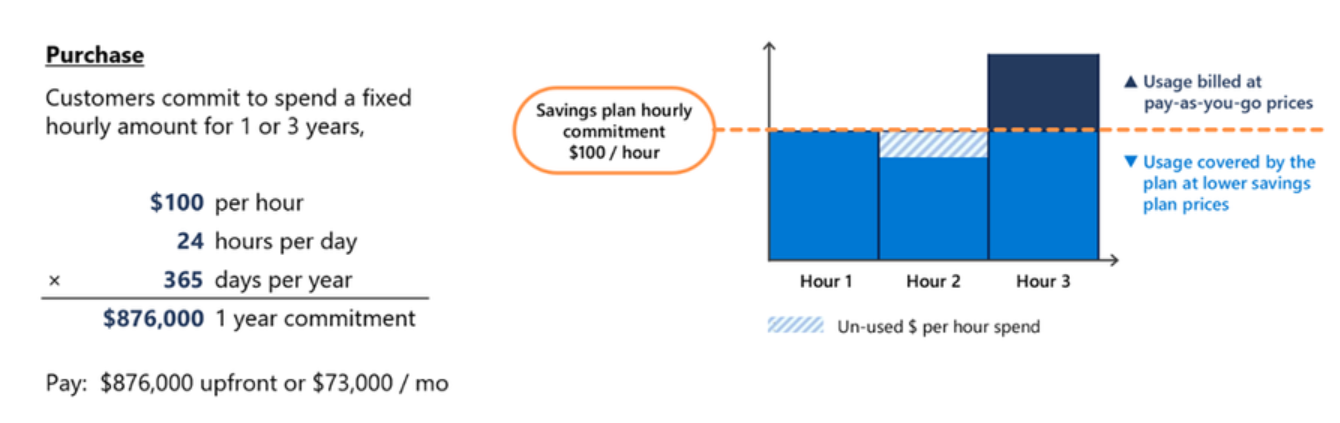
Rather than committing to a specific service/region etc., Savings Plans allow you to commit to a level of hourly spend that can be applied across a range of services.
Savings Plans for Databases are worth considering when you have a predictable baseline of database spend but still need flexibility in how that spend is consumed. If your environment includes multiple database engines, regions, or services that change over time, committing to a fixed hourly spend can unlock savings without being as specific as with Reserved Instances.
They are particularly useful where workloads are steady in aggregate but variable at an individual service level. If you can reliably forecast a minimum level of database spend each hour, a savings plan can reduce costs while preserving freedom.
What services are covered?
A range of database options, including Cosmos DB, are covered with discount levels varying:
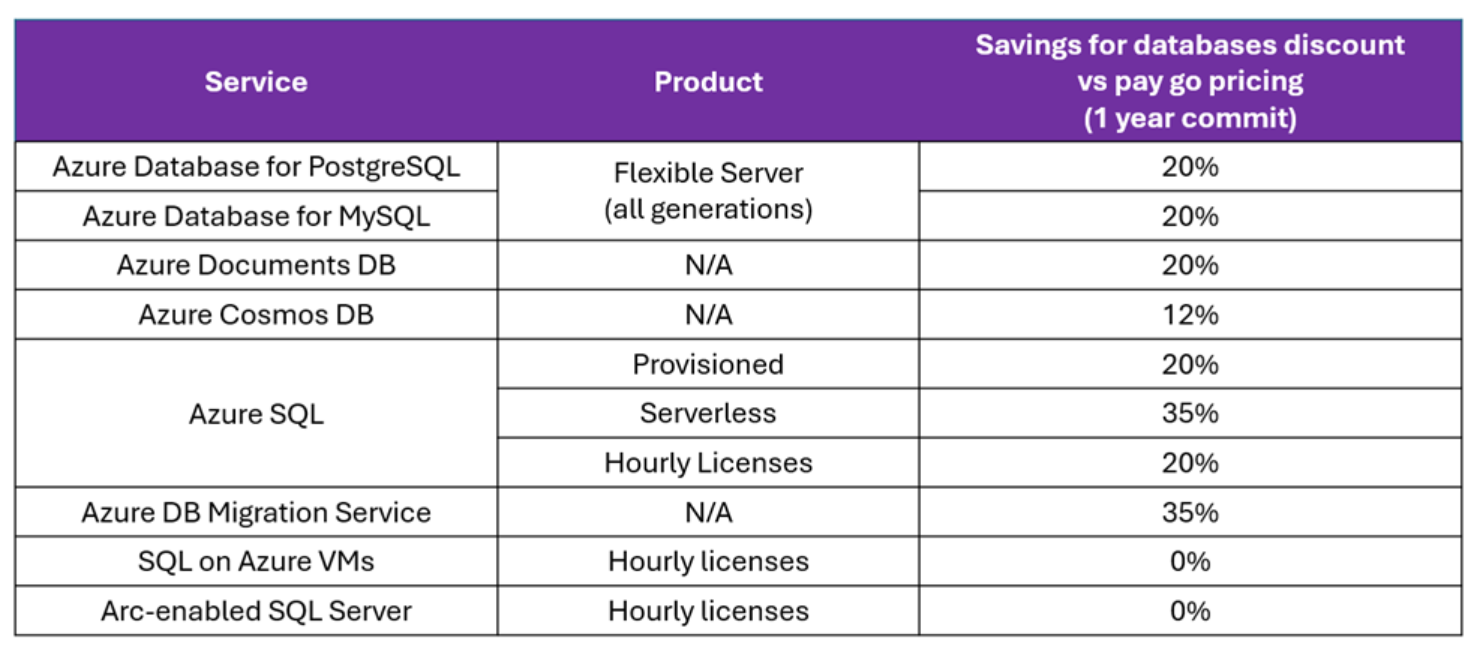
It seems these new Savings Plans are available just in 1-year variants and, assuming they follow the same method as Savings Plan for Compute, can be paid for upfront or monthly with no impact to the total amount.
This announcement helps bring Azure to parity with AWS (in this area) and will enable some organisations to make additional savings. As always, be sure to work out how it will apply to your specific contract and scenario.
See more from Microsoft here – Announcing savings plan for databases: flexible savings for modern, evolving workloads | Microsoft Community Hub


 Cloudy with a chance of Licensing