Kaspersky & Hardware Based Anti-Virus


This is pretty interesting…Kaspersky have received a patent for Hardware based Anti-Virus!

The idea behind this is that it will:

“neutralize the most widespread type of threat – malicious programs that store themselves or infect files on a computer’s hard drive”

by scanning data that is written to the disk. Kaspersky’s news article gives a good insight into how it works:

“The patented device is installed between a drive (hard drive or SSD) and the computing unit (CPU and RAM) and is connected to the system bus or integrated into the disk controller. The hardware antivirus solution allows or blocks writing data to disk, providing threat alerts and information about its operation to the user (user dialog is possible if the hardware antivirus control utility is installed on the PC)”

Interestingly, it can work on it’s own or in conjunction with existing AV software. One area where Kaspersky expect it to be especially effective is against rootkits, which can often prevent AV software from even running. As Kaspersky Technology Expert Oleg Zaitsec says:

“solution has a distinct advantage over conventional AV solutions because it monitors all attempts to access a memory device while remaining inaccessible to malware. This is critical for fighting such sophisticated threats as rootkits and bootkits”

Resources

People often complain that Anti virus software uses a lot of system resources such as CPU and RAM, so putting more hardware in there is going to be even worse…right? Wrong…Kaspersky have given the unit it’s own CPU & RAM to prevent this, in fact you can even attach a separate power supply.

Uses

This will probably be most popular in non-desktop machines including servers and, as Kaspersky say, ATM’s etc.

You can see the Kaspersky announcement here and the Neowin article that alerted me to this here.

Windows 7 in Welsh


Nos da,

sut ydych chi?

Microsoft have released a Language Interface Pack (LIP) for Windows 7 to make it available in Welsh. This translates “a substantial portion” and all work has been funded by Redmond with translation done in Caernarfon:


I like Wales, I like the Welsh language and I like Windows 7 so this is pretty cool news…I’m tempted to put one of my machines in it 🙂

The Welsh Language Board are understandably happy about this:

http://www.byig-wlb.org.uk/english/news/pages/windows7argaelyngymraegheddiw.aspx

as this is a big boost to furthering/keeping Welsh language usage.

Microsoft have said that they’re:

“glad to offer Welsh speakers across the globe the opportunity to use Windows 7 in Welsh”

Cael hwyl!

Windows Phone 7 Series


Forget what you though you knew, Microsoft are back in the mobile game…and in a pretty big way!

Above is an image of the new Windows Mobile or “Windows Phone 7 Series” as it’s now known.

Each “tile” is a “hub” which connects the user to various elements…you can see the Xbox Live tile which is pretty exciting! The tiles are all live so will display updated info from the web as appropriate. Even from that 1 picture you can see that the UI (User Interface) is VASTLY improved over all previous versions of Windows Mobile with Phone, Test messages, email, pictures, people and more all available from one screen. One of my biggest gripes with WinMo 6.1 was the number of menus I had to navigate through just to do something simple like look at a picture.

It’s integrated into Social Media like never before with the ability to update Windows Live, Facebook, Twitter etc all from one location and making it easy for users to easily share & upload media such as pictures to Flickr, Twitter and more. This video shows off some of the great new features:


Buzz

The buzz around this new Redmond release is one of the most surprising, and nice to see, things about this whole launch. Both end users and gadget sites such as Gizmodo and Engadget are really behind this:

image image

image

First Windows 7 had huge support from almost everyone and now less than 6 months later, Windows Phone 7 does the same thing…MS have really turned things around! I think a lot of those calls for Steve B to step down will be taken back now 🙂

Zune

This is the one thing I really wanted to see in WP7S and it’s been delivered…Zune is now the media player inside Microsoft’s Mobile platform. I’ve been using the Zune desktop software for quite some time now and it is truly brilliant (see my post here) and the experience on the Zune HD seems comparable. It’s so much smoother and sexier that Windows Media Player and I really love that it synchronizes your track play count between desktop and device 🙂

Me & Windows Phone 7

I’m really excited about Windows Phone 7 Series. I’ve been waiting for it for years…ever since I got a Windows Mobile 5 device in a way…and now it’s here. Well not quite…it’s been announced but devices aren’t going to start shipping until October and that makes me feel better about my situation…which is…I’ve got an Android phone!

Yep that’s right…I’m a huge user of Microsoft products, both software and hardware, and have been using Windows Mobile for over 3 years. However, when my contract cam up for renewal a few months ago I had a choice to make:

a) Keep trudging along with Windows Mobile 6.1 for another year? (My HTC not being eligible for an upgrade to 6.5).

b) Look at another platform such as iPhone or Android?

I was, at first, planning on sticking with WinMo out of loyalty to Microsoft but decided that, as a consumer, I deserved a phone that was fun, easy to use, cool and adaptable to me and my lifestyle. For that I looked at Android and picked up the HTC Hero…I am happier with this phone than any of my previous devices (see post here).

If Windows Mobile 7 (as I may well continue to call it) had been released to buy this week then I would have waited. As it is, I’ll have fun with my Android device, especially once I get the 2.1 update (pleeaaase HTC!) but will definitely be checking out a Windows device in the summer of 2011. Saying that makes it seem SO far away 🙂

If you’re looking for a new phone around October time, definitely go and check out Windows Phone 7 Series.

BPOS & Blackberry


Microsoft BPOS has support Blackberry linking for a while, but for the full BES (Blackberry Enterprise Server) experience, users were required to purchase the Blackberry licences separately. Not any more as

“Microsoft Online Services is now a BlackBerry® certified partner and BlackBerry Alliance Elite Member”

which gives us “Microsoft Online Services Hosted BlackBerry service”.

Microsoft will:

· Host and operate BlackBerry Enterprise Server

· Provide all BlackBerry Enterprise Server server, client licenses and support services Included in the service (There is no need for customers to provide licenses or service agreements.)

· Provide technical support to the customer’s IT administrators, including interfacing with RIM on troubleshooting as needed

The 3rd point there is a pretty attractive reason to go with this solution…as it gives you one port of call to troubleshoot your online services and your RIM infrastructure.

The features include:

image

Pricing

“The Hosted BlackBerry Service is purchased and billed separately from Exchange Online Standard or the Business Productivity Online Suite Standard from Microsoft Online Services. It is a separate month-to-month auto-renewing agreement. Pricing is U.S.$10.00 per user per month with no minimum number of users required.”

There is a 30 day trial available so you can give it a whirl.

This is a good move on Microsoft’s part, positioning themselves as a more central pillar of a customer’s infrastructure and recognizing that Blackberries are here to stay. It’s good to see them embracing that rather than attempting to fight/ignore the competition as they might have done a few years ago.

You can see the full post here.

Office 2010 New Feature Videos


One of the main things I did in preparation for BETT 2010 was create a bunch of videos showing some of the new features in Office 2010. I can talk about them ‘til the cows come home, but it’s always better to see things where possible. The videos were very well received and Office 2010 got a LOT of positive feedback…June should be an exciting time 🙂

Anyway, I thought I’d put the videos up on here too and hopefully you’ll find them just as interesting & useful as our stand visitors did last week…enjoy!

Background Removal:

This is a great feature in Word 2010, making in nice and easy to remove all or part of a picture’s background.


Broadcast PowerPoint:

This feature lets you “broadcast” your presentation over the net by giving you a link to share with whoever you need to…allowing people to see your .pptx as long as they have an internet connection:

Insert Web Video:

Inserting videos from sites such as YouTube has always been a bit of a pain in Powerpoint…but no more! Powerpoint 2010 makes it super easy…teachers loved this at BETT.

Edit video inside Powerpoint:

Inserting videos into Powerpoint has been available for ages, but any editing you needed to do-even basic stuff-has required a 3rd party product. Again, Powerpoint 2010 makes it easier by enabling you to edit the video without leaving the program. Here I’m trimming a bit of Shooting Stars 🙂

Powerpoint Video Effects:

More built in video editing here with shadows, borders, reflections and more being easily applied within Powerpoint 2010.

Create a Video:

You’ve made a presentation and now you need to make it available as a video file, rather than a slideshow. I believe most people use Windows Movie Maker to do this currently but, with 2010, it’s again all done inside Powerpoint.

Save to Skydrive/Sharepoint:

This is a great new feature. It lets you save to your Live Skydrive (25GB free storage!) directly from the Office applications…no more save to folder then upload to Skydrive…it’s all one nice, smooth action 🙂 I don’t do it in the video but you can see there is also exactly the same thing to save to Sharepoint, which should really help drive adoption of Sharepoint in schools. From various discussions I’ve had, many people see Sharepoint as an extra step so:

Create Document > Save to Folder > Upload to Sharepoint

and this leads to many people just not bothering as it’s more work and they perhaps don’t see the point of it. Having the ability to save directly to their MOSS site will cut that out and make it just as easy as it’s always been 🙂

Word Navigation Pane:

This is quite a small new feature, but I love it! The navigation pane picks up all the  headings, sub-headings etc and enables you to use them to navigate documents; making large documents much less painful!

Sharepoint 2010 Beta Install Failure


I’ve been rebuilding our demo Sharepoint Server today and came across an issue which caused installation to fail. If you install Sharepoint 2010 on a Domain Controller, it will fail; luckily, the internet came to my rescue!

A Bing brought up this post by Sharepoint Joel which has 10 troubleshooting tips for this application…and shoot trouble they did! The one I needed was number 8:

If you are using SharePoint on DC, the following Windows PowerShell command would need to be run to enable Sandboxed Solutions.
$acl = Get-Acl HKLM:\System\CurrentControlSet\Control\ComputerName
$person = [System.Security.Principal.NTAccount]"Users"
$access = [System.Security.AccessControl.RegistryRights]::FullControl
$inheritance = [System.Security.AccessControl.InheritanceFlags]"ContainerInherit, ObjectInherit"
$propagation = [System.Security.AccessControl.PropagationFlags]::None
$type = [System.Security.AccessControl.AccessControlType]::Allow
$rule = New-Object System.Security.AccessControl.RegistryAccessRule($person, $access, $inheritance, $propagation, $type)
$acl.AddAccessRule($rule)
Set-Acl HKLM:\System\CurrentControlSet\Control\ComputerName $acl

I ran that and BOOM, Sharepoint Config worked first time 🙂

If you’re experiencing issues with your install and/or want to see common pitfalls before you start the process, definitely check out his entire post here:

Sharepoint Joel 10 Tips

Microsoft & The Nexus One


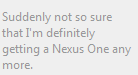
I know the Nexus One is Google’s new phone but I’ve been most interested by the reactions of various ‘Softies.

As an item, I don’t the the Nexus One is anything special, the camera is the same as most other similar level phones such as the Droid and the Hero as are it’s supported formats, SD expansion, GPS etc. The software is great as Android is a brilliant mobile OS…but the software isn’t specific to the Nexus One so you can get that on the Droid and the Hero (once it’s updated to 2.0). This chart over on Gizmodo is a good comparison point:

http://gizmodo.com/5442459/nexus-one-vs-iphone-3gs-vs-droid-vs-pre-the-definitive-comparison

The fact that it’s a phone being released directly by Google is the most noteworthy thing about it but even that isn’t huge news, certainly not to general users.

The release of this device obviously draws comparisons to Microsoft and Windows Mobile 7, especially as a “Microsoft” phone has been rumoured for quite a while. There has been quite a lot of activity on Twitter regarding the Nexus One, much of it from Microsoft people and that’s has made me think a little…

Steve Clayton has a post over on Geek In Disguise with some of his thoughts on Google and Android. Usually I agree with Steve but I think this post, rather than defending Microsoft, actually highlights the biggest problem in the Mobile Device wars that are heating up.

He has a cartoon from Hugh McLeod:

googleis

and he says:

“Though people do still get excited about whether a phone has a 2mp or 5mp camera but the real differentiator these days is software”

and

“this battleground is software based I feel. We have a lot of to do. Software is our bread and butter.”

The main issue in this battle is, in my opinion, that the Windows Mobile software is not as good as Android (or Apple’s iPhone OS) and that is why Microsoft are losing. So, as much as I like Microsoft, pointing out that you’re a “Software Company” when you’re losing in the software stakes, maybe isn’t the best idea. I think a lot of people will look at this as:

“If Google aren’t even a Software Company and they can make something as good as Android, that puts Microsoft and their efforts with Windows Mobile in an even poorer light”

That’s certainly a thought I’ve had and I’m a big MS supporter. This seems like the kind of thing that people already Anti-Microsoft will latch onto big time…in a Google vs Microsoft “Mac vs PC” style.

The Future

Windows phone

Microsoft recently released Windows Mobile 6.5 but it hasn’t really made any difference to the balance of the market; thus most people are looking at Windows Mobile 7 as their last chance to take the mobile market back and make it theirs.

We know that Windows Mobile 7 is due “late this year (2010)” and LG confirmed at CES yesterday that they’re working on Windows Mobile 7 handsets this year. The rumours suggest that something Windows Mobile 7 related is going to be announced at Mobile World Congress next month in February so I’ll definitely be keeping an eye on that"!

The rumour is that Windows Mobile 7 will contain the Zune software and that would be a brilliant move. It’s cool, sleek and graceful and will open up the Zune Marketplace to people all over the world…or at least it should! If it does, it will make WinMo 7 equipped devices the best iPod alternative going…something that MS, and I, would love to have 🙂

The other big thing that Microsoft’s next mobile OS simply MUST have is a huge Marketplace full of cool, smart, web 2.0, neat apps…easily available. This is one of my favourite things about Android and it’s clearly proved very popular for Apple and the iPhone.

Another change needs to be the “Consumerification” of Windows Mobile. Version 7 needs to be smoother, sleeker, cooler, faster and more fun than ever before. HTC have done a great job with their TouchFlo on WinMo 6.1 but it’s needs to be done from the ground up, all the way through the OS. If they can make Windows 7-the greatest desktop OS of all time- they should be able to make Windows Mobile 7 what it needs to be!

I really want Windows Mobile 7 to be awesome and hugely successful and for me to rejoin the Microsoft Mobile fold with my next phone…but it has to be right.

As Steve Clayton says:

“The game is moving fast though so it’s time to write some of the smartest 1’s and 0’s of our lives. “

Go get ‘em Microsoft!

My move to Android AKA Android vs Windows Mobile


Android is faster, more responsive, more intuitive, looks great and the app marketplace is amazing! I really wanted to get apps for my Windows Mobile 6.1 device but it was SO difficult! Within 14 hours of having my Android phone I’d downloaded multiple awesome applications which we’ll cover later 🙂

One of the biggest problems I found with Windows Mobile is that I felt constrained, there were so many things that I wanted to do but couldn’t…the big one (for me) was an e-book reader. There are so many times that having a book to hand would be great:

  • On the train
  • Waiting in receptions
  • Visiting the in-laws 😉

are just a few of them.

When I got Windows Mobile 6.1, I had a look online and saw there was indeed a Microsoft E-Book reader available. I downloaded it but couldn’t use it as it wasn’t designed for 6.1…bit of a fail! There is a support forum thread dedicated to this where a fix was mentioned about 2 years ago, but as far as I know, it never materialised. So for the 18 months I had that phone, I either had to carry an actual book around or lay off the reading!

The first day I got my Android phone, I downloaded a brilliant app called Aldiko which sorted all that out 🙂 See more below…

Marketplaces

For me, this is a huge revelation…the Android marketplace is amazing 🙂

I know Microsoft brought out the Windows Mobile Marketplace but, let’s be honest, it isn’t very good is it? I often had trouble signing in…sometimes I couldn’t connect from my device and other times it’d be the desktop version that wasn’t working. Once I was in it wasn’t plain sailing either…I found the entire thing clunky and difficult to navigate. Also I was never 100% sure if I was downloading a free app or a trial and I just didn’t feel comfortable as a user.

It’s possible that it’s just a personal thing that I don’t get on with the Windows Marketplace and that it’s a pleasure for everyone else…but I doubt it 😉

On the other side of this fence is the Android Marketplace…

It’s easy to navigate, it’s quick, it’s clear, it’s full of brilliant apps, it’s fantastic:

This brings me nicely onto:

Apps

This was probably the hardest part of being a Windows Mobile user; seeing all the iPhone users with their fancy apps…compasses, games, programs for work etc…and then Android came along and allowed people to do the same thing…not on at all! Finally Microsoft brought out the Windows Marketplace but, as I say above, it just didn’t seem very good.

I’ve had my new HTC Hero:

for about 3 weeks and am finding new apps almost daily. So far, these include:

Advanced Task Killer:

This is a great and very handy app for quickly and easily shutting down all the processes still running in the background. Great for making sure you don’t run low on memory!


Aldiko:

Aldiko Book Reader: Download and read thousands of books right on your Android smartphone.


and it’s already loaded with:

  • Art of War
  • The Prince
  • Hamlet
  • Othello
  • Macbeth
  • The Iliad

and more…giving me great reading material whenever & wherever I want it; something Windows Mobile could never give me.

To me, this really is brilliant 🙂 When the Christmas gatherings got too much, I was able to easily chill out and read Othello…nice!

I love how it’s home screen is laid out like an actual bookshelf…it might be gimmicky but I like it!

It looks great, works quickly and smoothly and has a brilliant selection of books. I’ve only downloaded the free books, ‘cos I love the classics, but you can also purchase O’ Reilly and MS Press books on there too; making them a truly portable aid.

Bonsai Blast:

A brilliant, fun and very addictive game where you simply need to get 3 coloured balls in a row:

I repeat, this is very addictive and will quickly take up a whole bunch of your time! Great for passing a few minutes or longer in queues, on public transport, waiting for the kettle to boil etc…but those few minutes will almost certainly stretch into 15-20 with a few cries of “just one more go” 🙂

CaveDroid:

A cool retro style 1st person game where you fly through a tunnel avoiding obstacles and collecting points. I can’t find any pics but I’ll keep trying.

Evernote:

Evernote is a pretty well known note-taking app and is very handy to have…I haven’t had cause to use the audio note yet but I can imagine that being pretty useful.

It’s very easy to use and will get a fair bit of use at partner events, seminars, that kind of thing.

OI Shopping List:

This app is brilliant. I’m a little upset that I’m this happy and excited about an app that lets you make lists but it really is very good.

It let’s you put in an expected/known cost for each item and then gives you a total for the list…the best bit is that, if you add in the costs as you go, it gives you a running total of what’s in your trolley/basket/arms. Very useful 🙂

Another great feature is that once you’ve list an item and cost once, future lists will pull that info out automatically…again, very useful! A recent update has given it a “Quantity” column too, which makes it even easier to use.

I’d definitely recommend this app for anyone that buys more than 1 thing from shop 🙂

There are plenty more apps that I’ll detail in future posts. If you’ve got any of your own you’d like to add in, let me know in the comments.

Summary:

I’ve only had my Android phone for a few weeks but I really am truly impressed with it…much more than I was when i got my WinMo 6.1 phone. I am a BIG Microsoft supporter and not particularly a fan of Google at all…however, with Android, they offer the far superior product so that’s what I, as  consumer, chose.

If you’re looking for looking for a cool, stylish, fun, helpful, useful, “check it out mate” phone…DEFINITELY go with an Android device. I’d still recommend Windows Mobile before anything else for a work device, but for a personal mobile device, Android is the top dog in my opinion.

I’d love to hear your thoughts on this so please, leave a comment and let’s get a discussion going 😉

More focus on Microsoft VLSC problems


The Microsoft VLSC website has been suffering issues for a month now (as this post chronicles) but it has been hard to get anyone to pay much attention to it. Now however, Bill Snyder over at Infoworld has written an article about the issues which will hopefully get us closer to getting a response from Microsoft. Check the article out here:

http://infoworld.com/t/cloud-computing/microsoft-snafu-calls-question-its-cloud-reliability-513

As you can see from the title, Bill makes some good points about Microsoft’s reliability as a Cloud Service provider. These are points that I’ve been thinking more and more recently and I do feel there’s something here that needs to be addressed by Microsoft.

Let me know what you think of the article…

Sharepoint 2010 “Failed to Register Services”


I’ve been doing some playing around with Sharepoint 2010 and ran across a problem last night, after uninstalling Office Web Apps. I re-ran the Product Configuration Wizard as advised and it failed on step 6, leaving me unable to access the sites or central admin 😦

I had a look in the event logs and saw that it had “failed to register services” so a quick Bing took me to blog of Antonio Vargas which said:

To resolve this problem you need to go to the Registry Editor and delete SPSearchService entry.

Steps:

  1. Go to the Start Menu and then click Run.
  2. Write regedit on Run box.
  3. Navigate to the SharePoint registry entries on HKEY_LOCAL_MACHINE\SOFTWARE\Microsoft\Shared Tools\Web ServerExtensions\14.0\WSS\Services.
  4. Delete SPSearchService entry.
  5. Run the SharePoint Configuration wizard again.

I tried it and it worked a treat 🙂 Thanks Antonio and I hope this helps others out there too.

A word of warning: Having followed the above steps, I now seem to be without search capabilities inside Sharepoint now 😦