Enterprise Mobility Suite


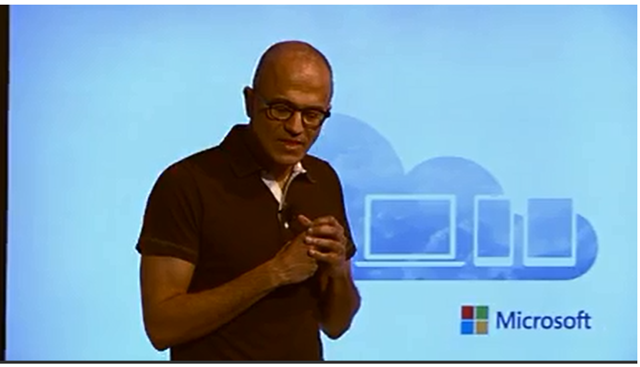
Satya Nadella didn’t just announce Office for iPad yesterday, he also announced the Enterprise Mobility Suite (EMS).

The capabilities packaged in the EMS are a giant step beyond simple MDM. The EMS is a people-first approach to identity, devices, apps, and data – and it allows you to actively build upon what you already have in place while proactively empowering your workforce well into the future.

The EMS has three key elements:

  • Identity and access management delivered by Azure Active Directory Premium
  • MDM and MAM delivered by Windows Intune
  • Data protection delivered by Azure AD Rights Management Services

What do these bits do?

Azure AD Premium is packed with features that save IT teams time and money, for example:

  • It delivers group management and self-service password reset – dramatically cutting the time/cost of helpdesk calls.
  • It provides pre-configured single sign on to more than 1,000 popular SaaS applications so IT can easily manage access for users with one set of credentials.
  • To improve visibility for IT and security, it includes security reporting to identify and block threats (e.g. anomalous logins) and require multi-factor authentication for users when these abnormalities are detected.

Windows Intune is Microsofts cloud-based MDM and PC management solution.

Since its launch we have regularly delivered updates to this service at a cloud cadence. In October 2013 and January 2014 we added new capabilities like e-mail profile management for iOS, selective wipe, iOS 7 data protection configuration, and remote lock and password reset.

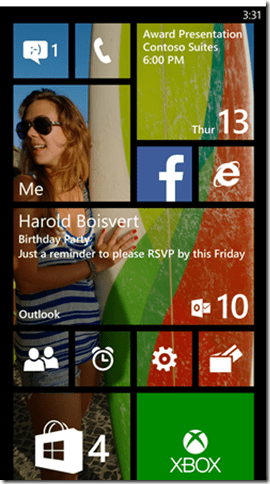
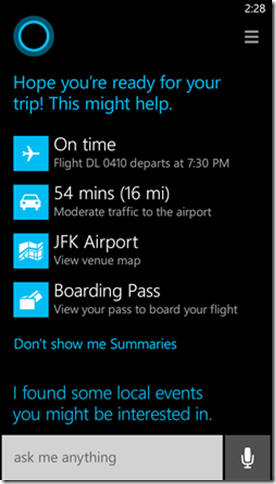
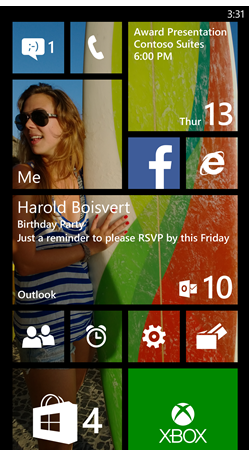
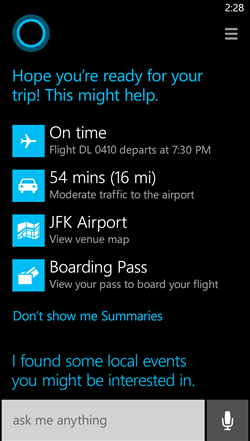
Following up on these new features, in April we will also be adding more Android device management with support for the Samsung KNOX platform, as well as support for the upcoming update to Windows Phone.

Microsoft Azure Rights Management is a powerful and easy-to-use way for organizations to protect their critical information when it is at rest or in transit.

This service is already available today as part of Office 365, and Microsoft recently added extended capability for existing on-prem deployments. Azure RMS now supports the connection to on-prem Exchange, SharePoint, and Windows Servers.

For example, if an employee leaves an organization or if a document is accidentally sent to the wrong individual, the company’s data is protected because there is no way for the recipient to open the file.

The Enterprise Mobility Suite (EMS) will be available via Microsoft’s Enterprise Volume Licensing programs from May 1st.

See more info here:

http://blogs.technet.com/b/in_the_cloud/archive/2014/03/27/enterprise-mobility-for-every-business-and-every-device.aspx

Office for iPad


image 

BOOM – it’s here…Word, Excel & PowerPoint FOR THE IPAD!

image

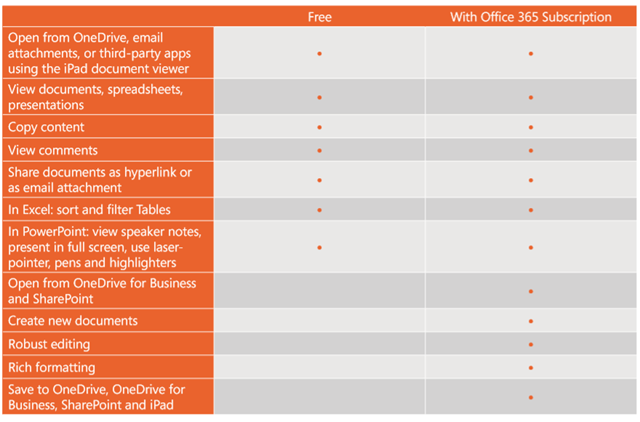
Office for iPad uses a “Freemium” model. It is free to download the app, free to view and present with – to create and/or edit, you will need an Office 365 subscription.

The differences between free & paid are:

image

Q: What Office 365 subscription plans include Office for iPad?

A:

  • Office 365 Home
  • Office 365 Small Business Premium
  • Office 365 Midsize Business
  • Office 365 E3 and E4 (Enterprise and Government)
  • Office 365 Education A3 and A4
  • Office 365 ProPlus
  • Office 365 University

The new Office 365 Personal will also qualify when it becomes available later this spring.

Microsoft Enterprise Mobility Suite Rumour


Rumours abound that Microsoft are set to make 2 announcements at tomorrow’s (27/03/14) web conference:

1) Office for iPad

2) Enterprise Mobility Suite

Office for iPad is a big one, that’s been talked about for a long while, and is a tricky thing to consider. On one hand, there are millions of people with iPads who will surely buy Office – bringing in significant revenue to Redmond. On the other hand, does Office on iPad weaken the Windows tablet message somewhat?

I don’t think it does, Office isn’t the only benefit of a Windows tablet – but I can see it being a question MS will need to address.

The second point is a newer rumour – the Enterprise Mobility Suite (EMS). According to ZDNet, this will be a bundle of:

  • Windows Intune
  • Azure Active Directory Premium (a new offering)
  • Azure Rights Management Services

This would enable organizations to easily manage 1000’s of devices – Windows, Windows RT, Windows Phone as well as iOS & Android – with features such as self service password reset, group management and more.

Source – ZDnet: http://www.zdnet.com/microsoft-to-unveil-enterprise-mobility-suite-alongside-office-for-ipad-7000027717/

Adobe, Creative Suite & Volume Licensing


Adobe are continuing to make big changes to the world of Creative Suite licensing in their move towards Creative Cloud.

From June 1st, Creative Suite products will no longer be available via TLP or CLP, the 2 Adobe Volume Licensing programs.

This affects Commercial & Government (NOT Education) and the last order date will be May 30th.

As always, there are exceptions:

  • No change for Education
  • Still available for Government customers in Japan
  • China will continue to sell CS6 throughout 2014 in all segments.
  • Individual copies of CS6 will still be available to purchase via adobe.com

It is to be noted that this ISN’T the end of TLP & CLP as all non-CS products are still available via Volume Licensing – in particular Acrobat.

SQL 2014 Release Date


Microsoft have announced that SQL Server 2014 has been RTM’d (Released To Manufacturing) and will be generally available from April 1st.

SQL 2014 brings a host of new and improved features, particularly around Business Intelligence and Cloud computing.

  • In-memory transaction processing (In-Memory OLTP), speeds up an already very fast experience by delivering speed improvement of up to 30x.
  • Customers do not have to rewrite their application or deploy new servers. We approached in-memory columnstore the same way – it is built into SQL Server.
  • Customers can easily and securely backup and recover on-premises SQL Server databases using Windows Azure
  • SQL Server 2014’s AlwaysOn technology was not just improved for this release, it was built to enroll Windows Azure virtual machines running SQL Server into a customers’ disaster recovery solution.

You can read more about this release here:

http://blogs.technet.com/b/microsoft_blog/archive/2014/03/18/sql-server-2014-released-to-manufacturers-will-be-generally-available-april-1.aspx?WT.mc_id=Blog_SQL_RTM_SQL14

OneNote is free


Microsoft have announced a few OneNote changes and additions:

  1. OneNote for Mac is available for the first time and for free! With this, OneNote is now     available on all the platforms: PC, Mac, Windows tablets, Windows Phone, iPad, iPhone, Android and the Web. And they’re always in sync.
  2. OneNote is now free everywhere including the Windows PC desktop and Mac version. Premium features are available to paid customers.
  3. The OneNote service now provides a cloud API enabling any application to connect to it. This makes it easier than ever to capture ideas, information and inspirations from      more applications and more places straight into OneNote.

I use OneNote ALL the time – on my desktop, on my Surface, on my Lumia – all notes syncing between all devices so I’ve got everything I need no matter what device I’m using. Not only is it great for personal notes, it’s a brilliant way of collaborating and sharing info with team mates, colleagues and friends too.

Making it available on Mac opens this wonderfulness up to at least a couple of extra people Winking smile and making it free certainly widens the scope!

Head over to http://www.onenote.com/ to download OneNote now.

Windows 8.1 Enterprise Upgrade


One of the fundamentals of MS licensing has been changed. It’s always been the case that:

“the only way to get Windows Enterprise is to buy Pro + SA”

Well not anymore!

As of March 2014, there is a standalone Windows 8.1 Enterprise SKU available via Volume Licensing.

Why?

This means organizations who can’t/won’t enter into an agreement with Software Assurance can now benefit from things such as:

  • Direct Access
  • AppLocker
  • Windows To Go

and more

Other SA benefits are not effected so things such as:

  • New Version Rights
  • MDOP
  • Virtualization

etc. are still only available with SA.

What else has changed?

It is now ONLY possible to attached SA to the Enterprise Upgrade SKU.

This takes away one relatively common practise. Organizations would often buy machines with Windows Pro OEM and then attach Windows SA within 90 days. This is no longer possible as SA can be attached only to Enterprise – and that won’t come pre-loaded on machines.

If you bought the OEM devices before July 1st 2014, you still have the 90 days to purchase SA. Once that date passes, it will no longer be possible.

PSTN dialling coming to Lync Online


This is a big one. It’s been announced at this year’s Lync Conference that Lync Online will soon have the ability to make and receive calls to/from the PSTN network.

PSTN is the Public Switched Telephone Network – the “normal” phones rather than VOIP (Voice Over Internet Protocol) phones. This update will enable Lync Online users to make/receive calls directly to the regular phone network – will open things up to a huge number of users and companies.

I can’t see much more info than this at the moment – Twitter lit up with the news that this had been announced but that seems to be the extent of it! As I hear more, I’ll post again!

Office 365 and Multi-Factor Authentication


Cloud Services, rightly, throw up a number of questions around security and Microsoft always seem to be making improvements to the, already substantial, security of Office 365.

A recent one is the availability of Multi-Factor Authentication (MFA) for all Office 365 users. This has been available for admins since June 2013 but has now rolled out across the board.

With Multi-Factor Authentication for Office 365, users are required to acknowledge a phone call, text message, or an app notification on their smartphone after correctly entering their password. Only after this second authentication factor has been satisfied can a user sign in.

This will be very similar to the process already in place for Microsoft Accounts, when you sign into a new device and you receive a confirmation text.

Admins can set MFA for some/all users in the admin console, as you’d expect.

The second authentication factor options are:

  • Call my mobile
  • Text my mobile
  • Call my Office phone
  • Notify me through app
  • Show one-time code in app

Currently this isn’t available with the desktop apps of Office 2013 so MS have introduced App Passwords to help increase the security here.

Once an information worker has logged in with multi-factor authentication, they will be able to create one or more App Passwords for use in Office client applications. An App Password is a 16-character randomly generated password that can be used with an Office client application as a way of increasing security in lieu of the second authentication factor.

Roadmap

It’s interesting to see that Microsoft are continuing to invest in MFA with Office desktop applications, and so App Passwords will be only a temporary method.

We’re planning to add native multi-factor authentication for applications such as Outlook, Lync, Word, Excel, PowerPoint, PowerShell, and OneDrive for Business, with a release date planned for later in 2014. This update includes the current phone-based multi-factor authentication, and it adds capability to integrate other forms of authentication such as: third-party multi-factor authentication solutions and smart cards.

Multi Factor Authentication with desktop apps isn’t something I’ve really though about to be honest, but as ever more data is accessed via Office and desktops, it certainly makes sense.

Read more about Office 365 & MFA here:

http://blogs.office.com/2014/02/10/multi-factor-authentication-for-office-365/

Power BI General Availability


Business Intelligence is an ever growing area and I think it will continue to grow for quite some time. Taking note of the data you have, analysing it and making decisions based on it is becoming more and more prevalent – think what Billy Beane has been doing at the A’s for years, what Bill James does with the Red Sox, look at how Opta stats have become such a huge thing within premier league football…all these are examples of business intelligence.

The new way:

imageimage

I’m amazed at some of the things that are being done with Power Bi, especially combined with Excel 2013! The opportunity for organizations to become so much smarter with how and what they’re doing is huge – the fact that it’s cloud based so allows access from anywhere is a big deal, especially with the Windows 8 & RT apps AND HTML5 support.

It’s available now so pricing is in the pricefiles – to see some of the things you can do with Power BI, head over to:

http://www.microsoft.com/en-us/powerbi/default.aspx#fbid=rZ1xycdtZvO