Windows 8 Blue


Windows 8 has been with us for around 6 months now, and for a lot of that time, rumours of Windows Blue have been with is as well. (Mary Jo had a post about it on August 13th 2012 – http://www.zdnet.com/windows-next-just-call-it-blue-7000002535/)

Well, this week saw an early build of Windows Blue leak online and – thanks to early early adopters – we’ve got a great look at what it has to offer.

What new things are on offer?

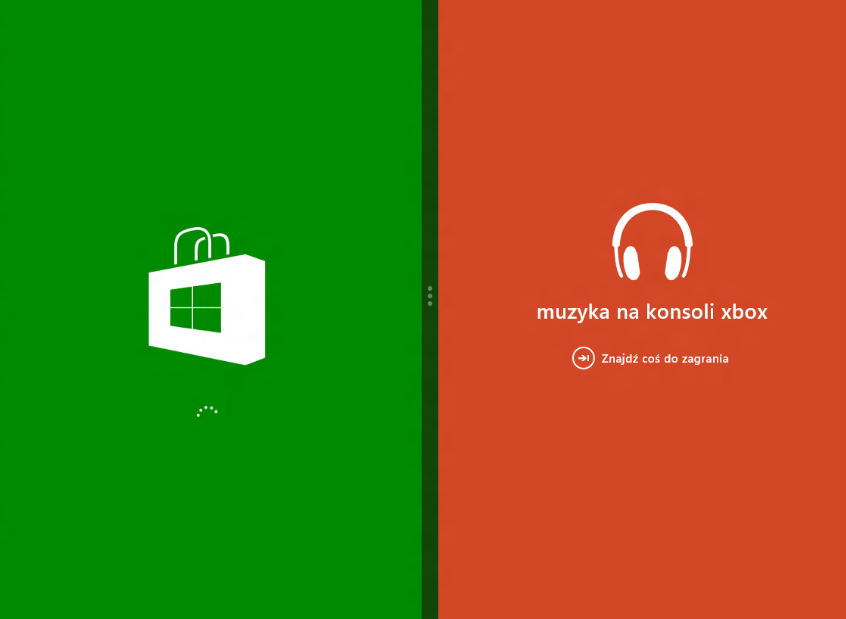
Side by Side Snap

Windows 8 currently offers a snap view where one app takes up 2/3 of the screen and another makes up the other 1/3. I find it very useful and use it regularly but not everyone seems to agree on it’s usefulness. HP, for example, claim it is a “consumer feature” and purposefully built their business focused Windows 8 tablet, the ElitePad 900, with a screen resolution incapable of snapping; as they don’t feel that business users need it.

Windows 8 Blue brings new snap capabilities, giving 50/50 snapping (as per desktop mode & Windows 7) but also allowing 3 and 4 apps to be snapped simultaneously.

Current Snap:

image

New Snap:

image

These improvements also extend to multi-monitor support, allowing you to run individual Windows 8 apps across multiple monitors.

As the current Windows 8 snap features requires a minimum resolution of 1368×768, will the additional 3 & 4 app snap capability require an even higher resolution?

Internet Explorer 11

The latest revision of Internet Explorer will be available as part of the Blue update:
image

The word on the street/online is that tab synchronization will be introduced in IE11 and Windows Blue, allowing users to continue internet browsing across devices. You’re looking at a page on your desktop pc and need to leave the office, you can pull out your tablet on the train and pick up where you left off…it should also be possible to continue the browsing on a Windows Phone 8 device.

Oddly enough I was talking to someone who’s quite the Apple fan the other day (hi Mat!) and they mentioned this as something they really like about the iOS universe. I wasn’t aware that it was a thing and had never really thought about it so it wasn’t something that I missed…that said, since our conversation and now it’s rumoured inclusion in Windows Blue, I can see myself using it a lot between laptop/desktop and tablet. Something I wonder is this – will it be possible to do it across devices that don’t share MS accounts? For example, people won’t have their Hotmail account linked to their work machine but they may wish to continue their browsing on a personal device, which will have the MS account rather than corporate details – will this be possible?

New Live Tile sizes

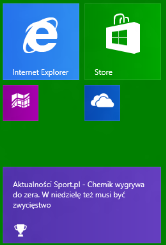
In a move that brings it in line with Windows Phone 8, Windows 8 Blue will support smaller live tiles. This please me and I’m sure many others, as it enables one to have many more things easily accessible without creating a huge start screen to scroll through. That change between WP7 & 8 was one of the biggest and most beneficial for me.
image

The Desktop tile is the only one to have a special “extra large” offering too:
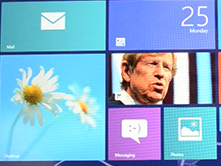
image (courtesy of The Verge)

New options in Settings

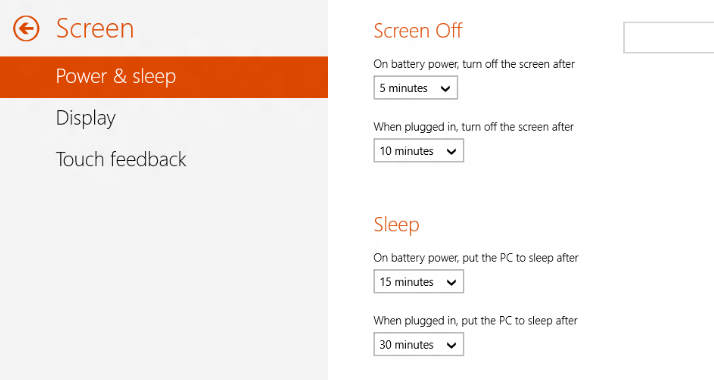
Microsoft have made many of the Control Panel features now available in the Windows 8 mode, rather than forcing the user into the desktop. This is a brilliant move, the switching between modes is one of the biggest complaints I hear and I find it very jarring myself, so steps to reduce it’s frequency can only be a good thing. I’d be happy to spend all my time in the Windows 8 interface if I could do everything I needed to (and I’m sure many others would) so this is definitely a step in the right direction.
image

image

You can see here the ability to backup a device to SkyDrive. I imagine this will be pretty useful although quite a slow process!

image

Charm Updates

The Devices Charm features a new “play to” option.

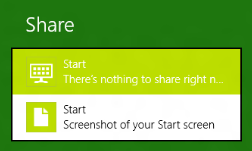
The Share Charm lets you quickly take a screenshot:
image

Other new features

The Verge tells us that “On the Start Screen you can swipe up from the bottom to bring up a list of all apps, and in the desktop mode you can swipe up or down to reveal a desktop app bar that provides access to snap, projector settings, and more” which sounds like a great addition.

The new Apps section in settings lets you see how much storage each app is using.

There is a new, quick way to add VPN settings.

A “Quiet Mode” has been introduced, allowing you to set periods when notifications are subdued.

New built in apps include:

  • Alarm
  • Sound Recorder
  • Windows 8 style calculator
  • Movie Moments – a Movie Maker replacement.

When will we get it?

Microsoft today announced their BUILD conference, the Windows Developer event, will be held in San Francisco on June 26-28 2013. It seems likely that we will see the first public preview of Windows Blue around this time – so not that long to wait really, yay!

Registration for BUILD begins 09:00am PST April 2nd here – www.buildwindows.com.

Thanks to Winforum.eu for the screenshots and The Verge for some of the extra info.
Microsoft volume licensing customers get access to Surface devices


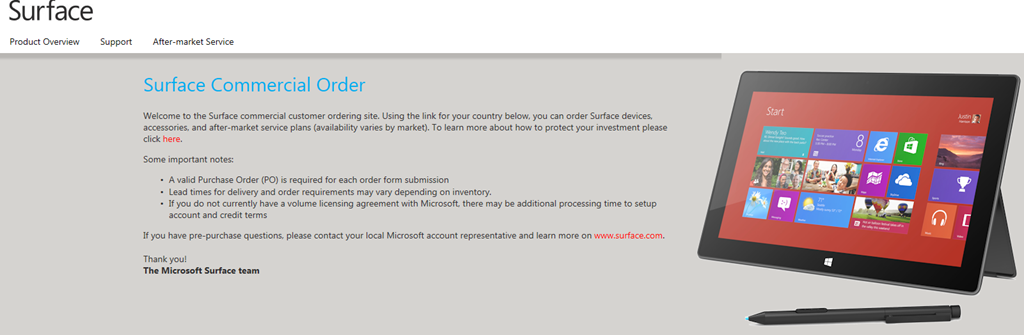
As reported by Mary Jo Foley of ZDNet, Microsoft have made it a little easier for volume licensing customers to get their hands on the Surface RT & Surface Pro devices with a new website –

https://microsoftedweblive.com/sites/BHO/default.aspx


image

image

Text from the site:

Welcome to the Surface commercial customer ordering site. Using the link for your country below, you can order Surface devices, accessories, and after-market service plans (availability varies by market).

Some important notes:

  • A valid Purchase Order (PO) is required for each order form submission
  • Lead times for delivery and order requirements may vary depending on inventory.
  • If you do not currently have a volume licensing agreement with Microsoft, there may be additional processing time to setup account and credit terms

Protect your Investment

While Surface devices come with a standard one-year limited warranty, you may want to consider purchasing a Surface Extended Hardware Service Plan. This plan is available for both Surface Pro and Surface RT devices and includes an extension of the hardware warranty up to 3-years.
The plan includes shipping a replacement unit out prior to your product return to minimize downtime. The Extended Hardware Service Plan can be purchased up to 45 days after device purchase. For details on what is and is not covered in the Extended Hardware Service Plan for Surface devices, please see the Terms and Conditions.
The Extended Hardware Service Plan is priced at $200 per device for Surface Pro and $150 per device for Surface RT. At this time, the Extended Hardware Service plans are available only in the US and Canada and via direct purchase from Microsoft.

You need to log into the website to see the above screens and move through to the pricing & ordering sections. I’d expect that any login that can access the VLSC (Volume License Service Center) will be able to sign into this site.

This is an interesting move from Microsoft – still not involving their channel partners but at least making it easier for corporations to purchase these devices! It’s interesting to note that they’re not offering a discount via this new site – the prices are the same as those on the public website.

Also, the Surface Pro isn’t listed on the UK page but it is on the US page, so it conforms to the current availability schedule. No early Pro goodness, even for volume licensing customers Smile

BizTalk licensing changes in April


Some BizTalk changes coming next month:

Biztalk 2013 will be on the pricelists from April and is moving to a per-core licensing model. As with SQL 2012, 1 license will cover 2 cores.

BztlkSvrStd 2013 ALNG MVL 2Lic CoreLic

BztlkSvrEnt 2013 SNGL OLP 2Lic NL CoreLic

BztlkSvrBrnch 2013 ALNG MVL 2Lic CoreLic

Office 365 & Remote Desktop Services


Office Pro Plus has been available via Office 365 for a while but using it via an RDS server has never been allowed…until now.

With the recent update to Office 365, Microsoft have relaxed the licensing rules to allow RDS use of Office 365 licenses. Under “Installation & Use Rights” on page 82 of the January PUR:

Each user may also use one of the five activations on a network server with the Remote Desktop Services (RDS) role enabled

and from the March Product List:

Media Eligibility with Remote Desktop Services (RDS)

If the user to whom you have assigned an Office 365 ProPlus license uses the software on a network server with RDS role enabled, in lieu of installing a copy of the software provided with Office 365 ProPlus on one of the five permitted devices pursuant to the Product Use Rights for Office 365 ProPlus, that user may 1) install one copy of the Office Professional Plus 2013 software on a network server and 2) access the Office Professional Plus 2013 software from any device.  Upon termination of your Office 365 ProPlus subscription you must uninstall Office Professional Plus 2013 software from the network server.

I’m glad they’ve done this as it makes the messaging of “same product, different delivery method” a much truer statement and reduces any possible confusion for customers.

Microsoft reverse decision on Office 2013 licensing


It recently came to light that Microsoft had changed the Office 2013 FPP licensing, meaning users were no longer allowed to transfer a copy of Office 2013 from one machine to another – even in the event of that machine breaking.

This was not received well by most people and there have been a lot of blog posts, tweets, conversations about this; almost all of them negative about MS making things “more expensive”, “pushing users to the cloud” etc.

In an interesting development, Microsoft have now reversed that decision:

As a result of customer feedback to Office 2013 retail license transferability terms, we are changing the Office 2013 retail license agreement to allow customers to transfer the software from one computer to another.

The End User License Agreement text accompanying Office 2013 software will be updated in a future release, however this change is effective on March 6, 2013 at 6am PT. This amendment applies to Office Home and Student 2013, Office Home and Business 2013, Office Professional 2013, as well as Office 2013 standalone applications. These transferability options are equivalent to those found in the Office 2010 retail license terms.

This is a great example of Microsoft listening to feedback from end users and moving, really quite quickly, to rectify the issue at hand. I think this is a positive step from Microsoft and shows that customer feedback, particularly via social media, really does work!

To see the official Microsoft post, head over to:

http://blogs.office.com/b/office-news/archive/2013/03/06/office-2013-retail-license-agreement-now-transferable.aspx