Windows 7 Release Date announced!


The Windows 7 Release Date has officially been announced by Microsoft. The most important OS related date for a LONG time is:

October 22nd 2009

That is the day that Windows 7 will be generally available…and I can’t wait! Less than 5 months to go until we can all get the latest & greatest OS in all it’s glory 🙂

Microsoft have confirmed that this is the General Availability date they are aiming towards and technology partners such as HP are confident it will happen. Phil Mckinney, CTO of HP said:

“We’re locked and loaded for the launch…The quality of code is just absolutely stellar.”

Windows 7 and Video Transcoding


Windows 7 will natively support GPU accelerated video transcoding, Microsoft’s Murray Vince revealed yesterday.

From www.bit-tech.net:

“The implementation was seamless as Henry simply dragged and dropped the high definition video file onto a Sony Walkman portable media player in Windows Explorer, where it automatically started transferring the file onto the Walkman.

This is yet another feature that makes Windows 7 easier to use and more people friendly.

Microsoft MED-V & AntiVirus Exclusions


MED-V (Microsoft Enterprise Desktop Virtualisation) is their program that allows legacy app use on an enterprise wide basis and is based on Virtual PC technology.

It seems that some anti-virus programs have a habit of interfering with parts of the virtualisation if not properly configured. Steve Thomas, a Senior support escalation engineer at Microsoft, has drawn up a list of file extensions that should be masked to co-exist wth Anti-Virus on the network:

*.VHD – These represent the Virtual Hard Disk Image files. These will appear on test workstations when test images are being used to finalize workspace policies.
*.VUD – These represent Virtual PC Undo Disk Files. These will appear on test workstations when test images are being used to finalize workspace policies.
*.VSV – These represent Virtual PC Saved State files. These will be on all MED-V clients running Workspaces.
*.CKM – This is the packed image format used by MED-V (Kidaro Compressed Machine.) These will be present on MED-V Servers, Image Distribution Servers, locally packed images on MED-V Administration workstations, and as pre-staged images on clients.
*.VMC – These represent the Base Virtual Machine Settings File. Will be found on all MED-V Clients and Test Workstations.
*.INDEX – These are index files used by the TrimTransfer Feature. These will be found on both clients and servers.
*.EVHD – These are the encrypted virtual hard disk files used on MED-V Clients running workspaces.”

Info from SoftPedia.

Outlook 2007 Forgotten Attachment Detector


The Outlook 2007 Forgotten Attachment Detector (FAD) is amazing; it’s an add-on for Outlook 2007 that helps prevent emails being sent without their required attachments.

I have been saying for years that something like this should be made, as I am forever forgetting to attach files to emails, both at home and at work. If I had the programming skills I would’ve made this myself…but I haven’t so I didn’t…and instead we have Bhavesh Chauhan of the Office Labs team to thank.

How it works:

It scans the body of the email for words and phrases such as “the attached email”, “the email attached”, “please find attached” and then checks to see if there is anything attached. If there isn’t, it flags it up and gives you the chance to recitfy it.

More information is on the Office Labs site here and you can download the FAD here.

Big up to Bhavesh and I can’t wait to install this at work ASAP 🙂

Microsoft Bing put to the test


Microsoft Bing went live this morning; I’ve been playing around with it and I’m very impressed!

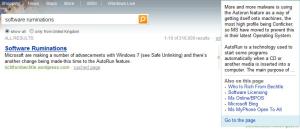
The first thing I did was search for my blog and I noticed the new thing to the side of the results which, when hovered over, gives you a preview of the site like so:
Blog bing

I’m also very impressed with the image search-it seems to bring back better results than Google and the “Related” links on the left always seem to be relevant.

The next thing that impressed me, and made me change my homepage over to www.bing.com (from Google) was the relevance of search results, especially when compared to Live Search. For some reason, I can never remember the URL for Mary Jo Foley’s All About Microsoft blog so previously,I would Google it and simply click the top result. However, when I tried using Live Search, the top results were all various articles rather than the main homepage-and that made it a couple of clicks longer than with Google. Not much difference I know, but in these hectic 21st century days-it all counts 😉 Now though-I can Bing it and it’s the top result-happy days!

I am a big fan of Microsoft (as you might have gathered) and I always wanted to use Live Search, but it just wasn’t good enough…now that Bing is here though, I think we’ll see Redmond’s market share jump up quite a bit. They’ve definitely got at least one new user…